Hello,
We apologize for the issue you are facing with your website traffic after installing Rank Math. It can be concerning to see a drop in traffic, especially after making changes to your SEO settings.
Here are some steps you can take to troubleshoot and potentially resolve the issue:
1. Check Google Analytics Configuration
Ensure that you are using the correct Google Analytics property (Universal or GA4) and that it is properly connected to Rank Math. You can find more information on how to do this in our knowledgebase article.
2. Verify Google Analytics Code
Make sure that the Google Analytics code is correctly installed on your website. If you haven’t added it yet, you can enable the Install analytics code option in Rank Math.
3. Reconnect Your Google Account
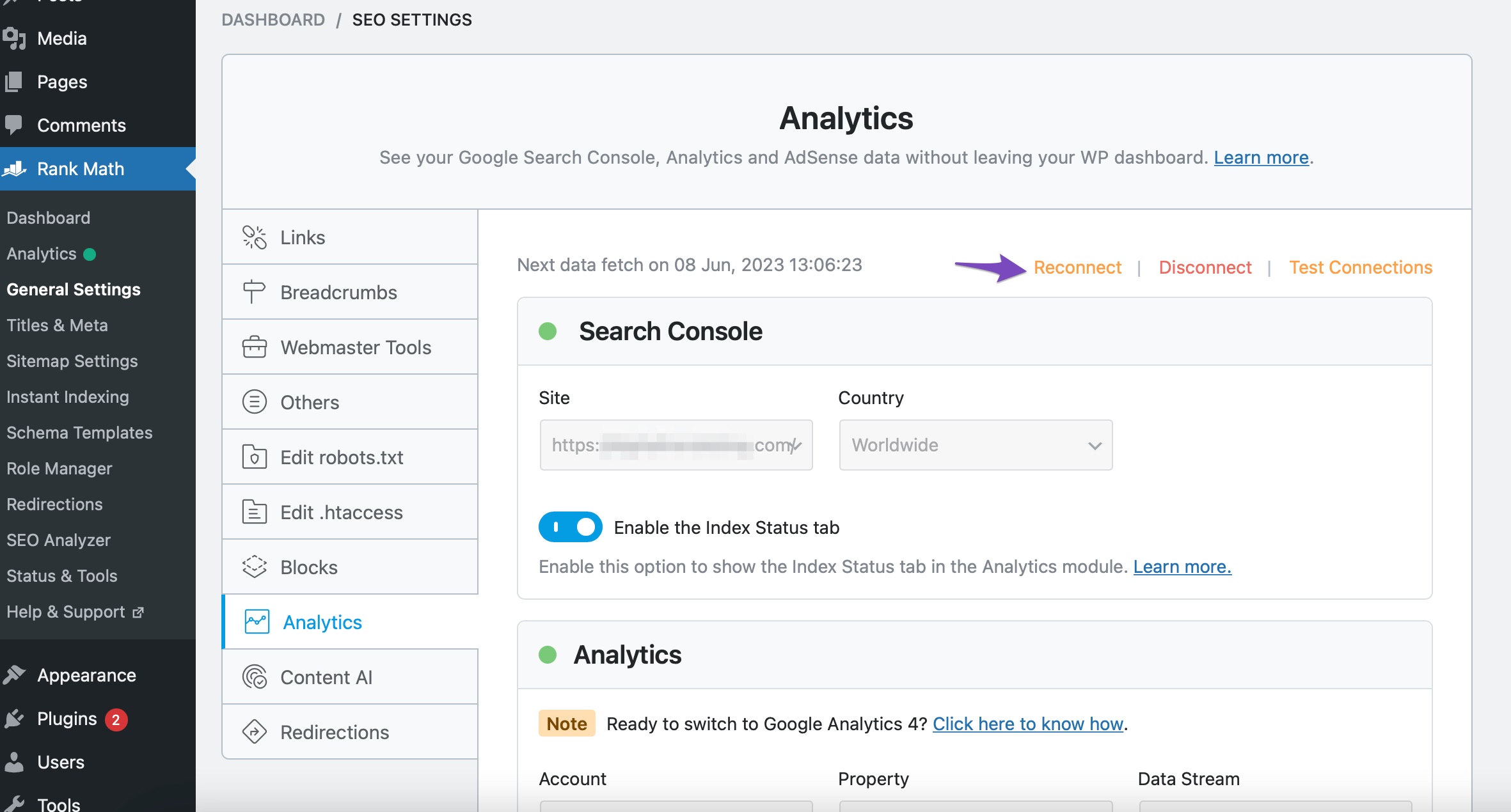
Sometimes, reconnecting your Google account can help refresh the data fetching process. Go to Rank Math SEO → General Settings → Analytics and click the Reconnect link.
4. Check Rank Math SEO Account Connection
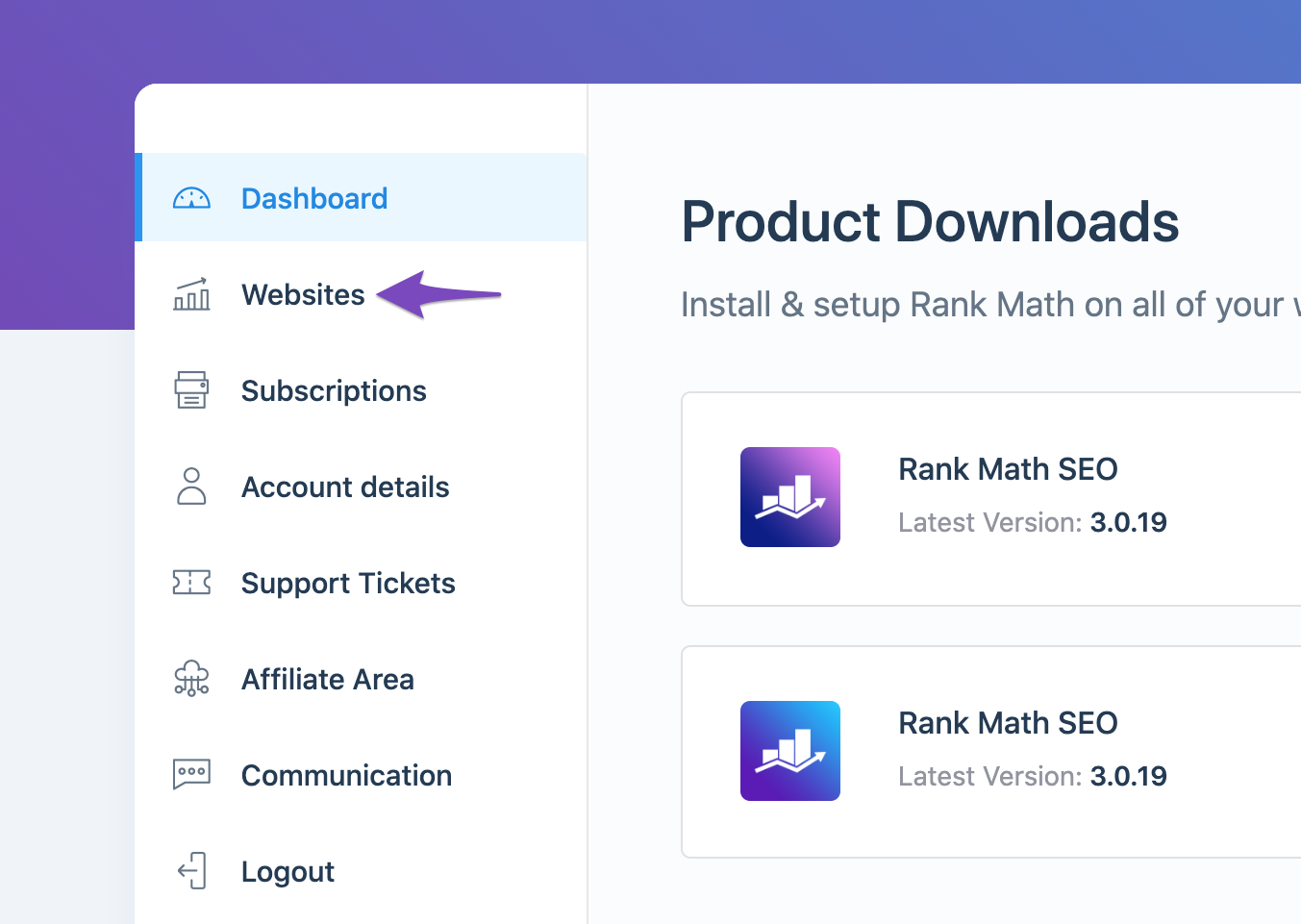
Ensure that your website is connected to the correct Rank Math account, especially if you have multiple accounts. You can check this in the My Account area of Rank Math.
5. Recreate Database Tables
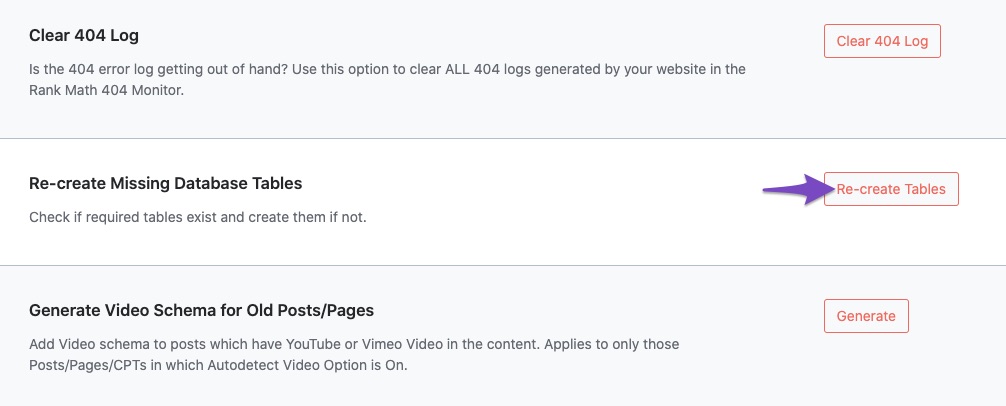
You may also want to recreate any missing database tables. Navigate to WordPress Dashboard → Rank Math SEO → Status & Tools → Database Tools and click on Re-create Tables.
6. Refresh Tokens
If the above steps do not resolve the issue, it may be necessary to refresh the authorization tokens from Google. You can do this by deleting the Rank Math app from your Google Account permissions and then reconnecting it.

7. Check for Indexing Issues
Lastly, ensure that your site is indexed by Google. You can check this by searching for your site on Google or using the URL Inspection tool in Google Search Console.
If you’ve followed these steps and still see no improvement, please reply to this ticket, and a human agent from the Rank Math Support team will assist you further.
Thank you for raising this concern, and we hope to help you get your traffic back soon!
Sources:
What to Do When Rank Math Analytics Shows Zero Search Traffic » Rank Math