Hello,
We apologize for the issue you are facing with the Schema on your website. To remove all Schema from your website pages while keeping the Schema for blog posts, you can add a custom code snippet to your theme’s rank-math.php file. Here’s how you can do it:
-
Create the rank-math.php file if it doesn’t already exist in your theme’s directory. You can follow this tutorial to create the Rank Math file.
-
Add the following code snippet to the rank-math.php file:
/**
* Filter to remove all Schema from all pages except blog posts
*/
add_filter('rank_math/json_ld', function ($data, $jsonld) {
   if (!is_single() || !is_singular('post')) {
       return [];
   }
   return $data;
}, 99, 2);
This code will ensure that all Schema is removed from pages except for blog posts.
-
Navigate to Theme File Editor in your WordPress dashboard:
- For Classic Theme: Go to WordPress Dashboard → Appearance → Theme File Editor
- For Block Theme: Go to WordPress Dashboard → Tools → Theme File Editor
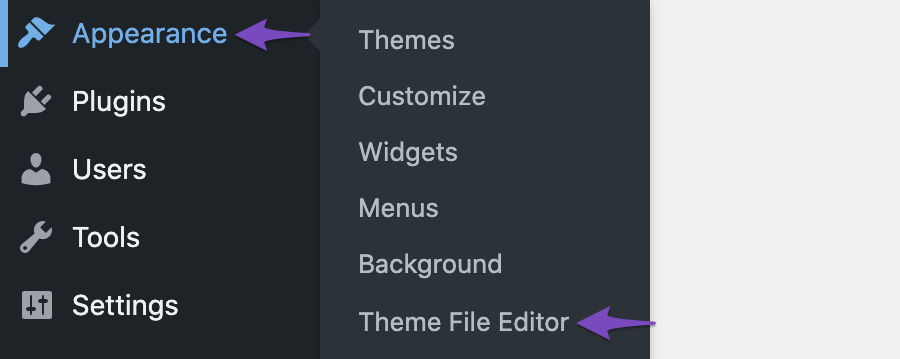
-
Update the file after adding the code.
After implementing this code, you should no longer see the Schema on your website pages, but it will remain for your blog posts. If you have any further questions or need assistance, please feel free to reply to this ticket, and a human agent from the Rank Math Support team will assist you further.
Sources:
Remove All Schema from Product Category Pages » Rank Math
I don’t want to add codes. I need solve from the RankMath Plugin.
Hello,
If you don’t want to use a code, then you disable the schema module on your Rank Math > Dashboard
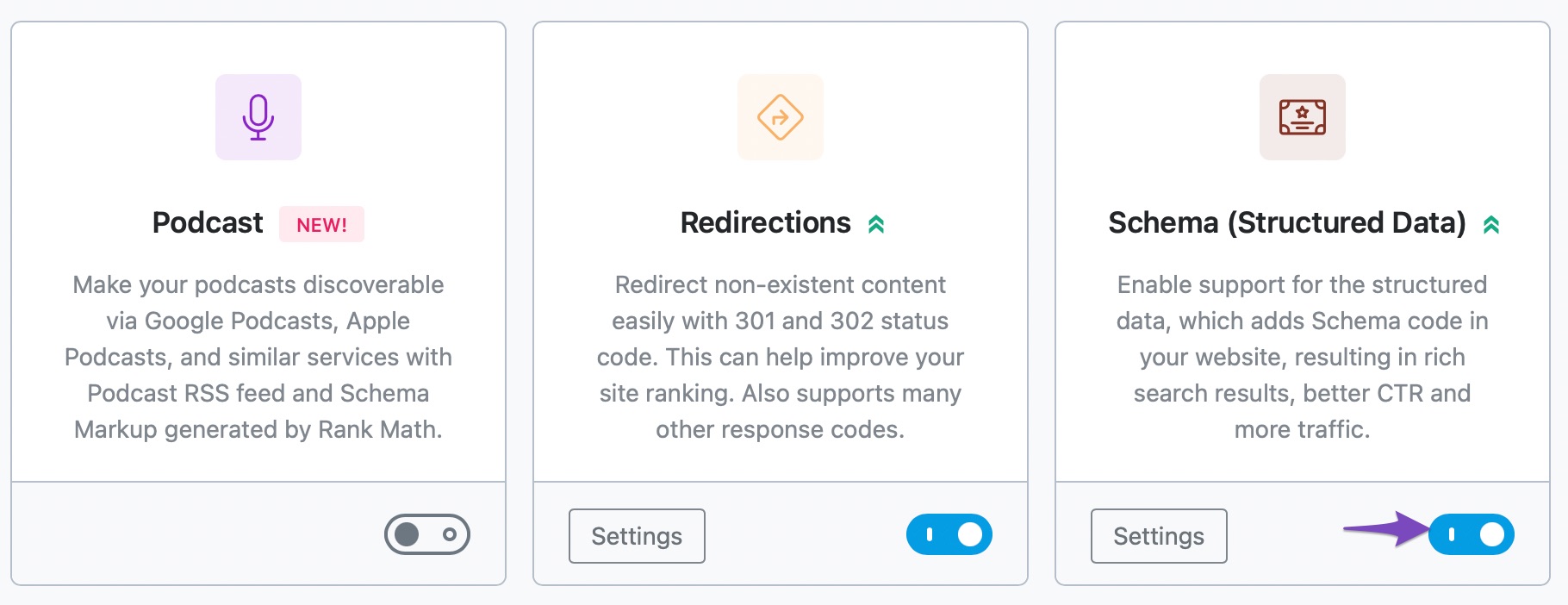
However, if you want to disable the schema to your pages except for your posts, then you may need to use the code we shared above.
Looking forward to helping you.
I already disabled the SCHEMA on dashboard. But it still appears.
Hello,
To investigate this issue further, we might need to take a closer look at your website and settings. Please follow these steps:
- Edit the first post on this ticket and include your WordPress and FTP logins in the Sensitive Data section. This is a secure section that only our support staff can access.

- Make sure you take a complete backup of your website before sharing the information with us.
- If you prefer, you can use this plugin to generate a temporary login URL to your website and share that with us instead: https://wordpress.org/plugins/temporary-login-without-password/
- You can also use this plugin to monitor what changes our staff might make on your website (if any): https://wordpress.org/plugins/wp-security-audit-log/
We appreciate your cooperation and patience.
Thank you for choosing Rank Math.
Hello,
Since we did not hear back from you for 15 days, we are assuming that you found the solution. We are closing this support ticket.
If you still need assistance or any other help, please feel free to open a new support ticket, and we will be more than happy to assist.
Thank you.




