Hello,
We apologize for the issue you are facing with the link preview on Telegram. Thank you for raising this concern.
Rank Math does not have specific settings for Telegram, but it does generate Open Graph tags that are used by various social media platforms, including Telegram. Here are some steps you can take to ensure that your Open Graph tags are correctly configured:
-
Check Open Graph Tags: Ensure that the necessary Open Graph tags are present in your website’s source code. You can do this by viewing the page source and looking for tags like:
-
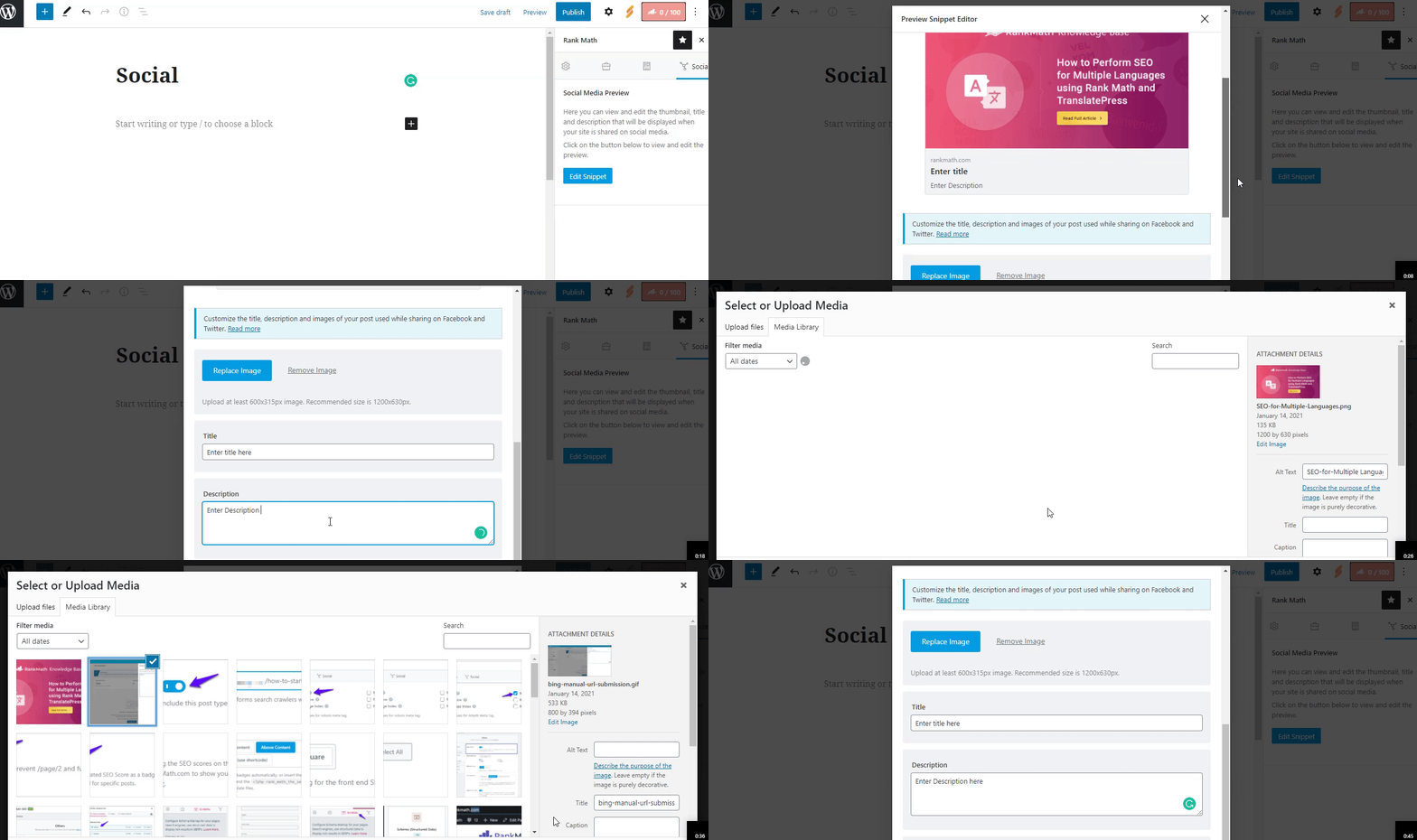
Add Social Preview Images: Make sure you have added Facebook/Twitter sharing images through the Rank Math Meta Box. This is crucial as these images will also be used by Telegram.
-
Image Dimensions & Format: Ensure that the image you are using meets the recommended dimensions of 1200px X 630px and is in a supported format (JPEG, PNG, GIF, WebP, or AVIF).
-
Check for Minification Issues: If you are using a caching or minification plugin, it might be pushing your Open Graph tags down in the source code. Ensure that your Open Graph tags are within the first 60 KB of your page’s source code.
-
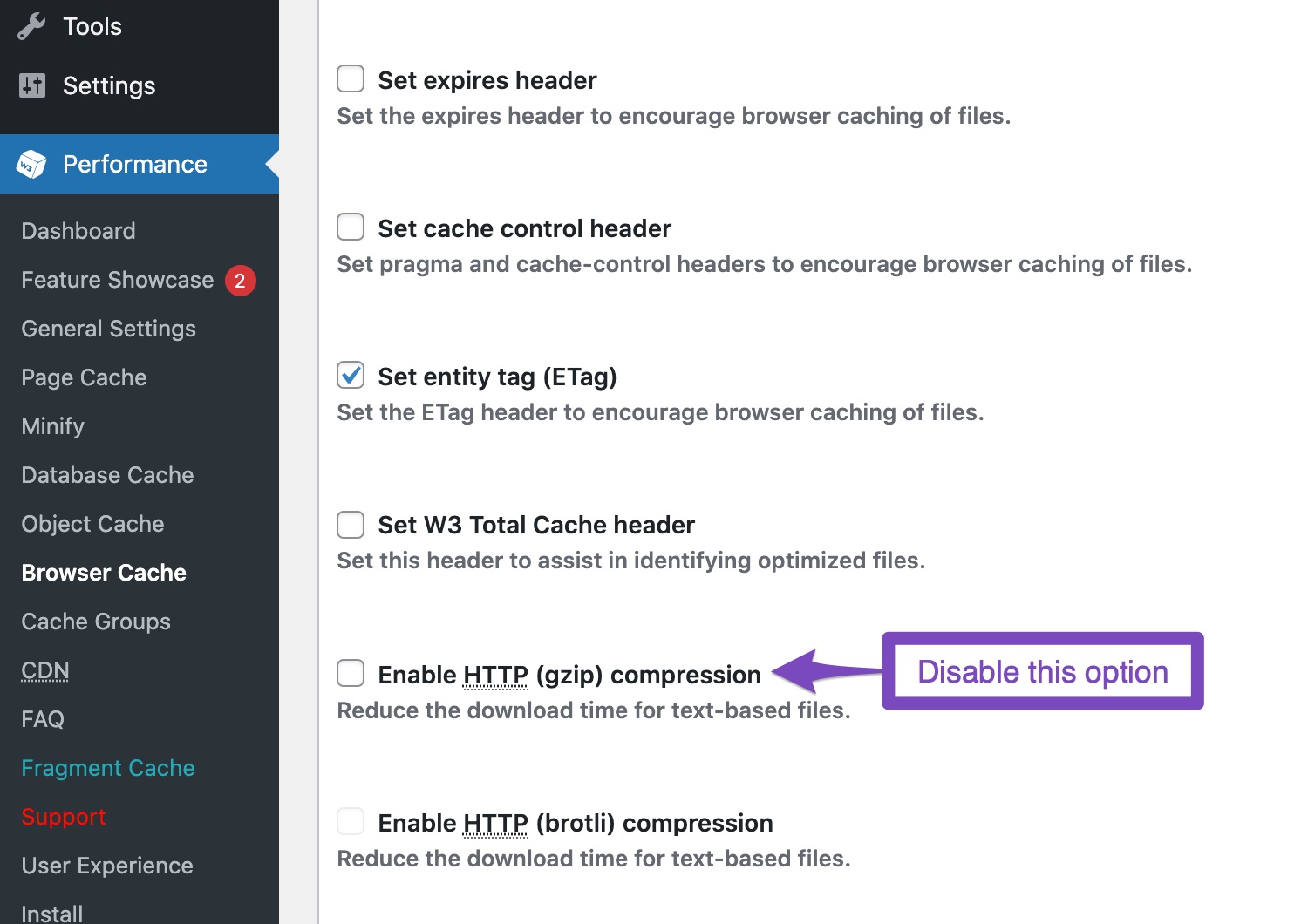
Disable Gzip Compression: If you have Gzip compression enabled in your caching plugin, try disabling it as it can interfere with how Telegram reads your Open Graph tags.
-
Clear Cache: After making these changes, clear your website and server cache (including any CDN like Cloudflare) to ensure that the latest version of your site is being served.
-
Test with Telegram: Finally, test your link again in Telegram to see if the preview appears correctly.
If you continue to experience issues after following these steps, please reply to this ticket, and a human agent from the Rank Math Support team will assist you further.
We hope this helps resolve your issue!
still have the same problem the link is not open please need you help hostinger hosting and wordpress said that the problem is form rankmath so they told me to add onther plugin while i like rankmath so can i have help please
Hello,
Thank you for contacting Rank Math support.
Please share the affected URL so we can check and assist you further.
Looking forward to helping you.
Hello,
The page URL is https://oxshare.com/technical-analysis/technical-analysis-11-oct-2024/oxshare, but the canonical and og:URL tags are set as https://oxshare.com/technical-analysis/technical-analysis-11-oct-2024. That could be causing the issue with the link preview. Please confirm if you’re using a plugin to add oxshare at the end of the URLs.
Looking forward to helping you.
Hello,
Since we did not hear back from you for 15 days, we are assuming that you found the solution. We are closing this support ticket.
If you still need assistance or any other help, please feel free to open a new support ticket, and we will be more than happy to assist.
Thank you.



