Hello,
We apologize for the issue you are facing with saving the Thumbnail URL for your video in Rank Math. To ensure that the thumbnail URL is saved correctly, please follow these steps:
-
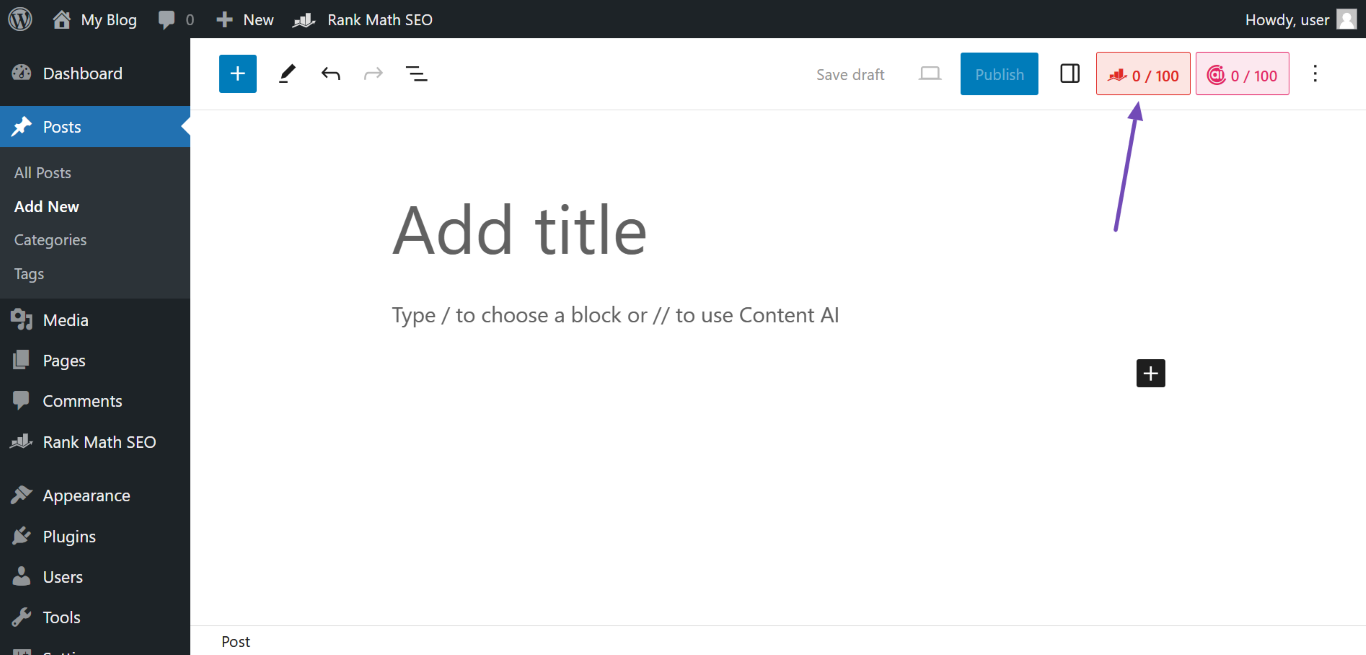
Open the Rank Math Metabox: Navigate to the top-right of the screen and click the Rank Math icon.
-
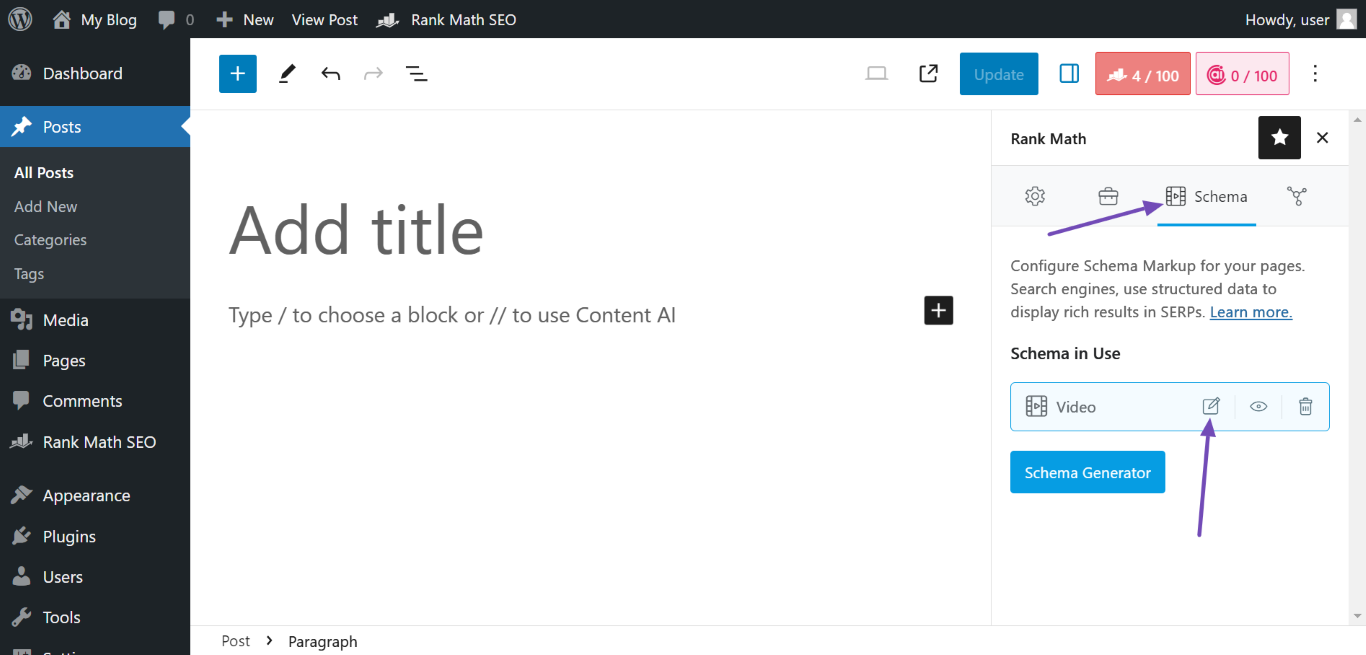
Open the Video Schema: In the Rank Math metabox, click the Schema icon, then navigate to the Video Schema and click the Edit icon.
-
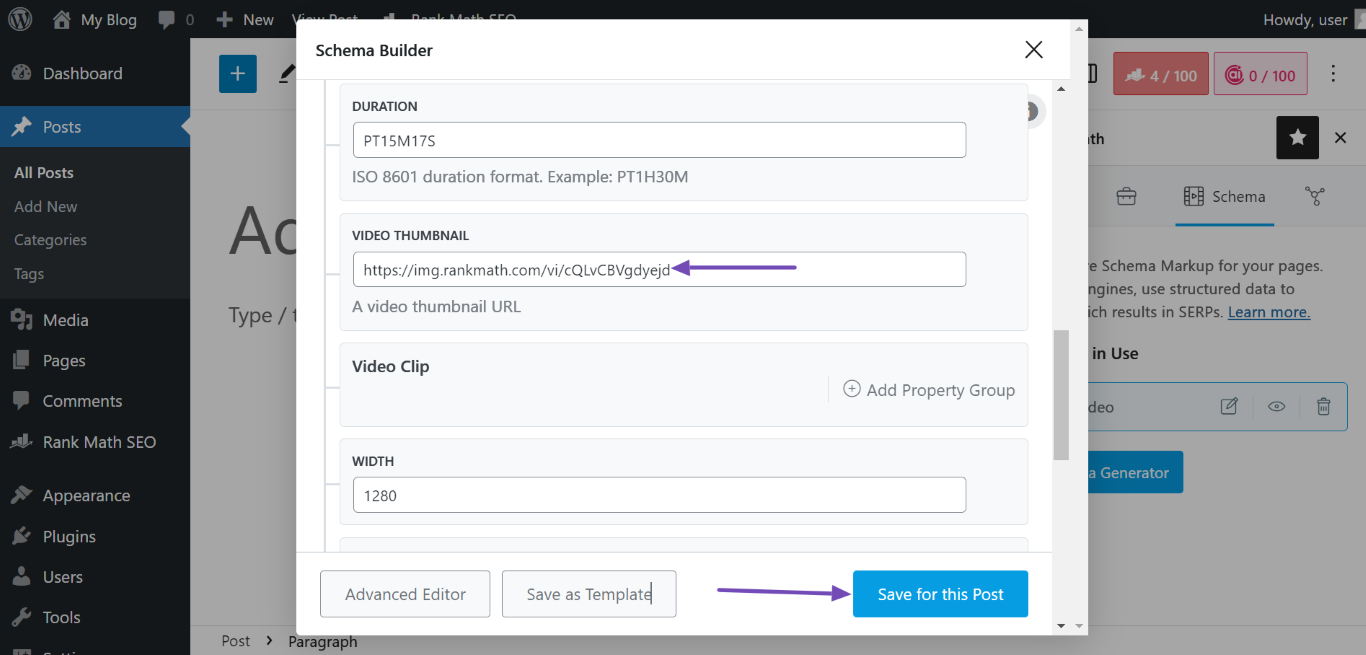
Upload a Video Thumbnail URL: In the Schema Builder, locate the VIDEO THUMBNAIL section and paste your video’s custom thumbnail image URL. Once done, click Save for this Post.
If you have followed these steps and are still unable to save the Thumbnail URL, it may be beneficial to check for any plugin conflicts or ensure that your Rank Math plugin is updated to the latest version.
Unfortunately, we cannot provide CSS custom code for this issue as it pertains to functionality rather than styling. If you continue to experience difficulties, please reply to this ticket, and a human agent from the Rank Math Support team will assist you further.
Thank you for raising this concern, and we hope to resolve it for you soon!
Sources:
Video Schema Type » Rank Math
i entered the URL , but after saving it , and return back I found that the URL bar is empty
Hello,
The Video Thumbnail field in the Video schema is only available using Rank Math PRO, but the account you have used to open this ticket is the Rank Math free version.
Can you please search and forward a receipt from FastSpring.com or the email address you used to purchase so we can locate your account and verify it?
Looking forward to helping you.
Hello,
Since we did not hear back from you for 15 days, we are assuming that you found the solution. We are closing this support ticket.
If you still need assistance or any other help, please feel free to open a new support ticket, and we will be more than happy to assist.
Thank you.



