Hello, we apologize for the issue you are facing with not being able to see the SEO Titles & Meta settings in Rank Math.
To access the Titles and Meta settings, please follow these steps:
- Hover over Rank Math’s settings in the WordPress menu.
- Click on Titles and Meta.
If you still cannot see the settings, it might be due to the following reasons:
- You may be in Easy Mode, which limits the options available. Switching to Advanced Mode will give you access to more settings. You can find a complete list of options available only in Advanced Mode here.
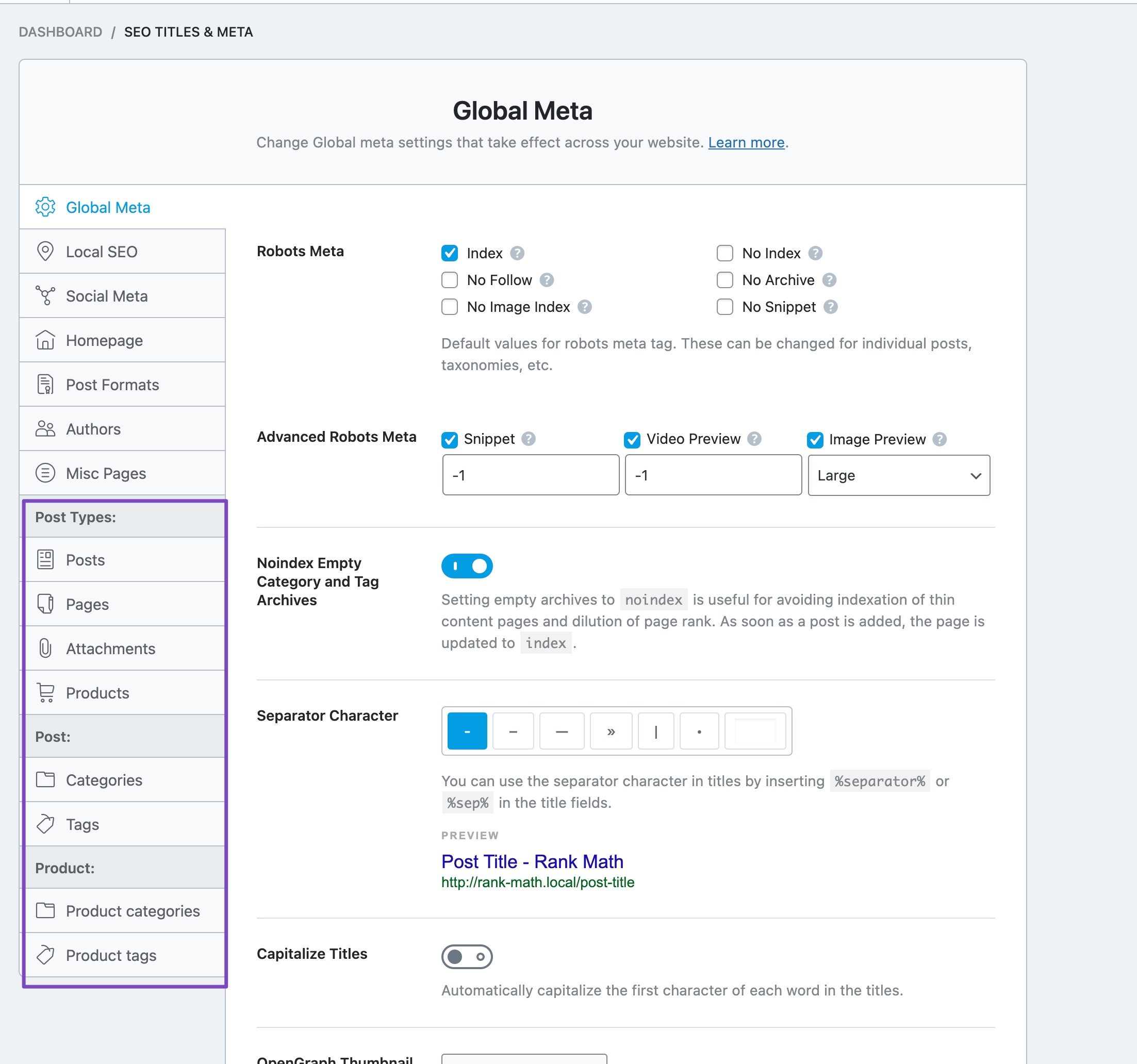
- Ensure that you have selected the correct post type or taxonomy where you want to add the Meta Box. You can do this in the Titles & Meta settings by selecting the appropriate post type/taxonomy on the left-hand side and enabling the Add SEO Controls option.
If none of these steps resolve the issue, please reply to this ticket, and a human agent from the Rank Math Support team will assist you further.
Sources:
Rank Math ‘Titles and Meta’ Options and Settings
Why Rank Math’s Meta Box is Not Showing? » Rank Math
This is an automated reply from Rank Math Support Bot. If you need further assistance, please reply to this topic and a human support agent will reply to you shortly.
Hello,
Since we did not hear back from you for 15 days, we are assuming that you found the solution. We are closing this support ticket.
If you still need assistance or any other help, please feel free to open a new support ticket, and we will be more than happy to assist.
Thank you.


