Hello,
We apologize for the issue you are facing with verifying your website on Bing and Yandex. Thank you for following the steps in the guide. Here are a few things you can check to help resolve the verification issue:
For Bing Verification:
-
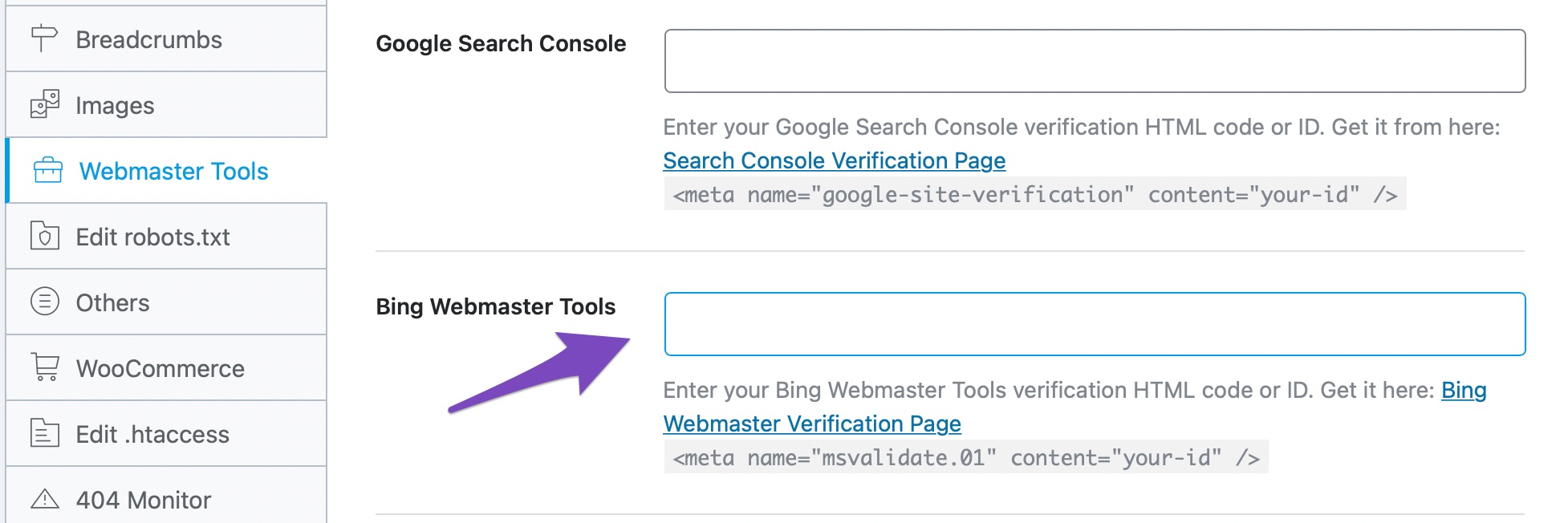
Ensure Correct Placement: Make sure that you have pasted the HTML Meta tag correctly in the Rank Math SEO → General Settings → Webmaster Tools section. It should look something like this:
-
Save Changes: After entering the code, ensure you click on Save Changes.
-
Clear Cache: If you have any caching plugins enabled, clear your cache and try verifying again.
-
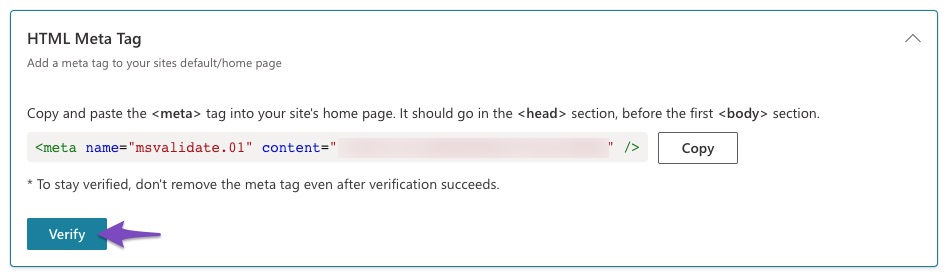
Verify on Bing: Go back to Bing Webmaster Tools and click the Verify button again.
For Yandex Verification:
-
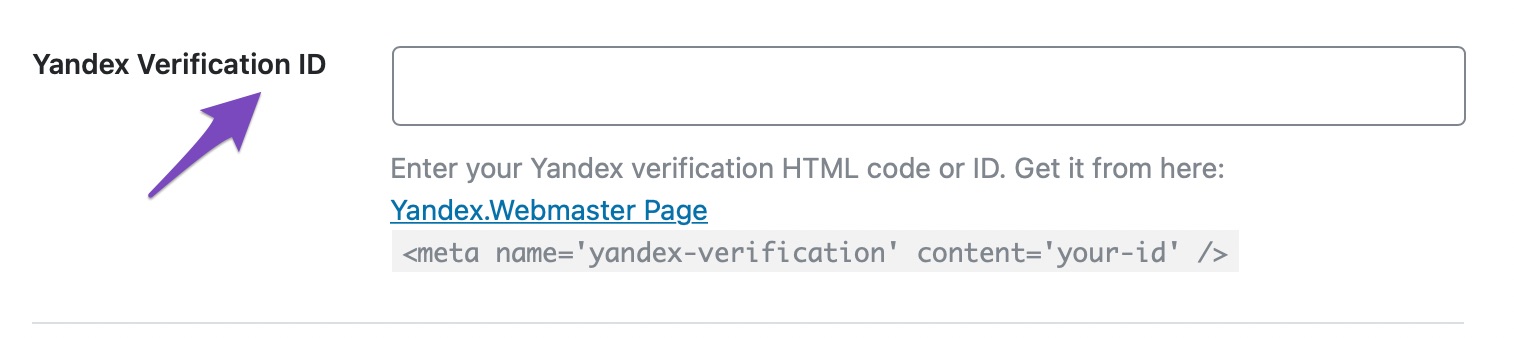
Correct ID Entry: Ensure that you have entered the Yandex Verification ID correctly in the Rank Math SEO → General Settings → Webmaster Tools section. It should be pasted in the Yandex Verification ID field.
-
Save Changes: Click on Save Changes after entering the ID.
-
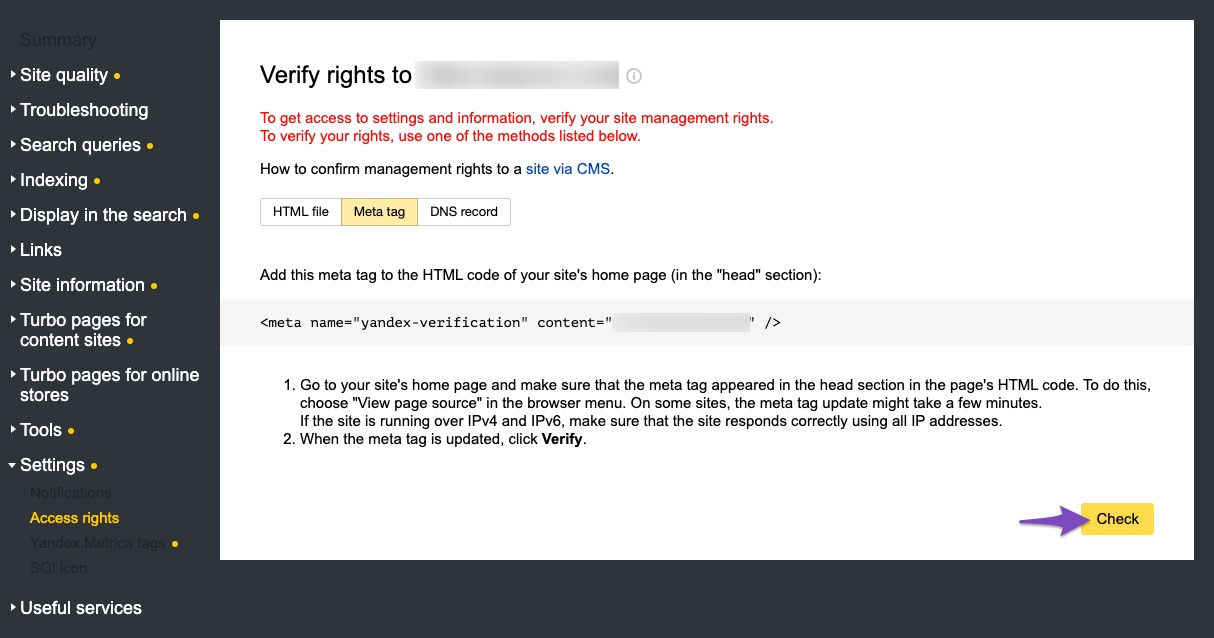
Check on Yandex: Go back to Yandex Webmaster Tools and click the Check button to verify.
If you have followed these steps and it still does not work, please reply to this ticket, and a human agent from the Rank Math Support team will overtake your ticket and assist you further. We are here to help!
Sources:
How to Verify Your Website on Bing Using Rank Math » Rank Math
Verifying Your Domain with Yandex » Rank Math
i have tried all the steps mentioned and even cleared cache but its still not working.
i would like to send a screenshot of the error message that shows. please how can i send you the screenshot?
hello, i am still waiting for your response
Hello,
You can upload screenshots using this tool and add the link here.
Could you please share the website you are verifying so we can check as well?
Looking forward to helping you.
hello, i have been facing troubles trying to send the screenshot of the error messages that show up when i try to verify my website on bing and yandex.
i have opened the imgur.com website, i uploaded the 2 images from my computer but i do not know how to send them to you
please how do i go about sending these images so you can see it and help solve the issue?
my website name is allbuds.de
Hello,
Please follow these steps to successfully use Imgur to share the screenshots with us:
1. Go to https://imgur.com/upload
2. Click on Choose Photo/Video
3. Select your image(s) to upload
4. Click the Open button to upload
5. Copy the image URL to your clipboard. You can either Click the Grab Link button or simply hover over the image and you will see the Copy link button.
Now you have the URL to the screenshots which you can share with us here.
We look forward to helping you.
Thanks.
hello, this explanation you provided on how to get the link was helpful. here is the link
https://imgur.com/a/wy2SxDs
please i await your response.
Hello,
Thanks for contacting us and sorry for any inconvenience that might have been caused due to that.
We can check that the tags are not added to the source of your page. Please clear the cache of your site and check again. If the issue persists, we might need to take a closer look at the settings. Please edit the first post on this ticket and include your WordPress logins in the designated Sensitive Data section.
Please do take a complete backup of your website before sharing the information with us.
It is completely secure and only our support staff has access to that section. If you want, you can use the below plugin to generate a temporary login URL to your website and share that with us instead:
https://wordpress.org/plugins/temporary-login-without-password/
You can use the above plugin in conjunction with the WP Security Audit Log to monitor what changes our staff might make on your website (if any):
https://wordpress.org/plugins/wp-security-audit-log/
We really look forward to helping you.
Hello,
Since we did not hear back from you for 15 days, we are assuming that you found the solution. We are closing this support ticket.
If you still need assistance or any other help, please feel free to open a new support ticket, and we will be more than happy to assist.
Thank you.




