Hello, we apologize for the issue you are facing with connecting your Rank Math plugin to your account. It sounds like you might be encountering a problem with the connection process.
To resolve this, please follow these steps:
-
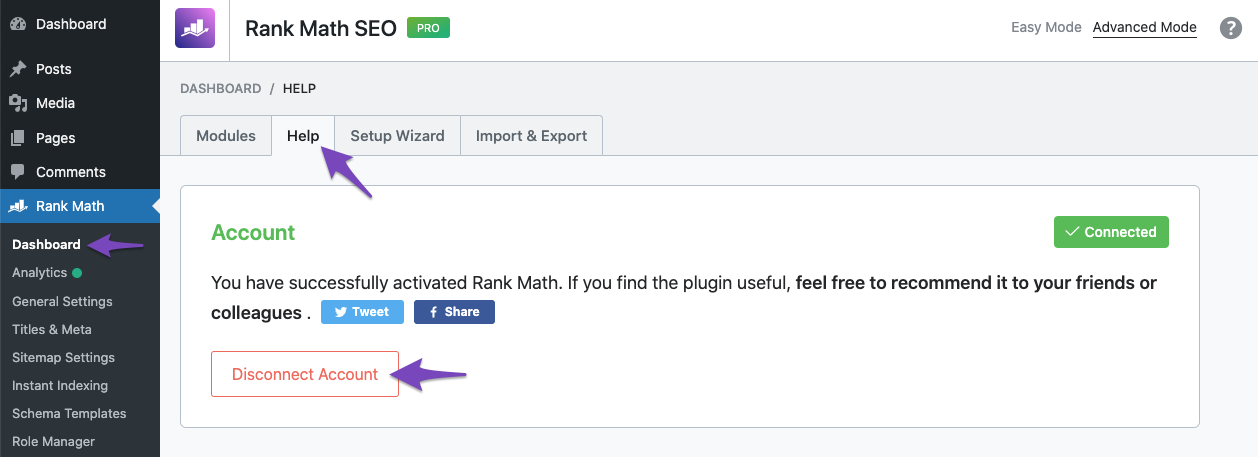
Disconnect Your Website: Go to Rank Math SEO → Dashboard → Help in your WordPress admin area and select Disconnect Account. This will ensure that any previous connection attempts are cleared.
-
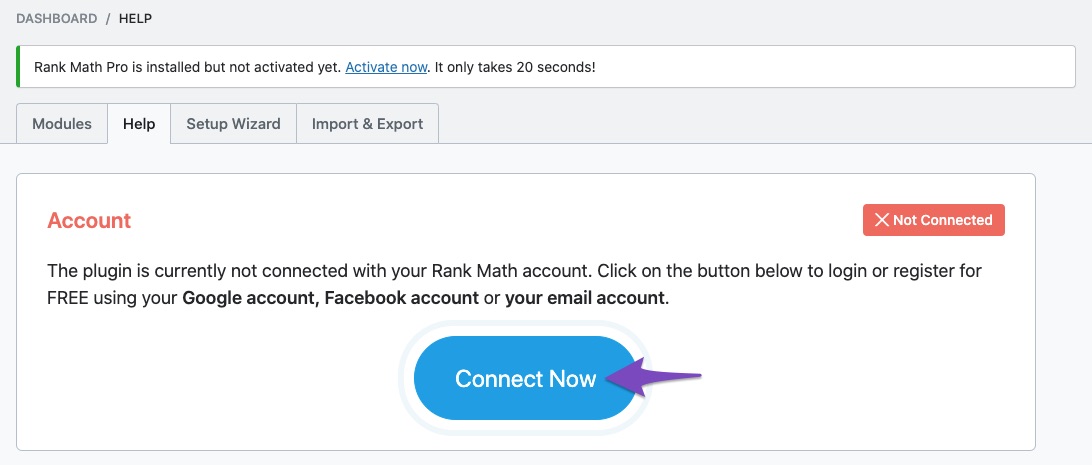
Reconnect Your Website: After disconnecting, you should see a prompt to activate your license. Click on the Connect Now button available on the same page.
-
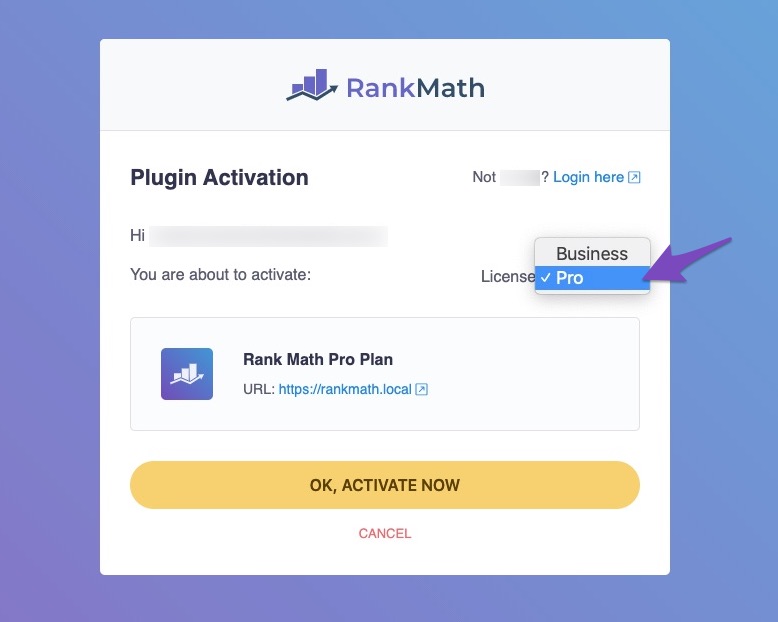
Select the Correct Account: Make sure you select the correct Rank Math account associated with your subscription and click on OK, Activate Now.
-
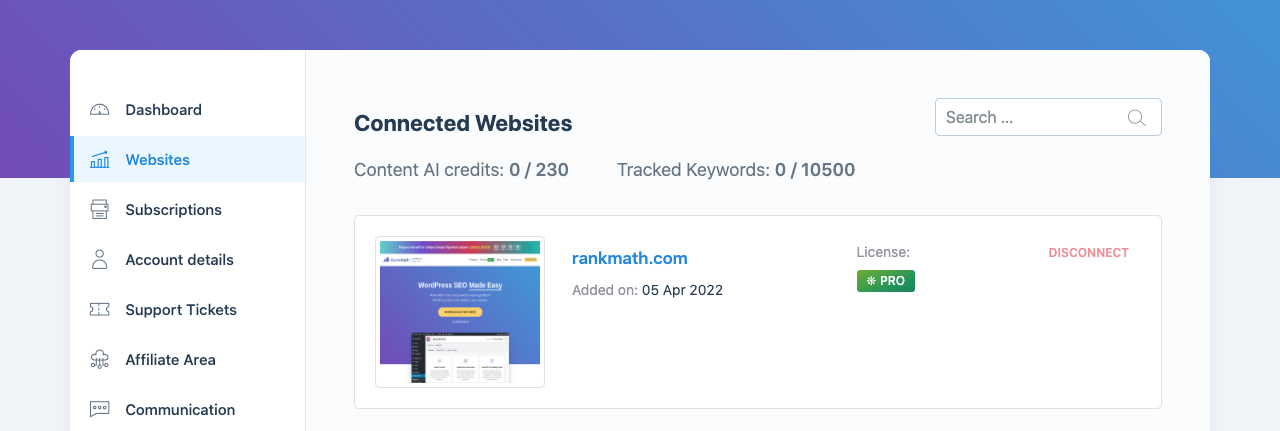
Check Your Account Area: Once connected, you can check your connected websites from your Rank Math Account Area.
If you continue to experience issues after following these steps, please reply to this ticket, and a human agent from the Rank Math Support team will assist you further. Thank you for raising this concern, and we hope to resolve it for you soon!
Sources:
Website Not Shown In Rank Math Account Area » Rank Math
How to Get Rid of "No Connected Websites Found" Message » Rank Math
Hello,
Glad that your concern has been addressed.
If you have another question in the future, please feel free to create a new forum topic, and it will be our pleasure to assist you again.
Thank you.



