Hello,
Thank you for contacting Rank Math, and sorry for any inconvenience caused.
Can you please share a screenshot of Raw Response from the Indexing API?
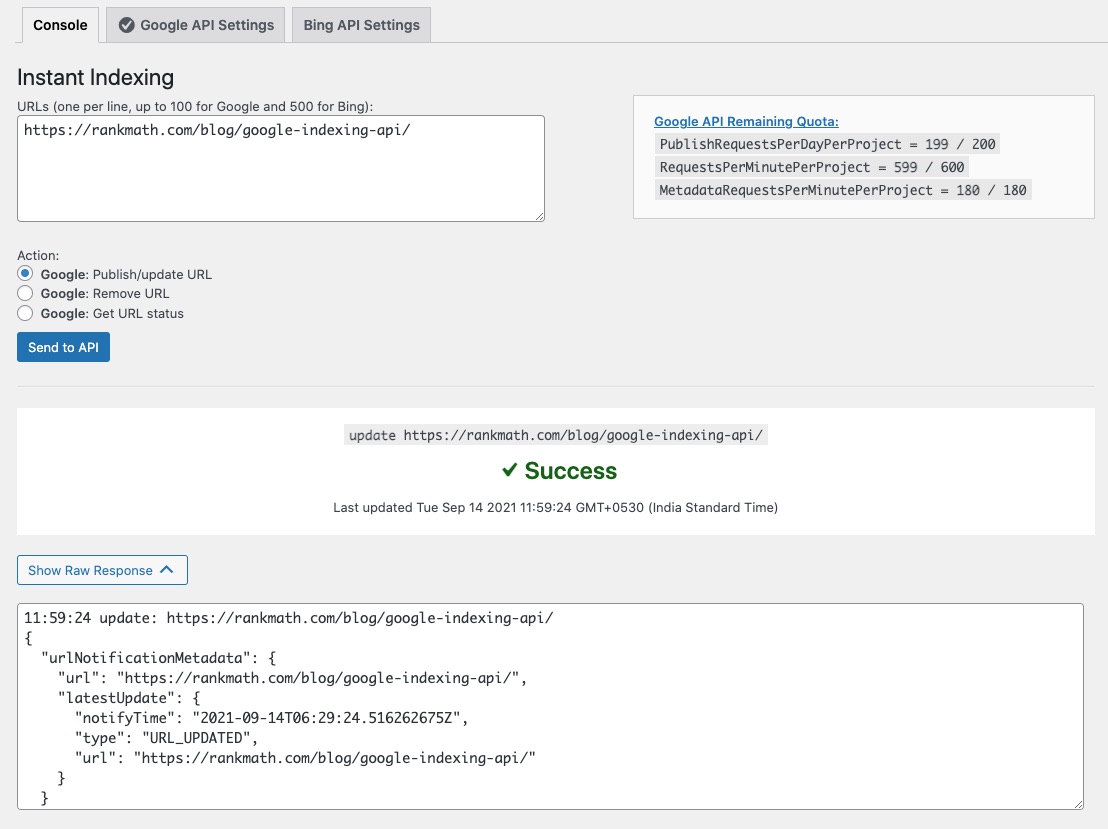
Click on Send to API and then click on the Show Raw Response button.
You can add the screenshot in the sensitive data section of this ticket.
We look forward to helping you.
Hello,
I have updated the sensitive data as requested. Can you please check further?
Thank you.
Hello,
The API is returning a 500 error.
5xx errors are usually caused due to server misconfiguration or other server issues.
Can you please share the website error log with us?
Having the error log file will give a clear idea of why this might be happening.
You can follow this guide to enable debugging in WordPress
https://wordpress.org/support/article/debugging-in-wordpress/ or you can get in touch with your web host, they will help you locate the log file.
Looking forward to helping you.
Hello,
I have updated the sensitive data as requested. Can you please check further?
Thank you.
Hello,
To further investigate the issue, we may need to check this one over your admin dashboard.
Please edit the first post on this ticket and include your WordPress & FTP logins in the designated Sensitive Data section.
Please do take a complete backup of your website before sharing the information with us.

It is completely secure and only our support staff has access to that section. If you want, you can use the below plugin to generate a temporary login URL to your website and share that with us instead:
https://wordpress.org/plugins/temporary-login-without-password/
You can use the above plugin in conjunction with the WP Security Audit Log to monitor what changes our staff might make on your website (if any):
https://wordpress.org/plugins/wp-security-audit-log/
We really look forward to helping you.
Hello,
I have updated the sensitive data as requested. Can you please check further?
Thank you.
Hello,
The only thing we could see in the error log was a 403 error which means that something is blocking the request. It could be the firewall, the server configuration, or any other security software you have installed on the website.
Having said that, it’s likely the error log is incomplete and the 500 error being mentioned on the plugin is referenced somewhere else on the website, because 403 errors usually will not trigger this server error.
Still, it would be beneficial to correct the 403 error and check what is blocking the request so that we exclude that from the equation.
Don’t hesitate to get in touch if you have any other questions.
Hello
The host I use to host my site is Iranian. (Tarhtime)
Is it possible that the Google API that the plugin uses has been banned and blocked by Google for Iran?
Please tell me which API address the plugin connects to request the Google API.
If possible, send the API link so that I can check with Iran’s internet.
Please answer this question.
Please answer my question.
Hello,
We apologize for the delay in response.
Google hasn’t mentioned any restrictions on Iranian servers, however, I take quick research and noticed that the only restrictions I found are some of the features in Google maps API.
With that said, please follow the recommendations my colleague provided in the previous reply and see if this resolves the issue.
Looking forward to helping you on this one.
Hello,
Since we did not hear back from you for 15 days, we are assuming that you found the solution. We are closing this support ticket.
If you still need assistance or any other help, please feel free to open a new support ticket, and we will be more than happy to assist.
Thank you.



