Hello,
We apologize for the issue you are facing with setting up Schema Markup in Rank Math for your blog posts. Thank you for raising this concern. Here’s a step-by-step guide to help you set up Schema Markup correctly:
Step 1: Access Rank Math Settings
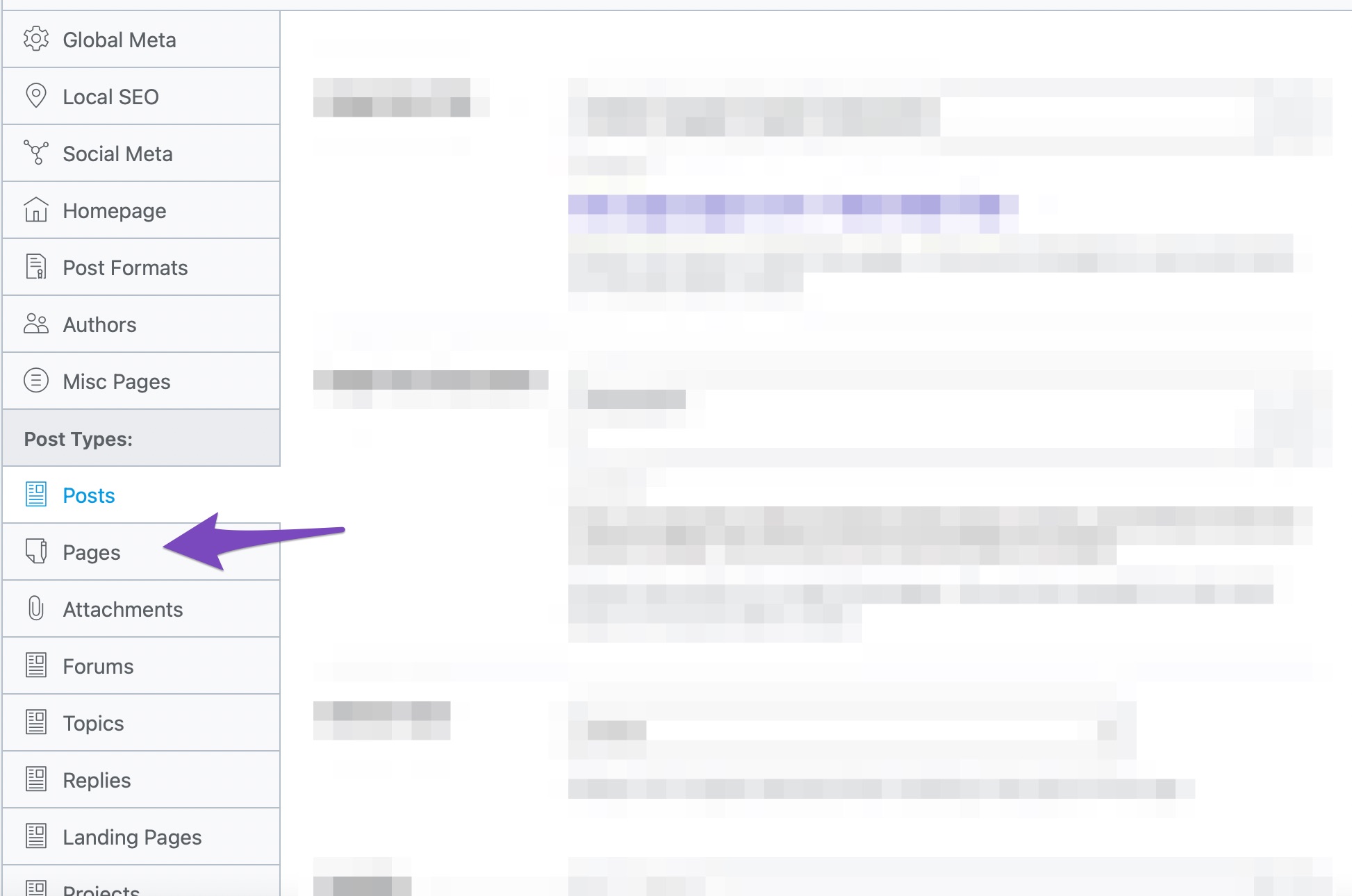
- Go to your WordPress dashboard.
- Navigate to Rank Math SEO → Titles and Meta.
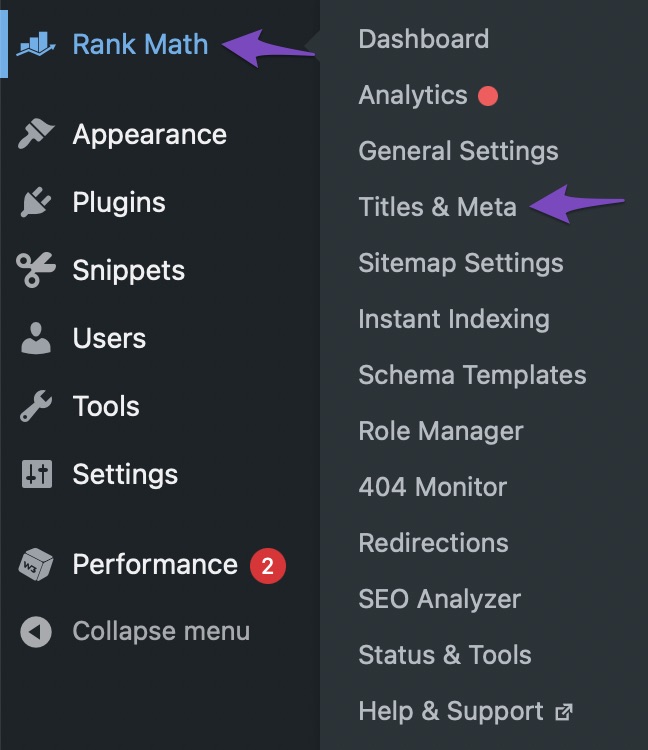
Step 2: Set Default Schema Type
- Click on the Posts option from the left tab menu.
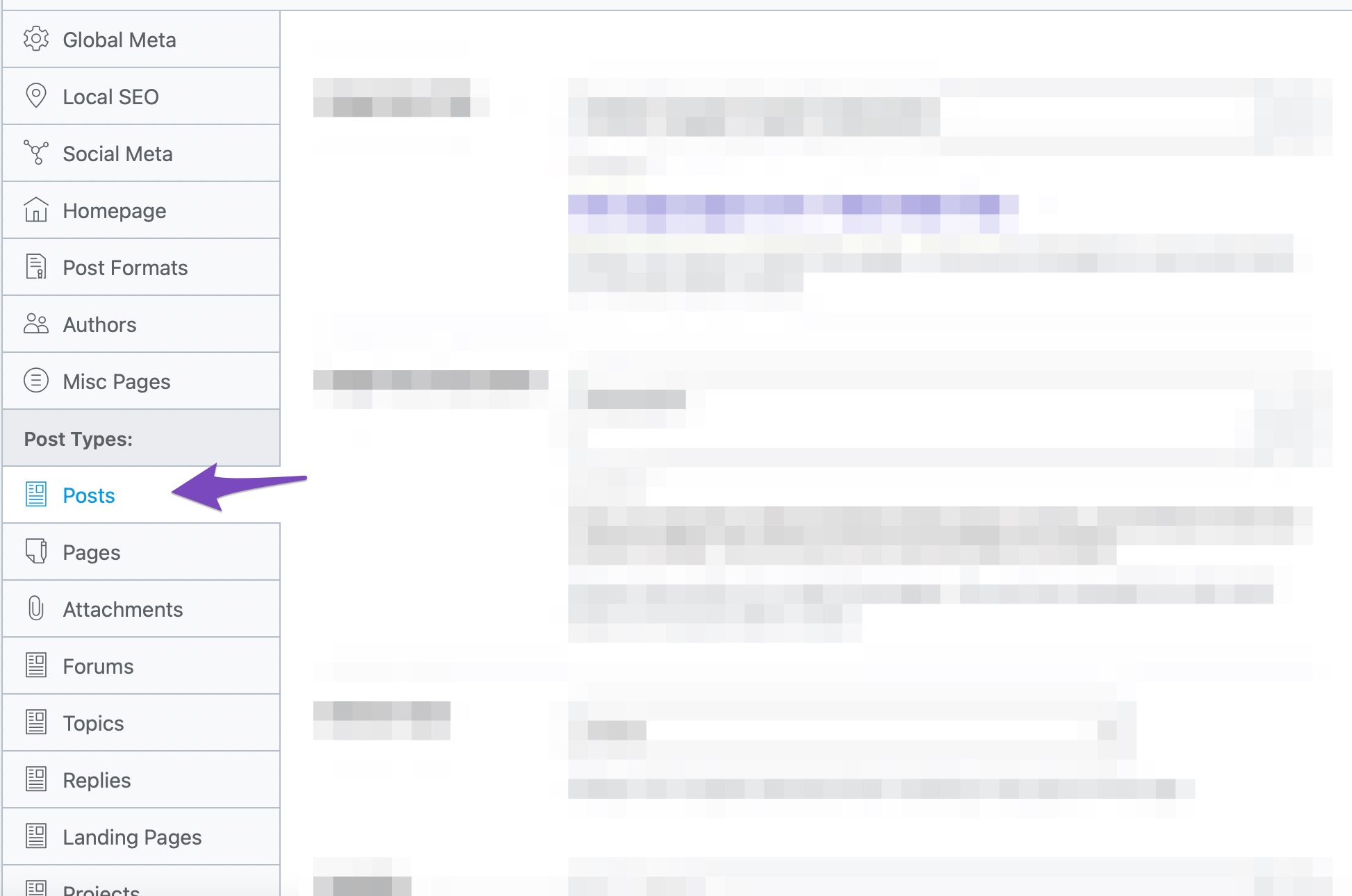
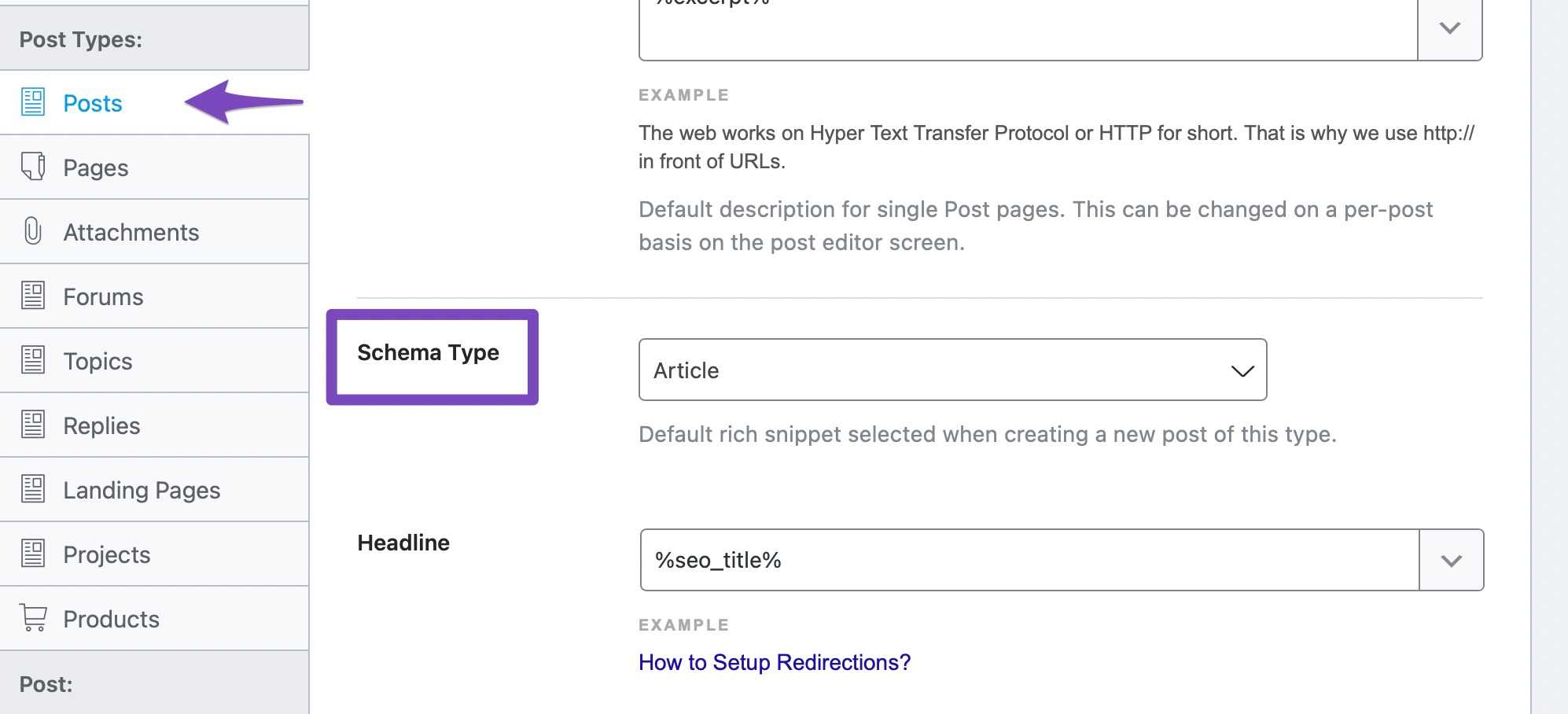
- Scroll down to find the Schema Type option.
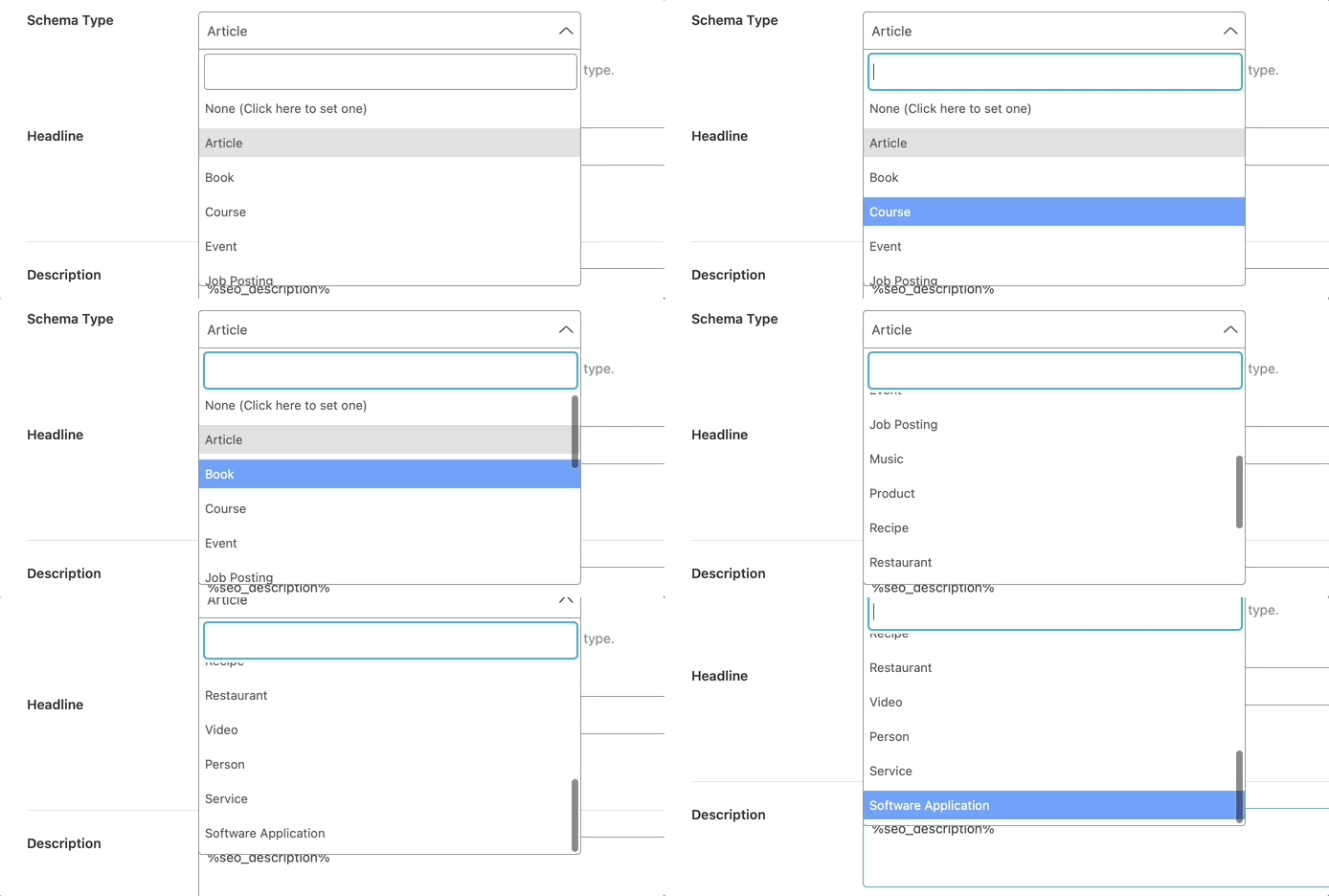
- Click the drop-down menu to see all the Schema Types supported by Rank Math. Select the Schema type that you use the most on your website and save your settings.
Step 3: Repeat for Pages and Custom Post Types
- After saving, repeat the process for your pages and any custom post types you may have.
Step 4: Customize Schema for Individual Posts
-
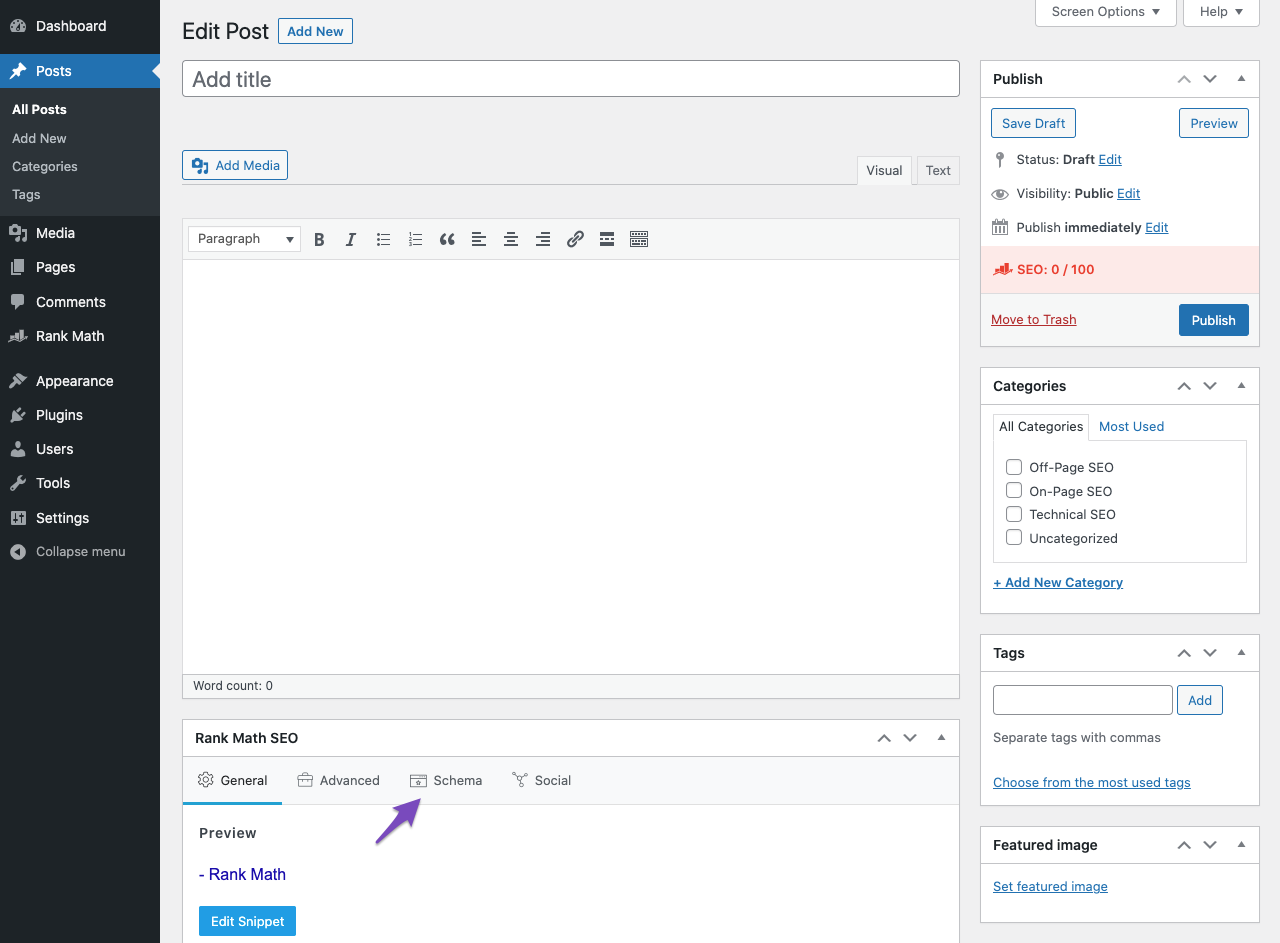
When creating or editing a post, scroll down to the Rank Math Metabox. If you’re using the Classic Editor, ensure that the Rank Math Metabox is enabled in Screen Options.
-
Click on the Schema tab in the Rank Math Metabox to customize the Schema for that specific post.
Step 5: Save Changes
- After customizing, make sure to save your changes.
By following these steps, you should be able to set up Schema Markup effectively for your blog posts, enhancing their visibility in search results. If you have any further questions or need additional assistance, please reply to this ticket, and a human agent from the Rank Math Support team will take over and assist you further.
Sources:
Configuring “Schema Markup” in Rank Math for Rich Snippets » Rank Math
How to Setup Rank Math SEO Plugin Properly
Configuring “Schema Markup” in Rank Math » Rank Math
This is an automated reply from Rank Math Support Bot. If you need further assistance, please reply to this topic and a human support agent will reply to you shortly.
Hello,
Since we did not hear back from you for 15 days, we are assuming that you found the solution. We are closing this support ticket.
If you still need assistance or any other help, please feel free to open a new support ticket, and we will be more than happy to assist.
Thank you.


