Hello,
We apologize for the issue you are facing with the product schema on your shop page. To remove the product schema from your shop page, you can add a custom code snippet to your WordPress theme’s rank-math.php file. Here’s how to do it:
-
Create the rank-math.php file if it doesn’t already exist. You can follow this tutorial to create the Rank Math file in your theme folder using FTP or cPanel File Manager.
-
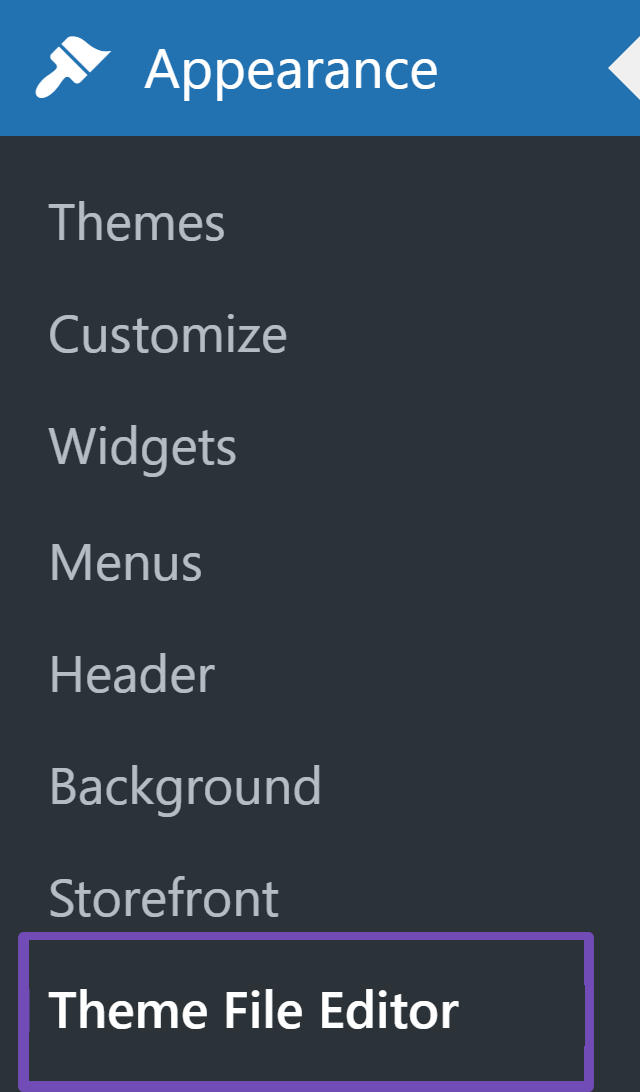
Navigate to Appearance → Theme File Editor (for a Classic Theme) or Tools → Theme File Editor (for a Block Theme) inside your WordPress dashboard.
-
Find the rank-math.php file that you created earlier and add the following code:
/**
* Filter to remove all Schema from the shop page
*/
add_filter('rank_math/json_ld', function ($data, $jsonld) {
   if (is_shop()) {
       return [];
   }
   return $data;
}, 99, 2);
-
Click the Update File button to save the changes.
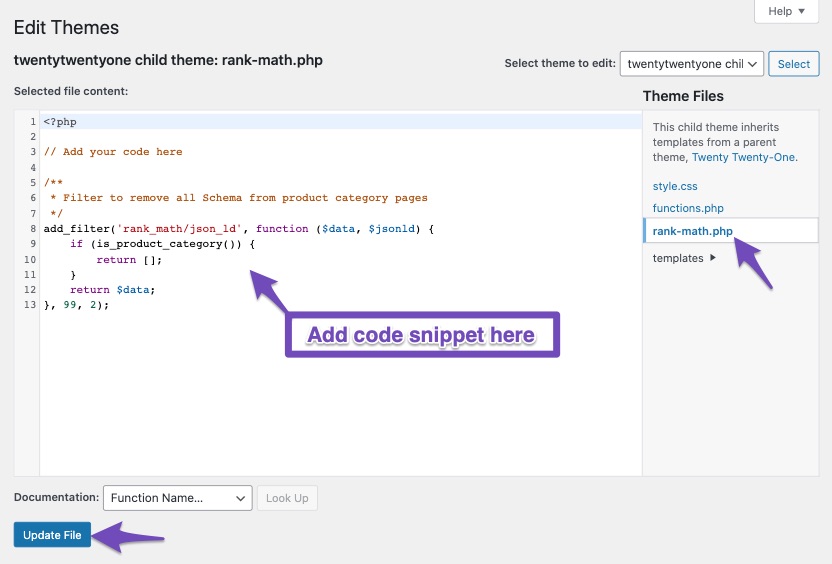
This code will remove all schema markup from your shop page, which should help resolve the invalid items detected in the rich results tool.
If you have any further questions or need assistance, please feel free to reply to this ticket, and a human agent from the Rank Math Support team will assist you further.
Thank you for raising this concern!
Sources:
Remove All Schema from Product Category Pages » Rank Math
Thanks for the fast reply.
But the code didn’t work
I created PHP file, put the code, clear cash, test rich snippet, still same error.
any advice?
and is there a way to remove only product schema and leave the others i think they are important
Update…
after a couple of tests, this is what works for me.
first, the code didn’t work on rank-math.php
I used a snipped plugin
and this is the code that works well
add_filter(‘rank_math/json_ld’, function ($data, $jsonld) {
if (is_shop()) {
return [];
}
return $data;
}, 99, 2);
Hello,
The filter shared by RankBot will remove all the schema from your Shop page. Instead of using that filter code, you can enable the “Remove Schema Markup on Shop Archives” option from WP Dashboard > Rank Math > General Settings > WooCommerce: https://rankmath.com/kb/general-settings/#remove-snippet-data

When you enable this option, it will only remove the Product schema from your shop page, which is causing the issue. All the other necessary schema, like CollectionPage, will still be there.
Hope that helps and please don’t hesitate to let us know if you have any other questions.
Thank you.
big thanks this is the ideal solution thank you
Hello,
We are super happy that this resolved your issue. If you have any other questions in the future, know that we are here to help you.
If you don’t mind me asking, could you please leave us a review (if you haven’t already) on https://wordpress.org/support/plugin/seo-by-rank-math/reviews/#new-post about your overall experience with Rank Math? We appreciate your time and patience.
If you do have another question in the future, please feel free to create a new forum topic, and it will be our pleasure to assist you again.
Thank you.



