Hello, we apologize for the issue you are facing. To add a selected keyword in WordPress using Rank Math, you can follow these steps:
Adding Keywords to Individual Posts/Pages
-
Open the Post/Page Editor: Navigate to the WordPress post or page editor for the content you want to modify.
-
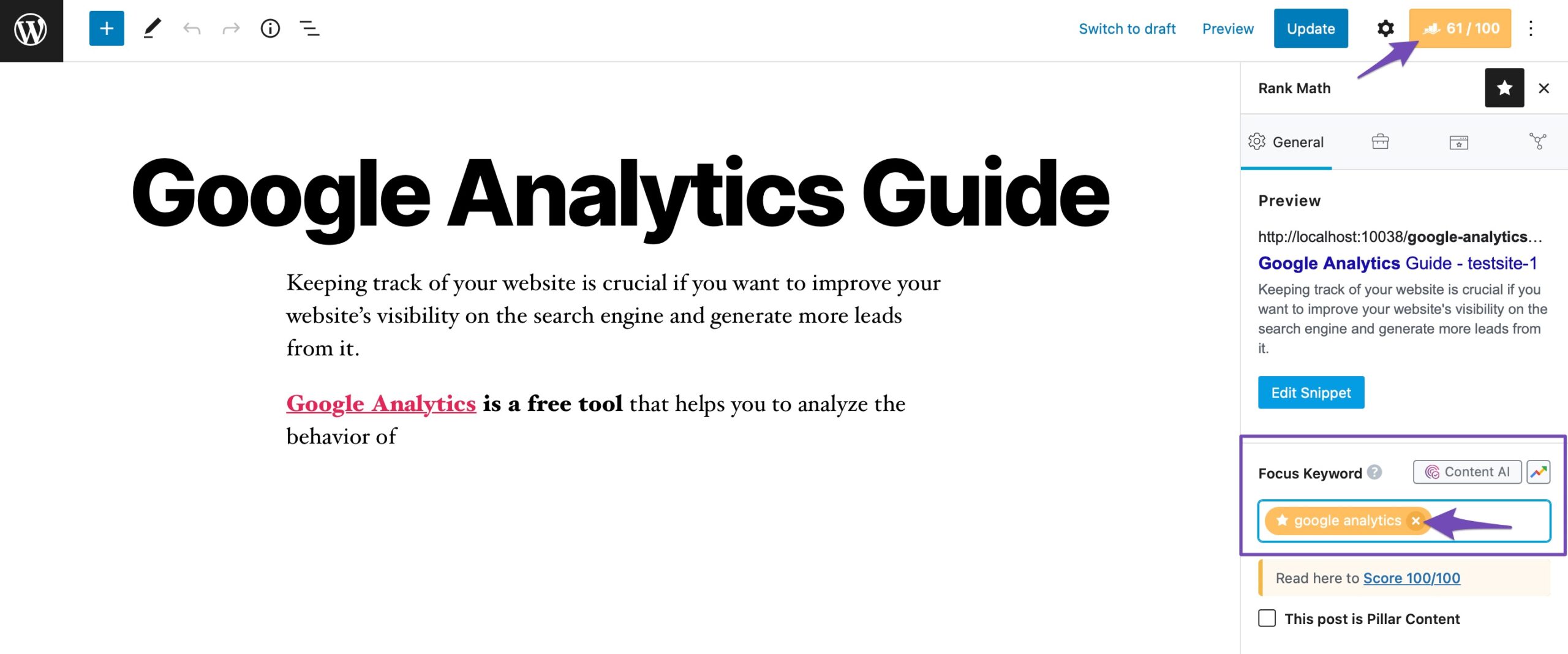
Use Rank Math Sidebar: In the Gutenberg block editor, look for the Rank Math sidebar on the right side of the screen.
-
Add Focus Keyword: In the Focus Keyword section, enter your selected keyword. This is where you specify the keyword you want to optimize for.
-
Save Changes: Make sure to save or update your post/page after adding the keyword.
Adding Keywords for Your Homepage
If you want to set a keyword for your homepage:
- Go to Rank Math SEO → Titles & Meta → Homepage in your WordPress dashboard.
- Click on Edit Page to access the homepage editor.
-
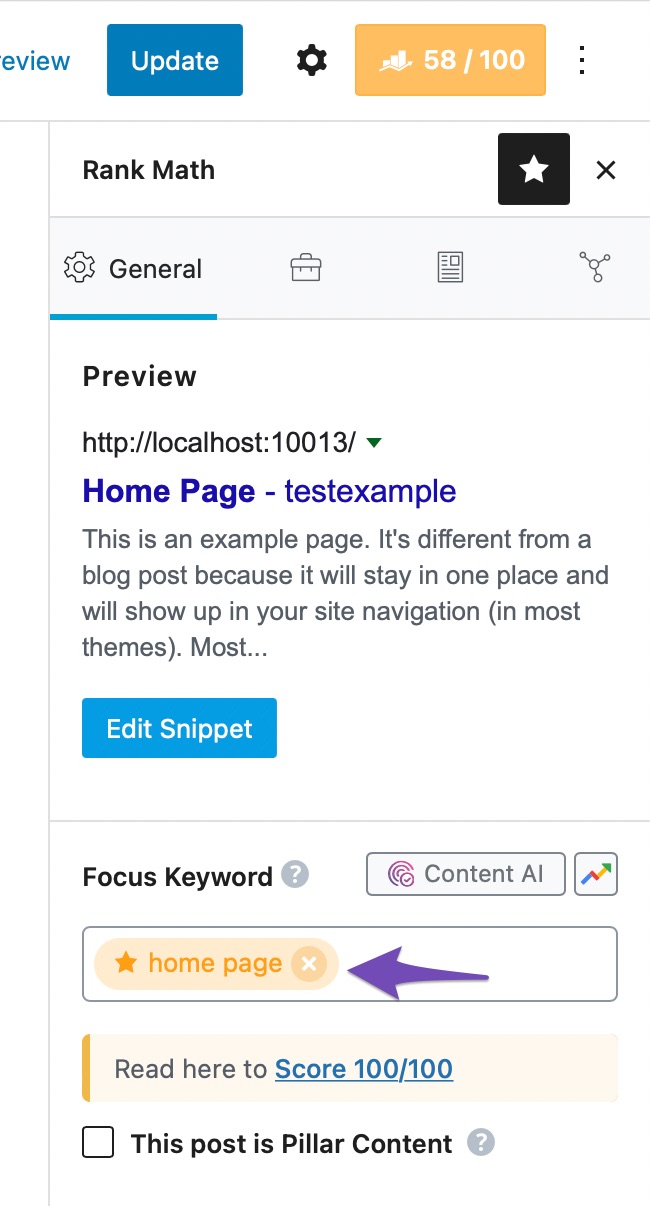
Add your keyword in the Focus Keyword section as shown below:
By following these steps, you can effectively add and manage keywords for your posts and pages using Rank Math. If you have any further questions or need assistance, feel free to ask!
Sources:
How to Add Keywords to WordPress » Rank Math
Hello,
Thank you for contacting us and bringing your concern to our attention.
Please follow our in-detailed guidelines on how you can add the focus keywords on your pages: https://rankmath.com/kb/seo-meta-tags/
Hope that helps and please don’t hesitate to let us know if you have any other questions.
Thank you.
Hello,
Since we did not hear back from you for 15 days, we are assuming that you found the solution. We are closing this support ticket.
If you still need assistance or any other help, please feel free to open a new support ticket, and we will be more than happy to assist.
Thank you.



