Hello,
We apologize for the issue you are facing. To add breadcrumbs features to the Travel Tour theme by GoodLayers, you can follow these general steps:
-
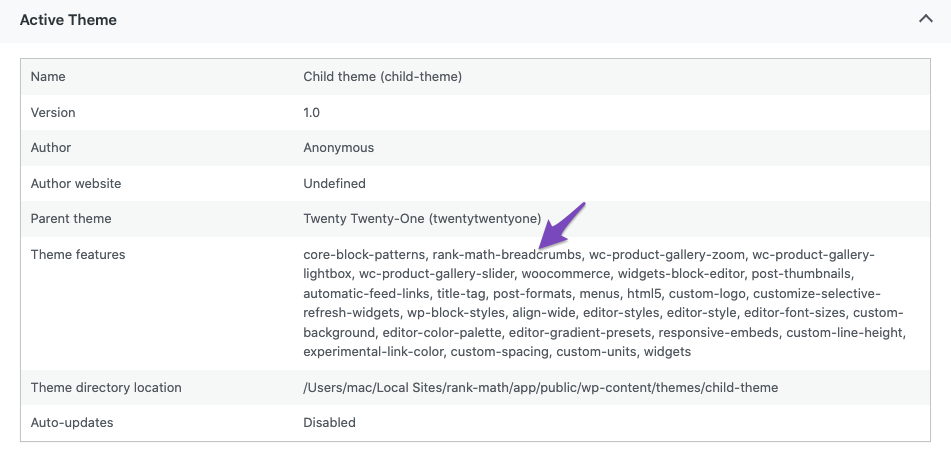
Check for Native Support: First, check if your theme has native support for Rank Math’s breadcrumbs feature. You can do this by navigating to Rank Math SEO → Status and Tools → System Info → Active Theme. Look for rank-math-breadcrumbs in the Theme features section.
-
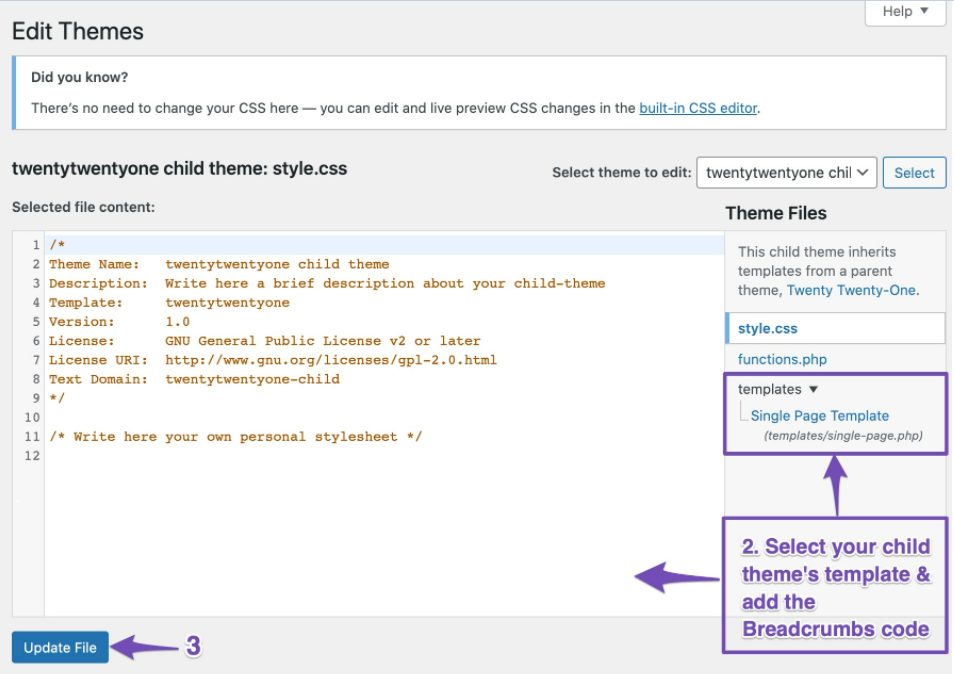
Add Breadcrumbs Code: If your theme does not have native support, you can manually add the breadcrumbs code to your theme’s template files. You will need to edit your theme files, preferably using a child theme to avoid losing changes during updates. Here’s the code you should add:
You can place this code in either the header.php or single.php file, depending on where you want the breadcrumbs to appear.
-
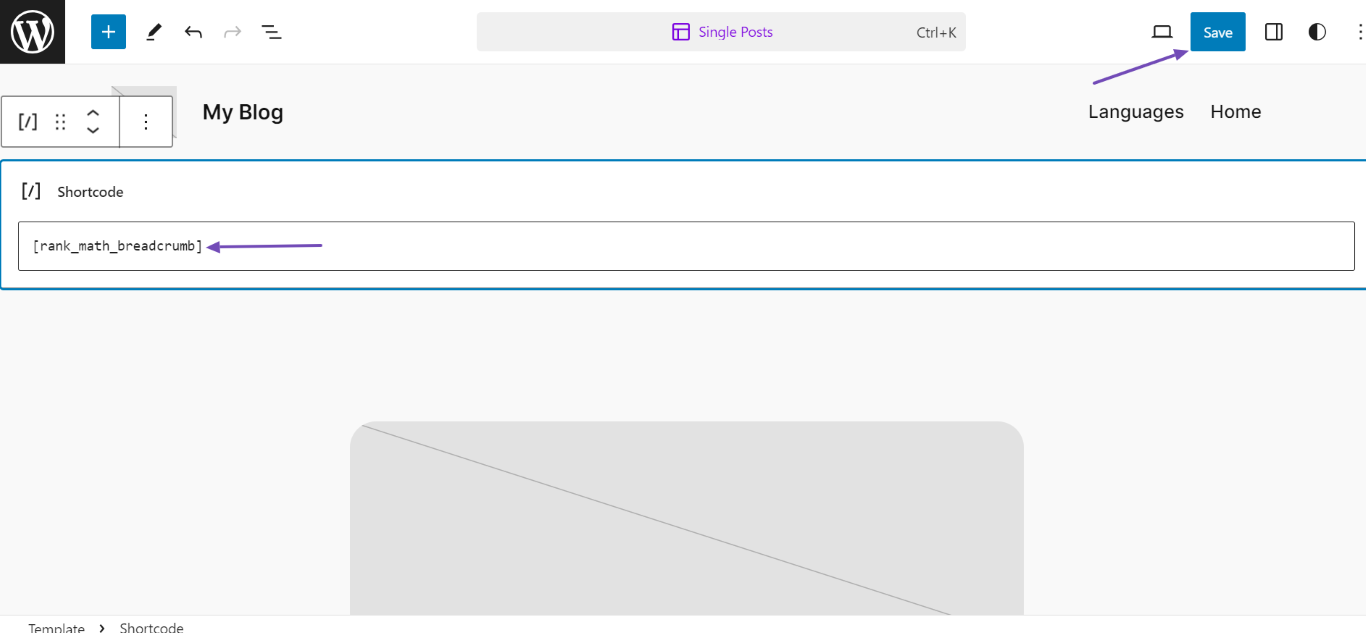
Using Shortcode: Alternatively, you can use the shortcode [rank_math_breadcrumb] to add breadcrumbs anywhere in your posts or pages.
If you are unsure about editing theme files, we recommend reaching out to your theme developer for assistance or replying to this ticket, and a human agent from the Rank Math Support team will assist you further.
Thank you for raising this concern!
Sources:
How to Make Your Theme Rank Math Compatible » Rank Math
How to Enable Breadcrumbs on Your Website With Rank Math SEO » Rank Math
This is an automated reply from Rank Math Support Bot. If you need further assistance, please reply to this topic and a human support agent will reply to you shortly.
Hello,
Since we did not hear back from you for 15 days, we are assuming that you found the solution. We are closing this support ticket.
If you still need assistance or any other help, please feel free to open a new support ticket, and we will be more than happy to assist.
Thank you.


