Homepage not indexing and “no follow” appears in Google search

#858859
  • Resolved Ana Martin
    Rank Math free

    Good morning.

    I’m trying to Index website on Google Search Console and Homepage is not indexing and a “no follow” tag is indicated..

    I’ve checked Source Code and indeed did not find any indication of Rank Math.Now, I added an Html Meta Tag but now it’s showing that it cannot verify ownership and that Meta Tag is incorrect!

    There should be 16 pages submitted by Sitemap..but only 2 appear to be indexed,neither of which is the homepage.

    Where do I source the problem and what are the steps I should follow?

    I will send you Temporary Access Credentials to look at my settings for plugin.

    Thank you, Sean Phillips, Webmaster for Anashousekeeping.com website.

Viewing 3 replies - 1 through 3 (of 3 total)
  • Hello,

    We apologize for the issue you are facing with your homepage not indexing and the "no follow" tag appearing in Google Search. Thank you for raising this concern.

    Here are some steps you can follow to troubleshoot and resolve the issue:

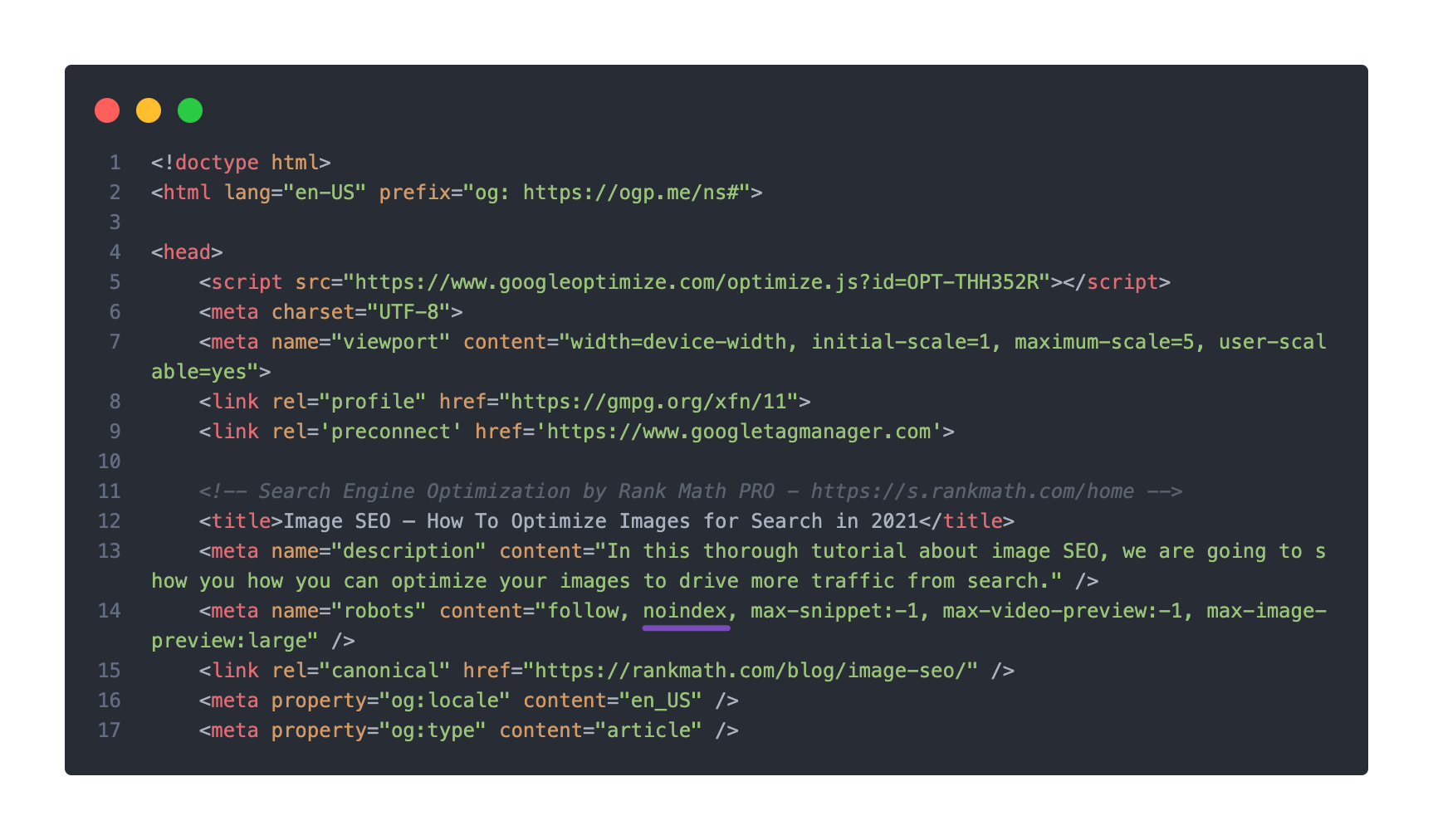
    1. Check for Noindex Tag: Ensure that your homepage does not have a noindex meta tag. You can do this by checking the page source. If you find a noindex tag, you will need to remove it.
      Noindex present in page's source code

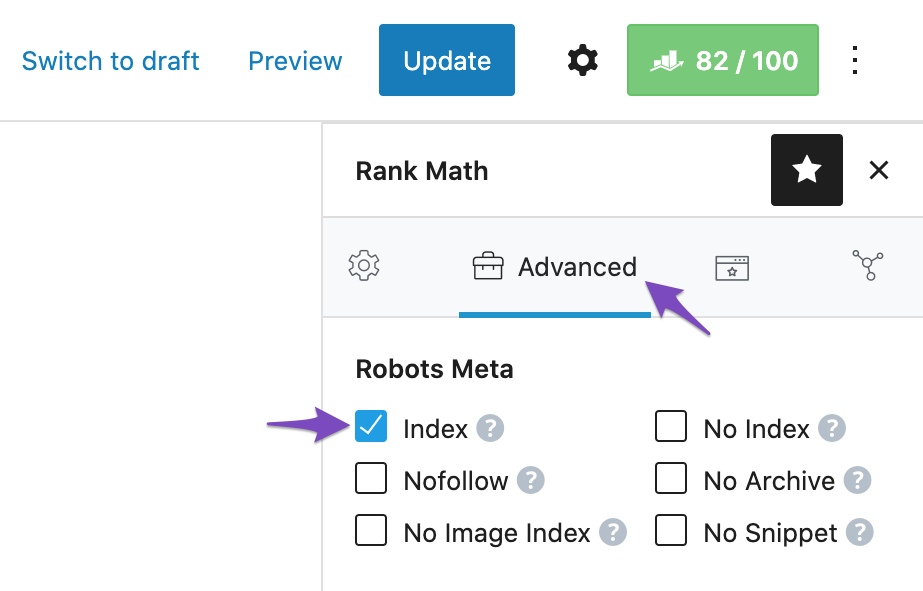
    2. Rank Math Settings: Open the post/page for your homepage in the WordPress Editor and check the Rank Math Metabox. Make sure that the Robots Meta is set to "Index". If it is set to "No Index", change it to "Index" and update the page.
      Set Robots Meta to index in Rank Math Metabox

    3. Global Settings: Check your global settings in WordPress Dashboard → Rank Math SEO → Titles & Meta → Posts/Pages/Products/CPTs to ensure that no global settings are preventing indexing.

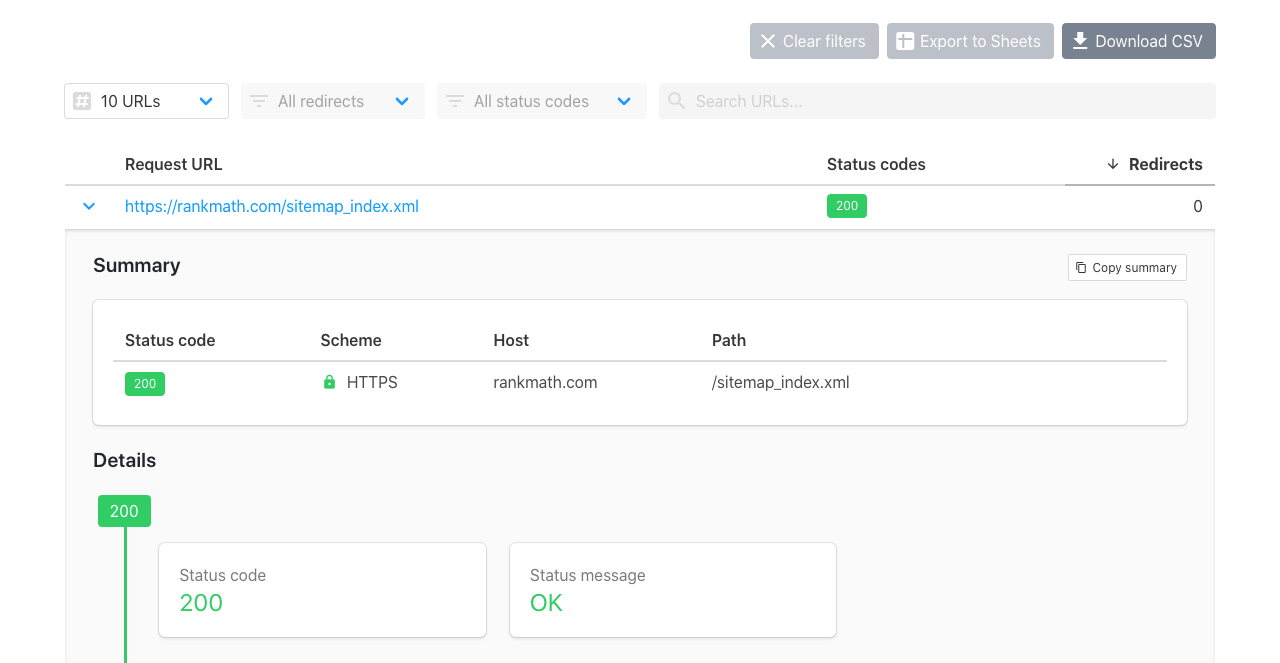
    4. Sitemap Submission: Verify that your sitemap is accessible and correctly submitted in Google Search Console. You can check if Google can access your sitemap using this tool: httpstatus.io. If there are issues, refer to our tutorial on fixing sitemap errors.
      Check if sitemap is accessible with the httpstatus tool

    5. Ownership Verification: If you’re having trouble verifying ownership with the meta tag, ensure that the tag is placed correctly in the “ section of your homepage. You may also consider using other verification methods provided by Google Search Console, such as uploading an HTML file or using DNS verification.

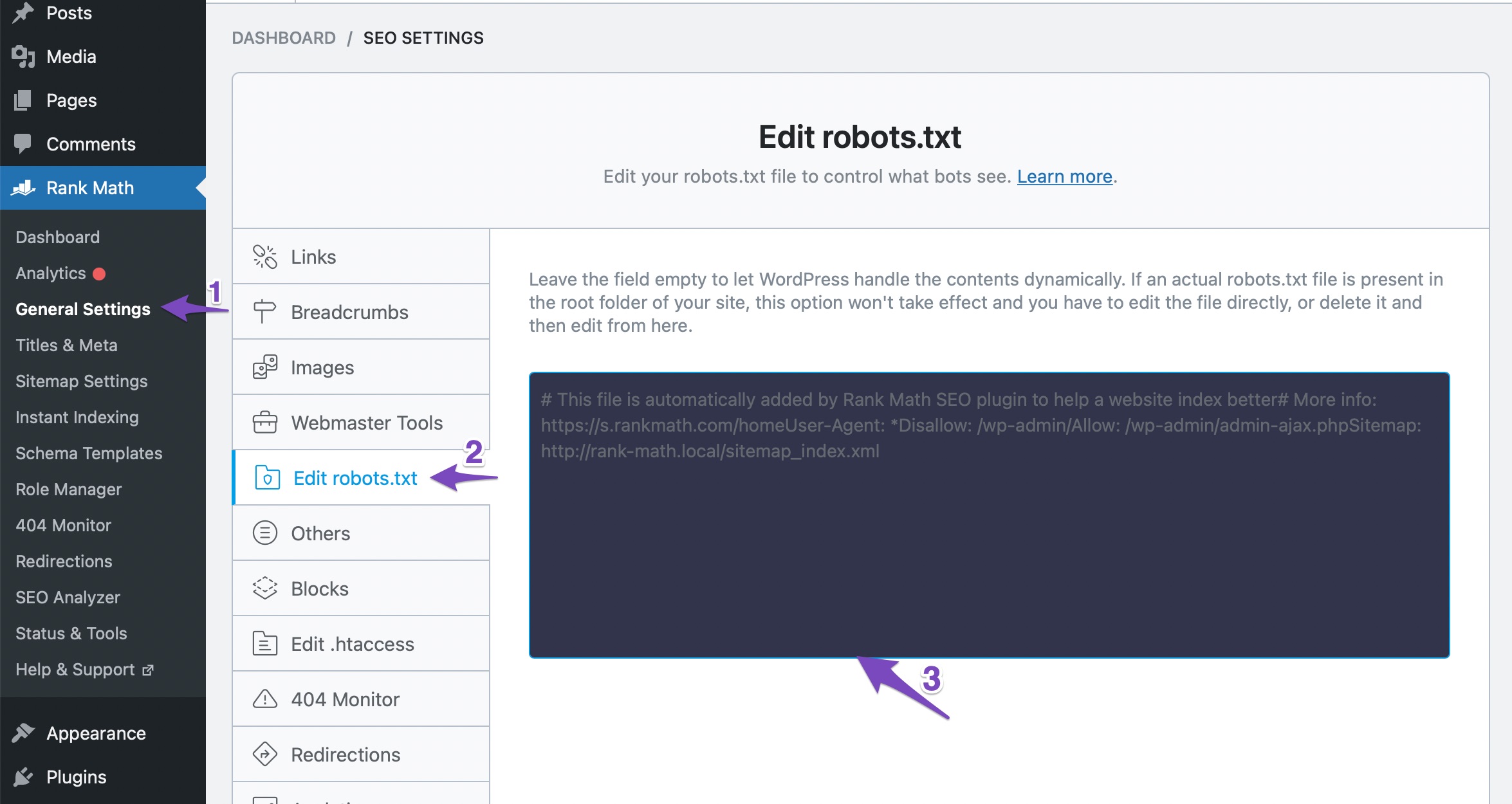
    6. Check Robots.txt: Ensure that your robots.txt file does not contain any disallow rules that might be blocking Google from crawling your homepage. You can edit your robots.txt file in Rank Math at WordPress Dashboard → Rank Math SEO → General Settings → Edit Robots.txt.
      Edit robots.txt

    If you continue to experience issues after following these steps, please reply to this ticket, and a human agent from the Rank Math Support team will assist you further.

    Thank you for your patience, and we hope this helps resolve your indexing issue!

    Sources:
    How to Fix Submitted URL Marked ‘NoIndex’ Error » Rank Math
    How to Fix "Crawled – Currently Not Indexed" Error in Google Search Console » Rank Math

    Sorry, owner of website and Rank Math account is registered to Ana Martin.

    Hello,

    Thank you for contacting Rank Math support.

    The home page has been set to index. We also checked your home page using the site: operator and it is already indexed on Google Search Engine.

    We can also see that Google has indexed a couple of other pages, up to 15 pages.

    We hope this helps and please let us know if you have any questions or concerns.

    Thank you.

    Hello,

    Since we did not hear back from you for 15 days, we are assuming that you found the solution. We are closing this support ticket.

    If you still need assistance or any other help, please feel free to open a new support ticket, and we will be more than happy to assist.

    Thank you.

Viewing 3 replies - 1 through 3 (of 3 total)

The ticket ‘Homepage not indexing and “no follow” appears in Google search’ is closed to new replies.