Hello,
We apologize for the issue you are facing. It seems you want to remove or disable certain images that are marked in blue. If these images are hosted on your website, you can delete them from your WordPress Media Library. Here’s how:
- Log in to your WordPress dashboard.
- Navigate to Media → Library.
- Locate the images you want to remove.
- Click on the image to open it, then scroll down and click on Delete Permanently to remove it.
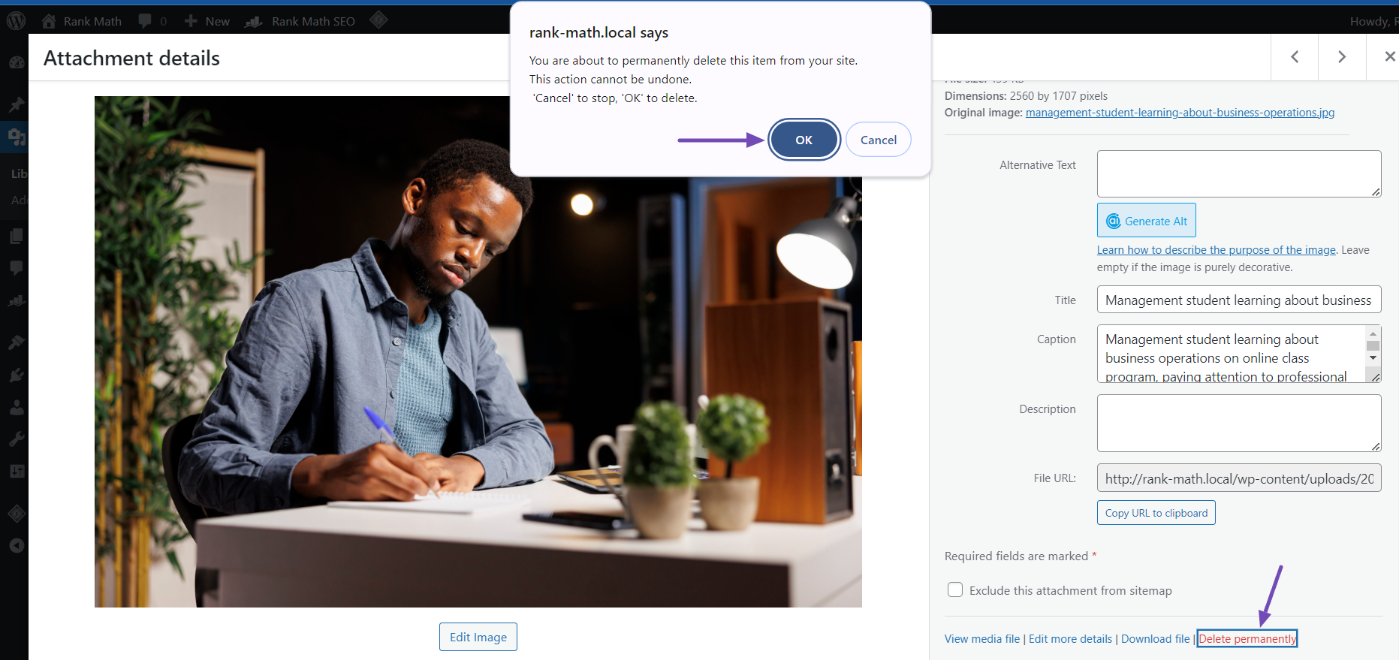
If you want to prevent these images from appearing in Google search results, you can also use the Google Removals Tool or modify your robots.txt file to block them. For more details on these methods, please refer to our guide on how to remove images from Google search results.
If you need further assistance or if there is a specific technical issue occurring on your site, please reply to this ticket with your site URL, and a human agent will assist you further. Thank you for raising this concern!
Sources:
How to Remove Images From Google Search Results » Rank Math
Hello,
Thank you for reaching out to our support page and bringing your concern to our attention.
It seems that you already marked this ticket as “Resolved”. Do you still need our assistance regarding this issue?
Meanwhile, please follow this guide to fix the issues shown from your screenshots: https://rankmath.com/kb/woocommerce-products-page-misaligned/
Looking forward to helping you.
Thank you.
yes i fugured it out thank u very much
Hello,
We are glad that you managed to resolve the issue.
Please feel free to reach out to us again in case you need any other assistance.
We are here to help.
Thank you.






