Hello,
We apologize for the issue you are facing with Google not re-indexing your updated articles. It sounds like you’ve already taken some great steps to troubleshoot the problem. Here are a few additional suggestions that might help:
-
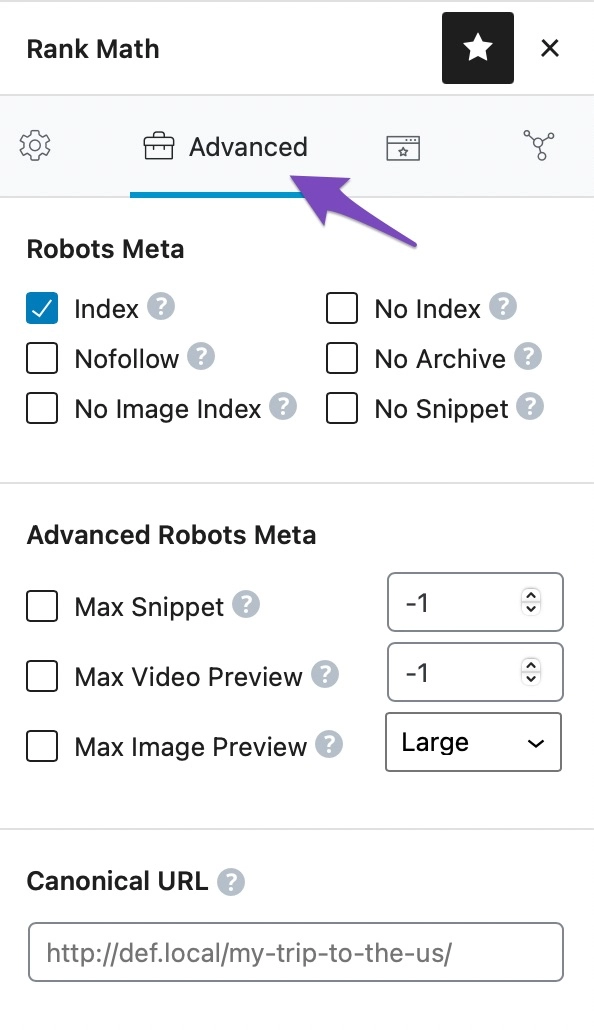
Check for Content Duplication: Ensure that there are no duplicate content issues on your site. Google may penalize pages with duplicate content, which can affect indexing. You can use canonical tags to indicate the original version of your content if you have similar pages. More information on how to change the canonical URL can be found here.
-
Manual Indexing Request: If you haven’t already, you can manually request indexing for specific pages through Google Search Console. This can sometimes expedite the process.
-
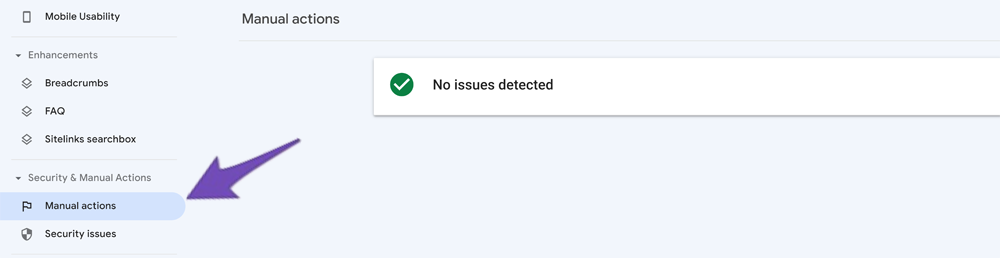
Check for Penalties: Make sure your site is not facing any penalties from Google. You can check this in the Manual Actions report in Google Search Console. If there are any messages, it could explain why your updates are not being indexed.
-
Be Patient: Sometimes, it takes a little while for Google to crawl and index updated content, especially if your site is relatively new or if there have been significant changes.
-
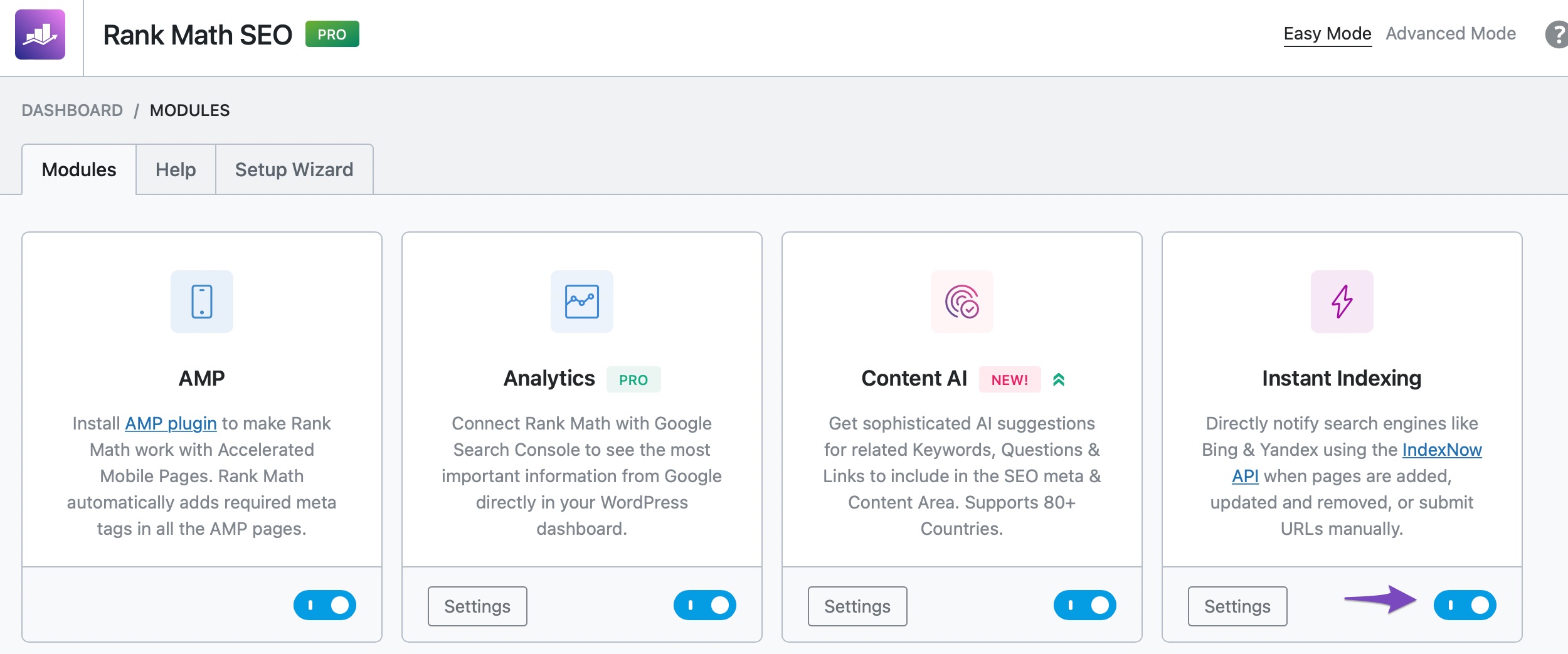
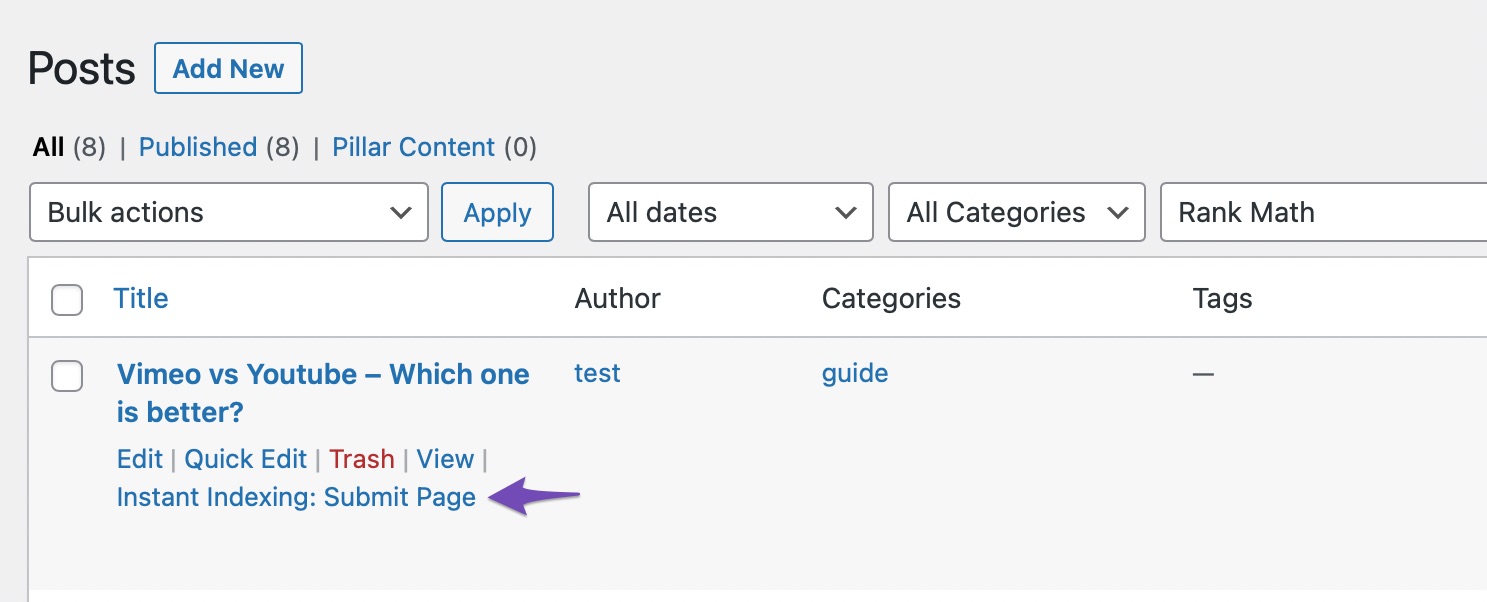
Use Rank Math’s Instant Indexing: Since you mentioned using the Instant Indexing tool, ensure that it is properly set up and that you are submitting the correct URLs. You can enable the Instant Indexing module by navigating to WordPress Dashboard → Rank Math SEO and then submit your pages for indexing directly from the posts page.
If you’ve tried all these steps and are still having issues, please reply to this ticket, and a human agent from the Rank Math Support team will assist you further.
Thank you for raising this concern, and we hope this helps you get your content indexed soon!
This is an automated reply from Rank Math Support Bot. If you need further assistance, please reply to this topic and a human support agent will reply to you shortly.
Hello,
Since we did not hear back from you for 15 days, we are assuming that you found the solution. We are closing this support ticket.
If you still need assistance or any other help, please feel free to open a new support ticket, and we will be more than happy to assist.
Thank you.


