Hello,
We apologize for the issue you are facing with your Google search results. It seems that Google is displaying your URL instead of your site name. This can happen due to how structured data is set up on your website.
To change the display name in search results, you can add a site name to your website’s structured data using Rank Math. Here’s how you can do it:
-
Navigate to WordPress Dashboard → Rank Math SEO and enable the Schema module.
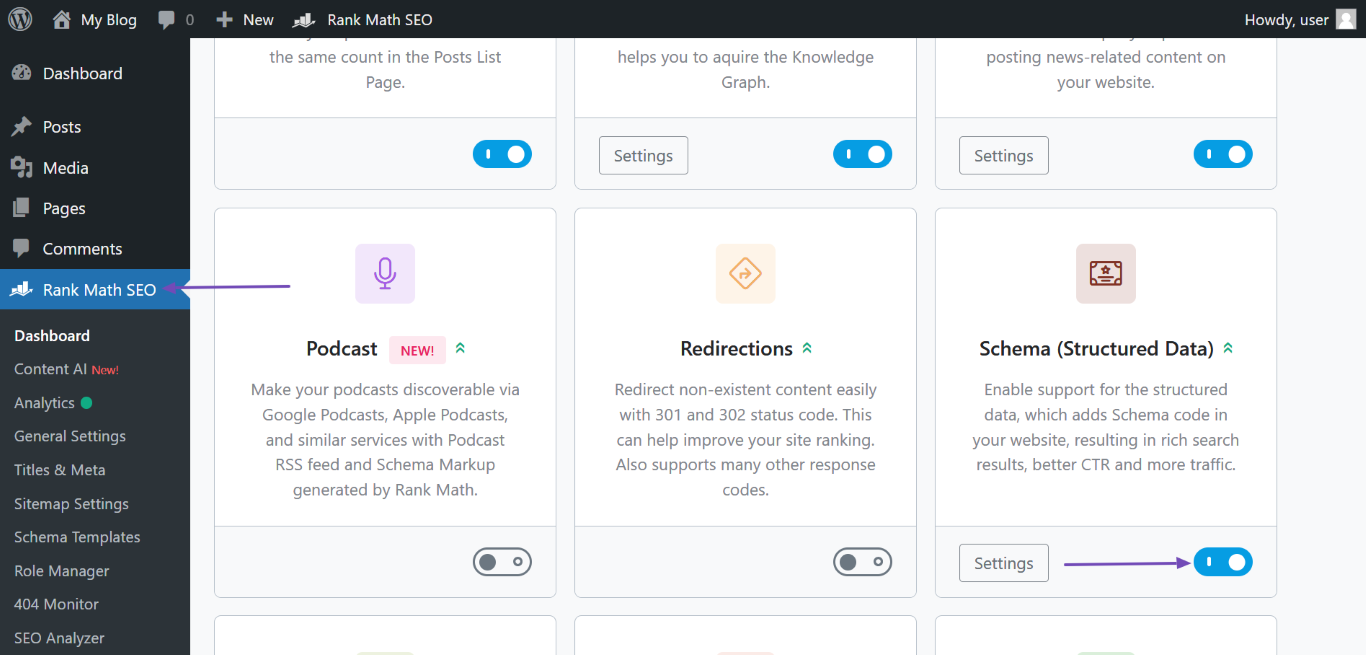
-
Then go to Rank Math SEO → Titles & Meta → Local SEO.
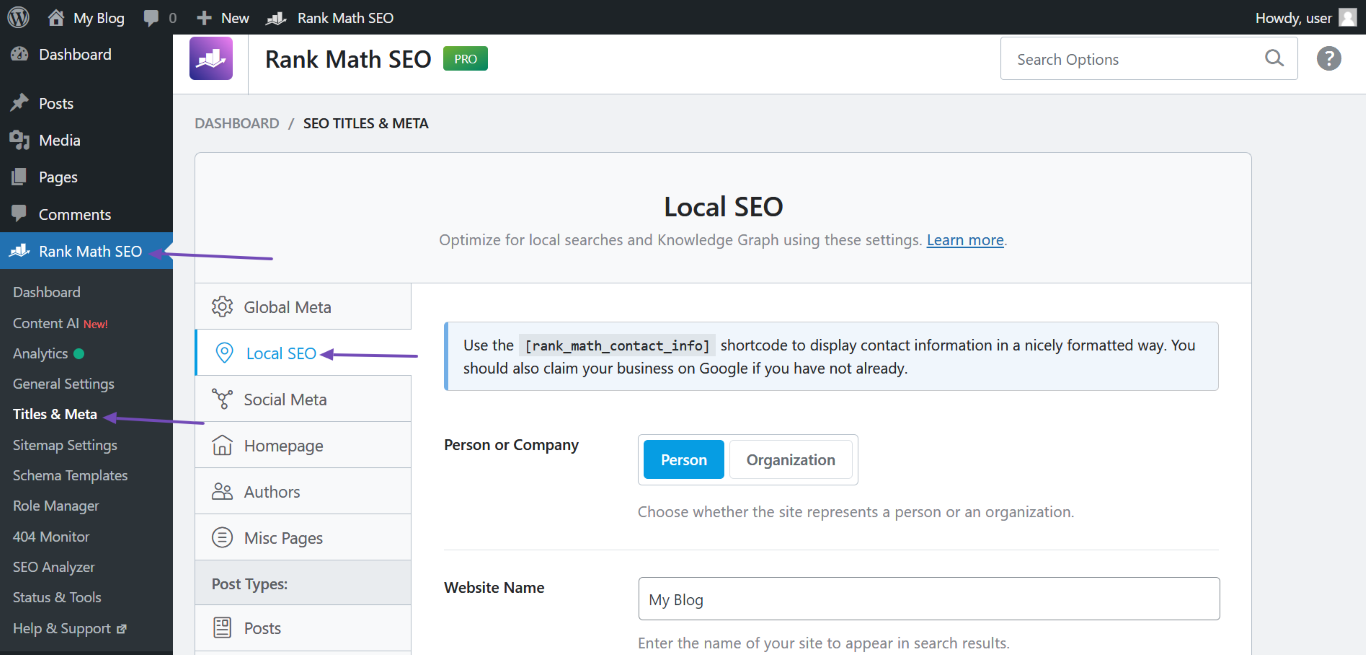
-
Fill in the required fields:
- Person or Company – Specify if the website is operated by an individual or organization.
- Website Name – Enter "Rémi Leroy" into this field.
- Website Alternate Name – If applicable, enter any other name or initials.
- Person/Organization Name – Enter the name of the person or organization the site is being operated for.
- Logo – Upload your site logo.
- URL – Enter the link to your homepage, ensuring to include
http:// or https://.
-
After filling in the fields, scroll down and click Save Changes.
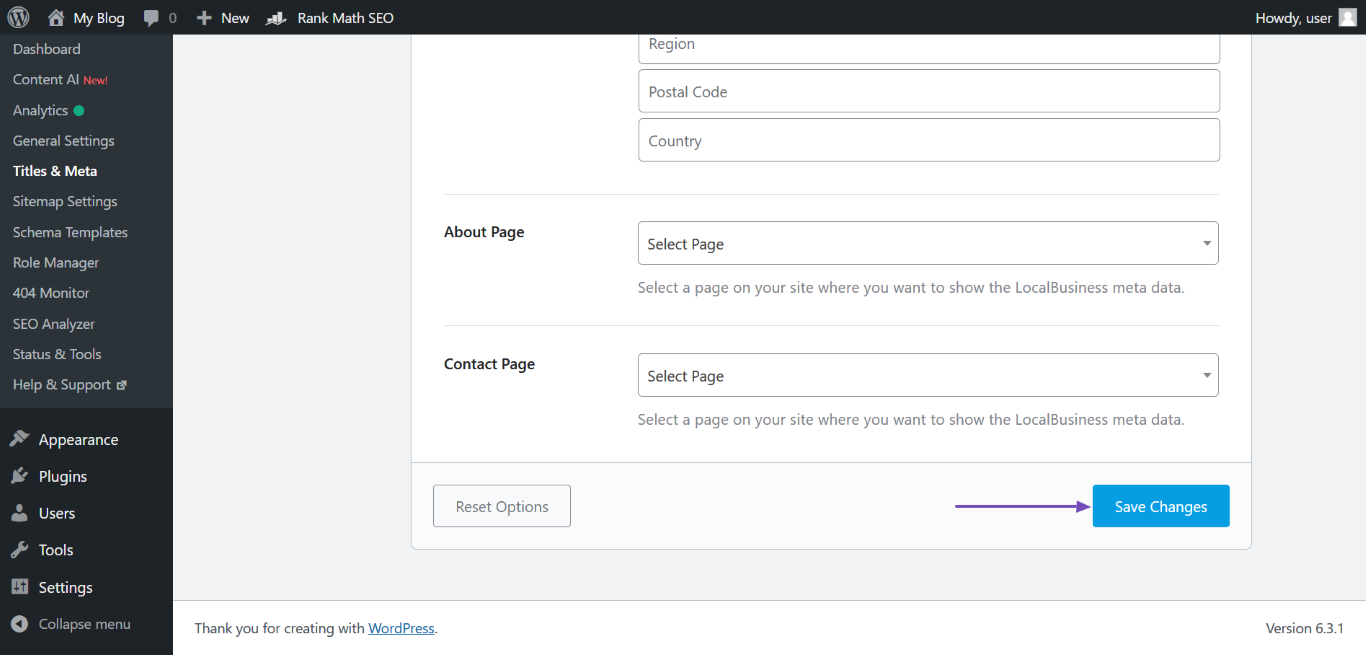
After making these changes, it may take some time for Google to crawl your site again and update the search results. You can also follow best practices to inform Google of the update and get your site crawled quicker.
If you need further assistance, please let us know!
Sources:
Why Google Displays URL Instead of Site Name in SERP? » Rank Math
Hello,
Thank you for contacting us and sorry for any inconvenience that might have been caused due to that.
Please note that there are various sources that Google uses to define your site name on SERPs including:
- og:site_name meta tag
- WebSite structured data
- Content in
title elements
- Heading elements
Among them, Rank Math automatically includes the og:site_name meta tag and the WebSite Schema on your website, and the rest you’ll have to include manually. You can also check the Google documentation on site-name: https://developers.google.com/search/docs/appearance/site-names
However, as is mentioned in the documentation, this process is automated by the algorithm and even though it takes into account the information on the website, it is still not guaranteed that your site name will come up correctly in Google SERPs since it’s solely decided by Google what they found relevant and user-friendly and which one they want to show.
For more details, you can check this URL: https://rankmath.com/kb/display-site-name-in-search-results/
Hope this helps and please don’t hesitate to let us know if you have any other questions.
Thank you.
Hello,
Since we did not hear back from you for 15 days, we are assuming that you found the solution. We are closing this support ticket.
If you still need assistance or any other help, please feel free to open a new support ticket, and we will be more than happy to assist.
Thank you.



