Hello,
We apologize for the issue you are facing with your Google Search Console verification. It can be frustrating when properties show as unverified unexpectedly.
To resolve this issue, you can try the following steps:
-
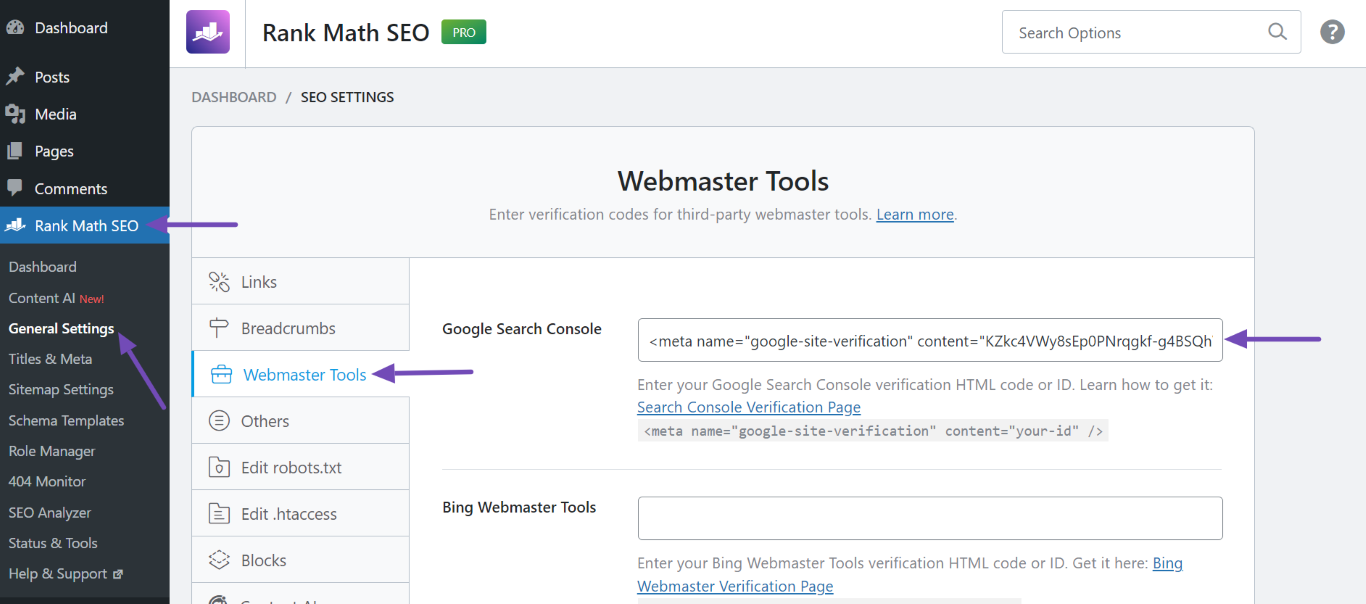
Re-verify Your Site: Go back to the Rank Math plugin in your WordPress dashboard. Navigate to Rank Math SEO → General Settings → Webmaster Tools. Here, ensure that the Google Search Console field contains the correct verification code. If it’s missing or incorrect, you can re-copy the HTML tag from Google Search Console and paste it back into this field.
-
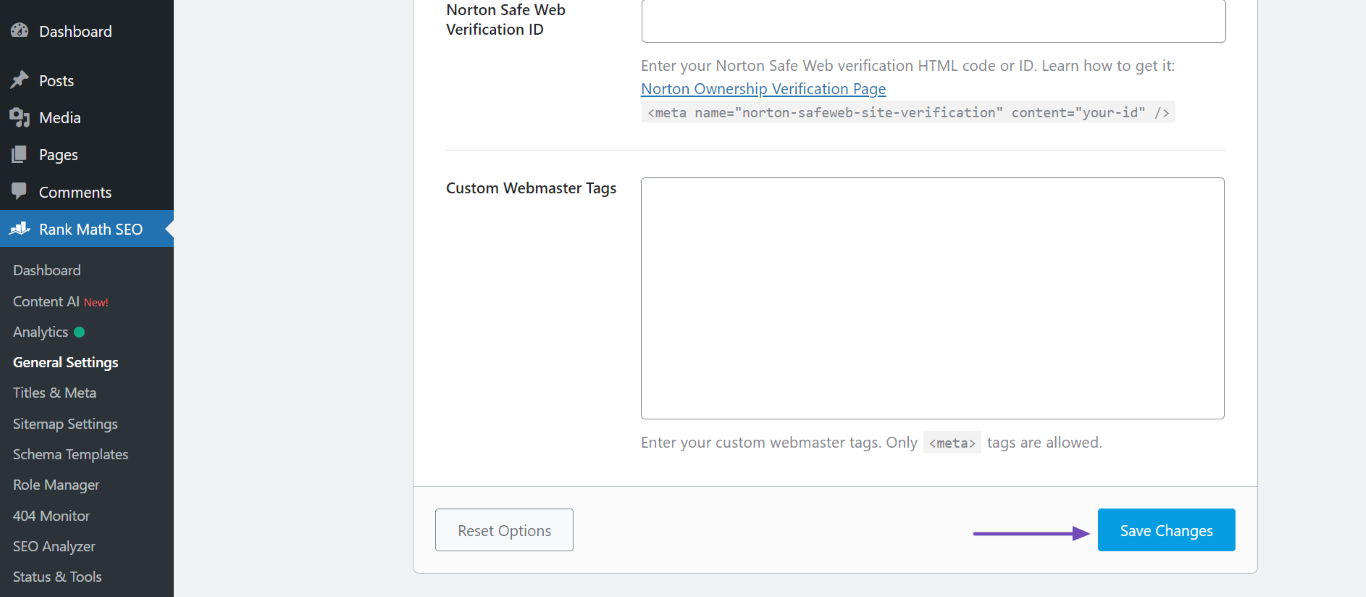
Save Changes: After pasting the correct code, scroll down and click Save Changes.
-
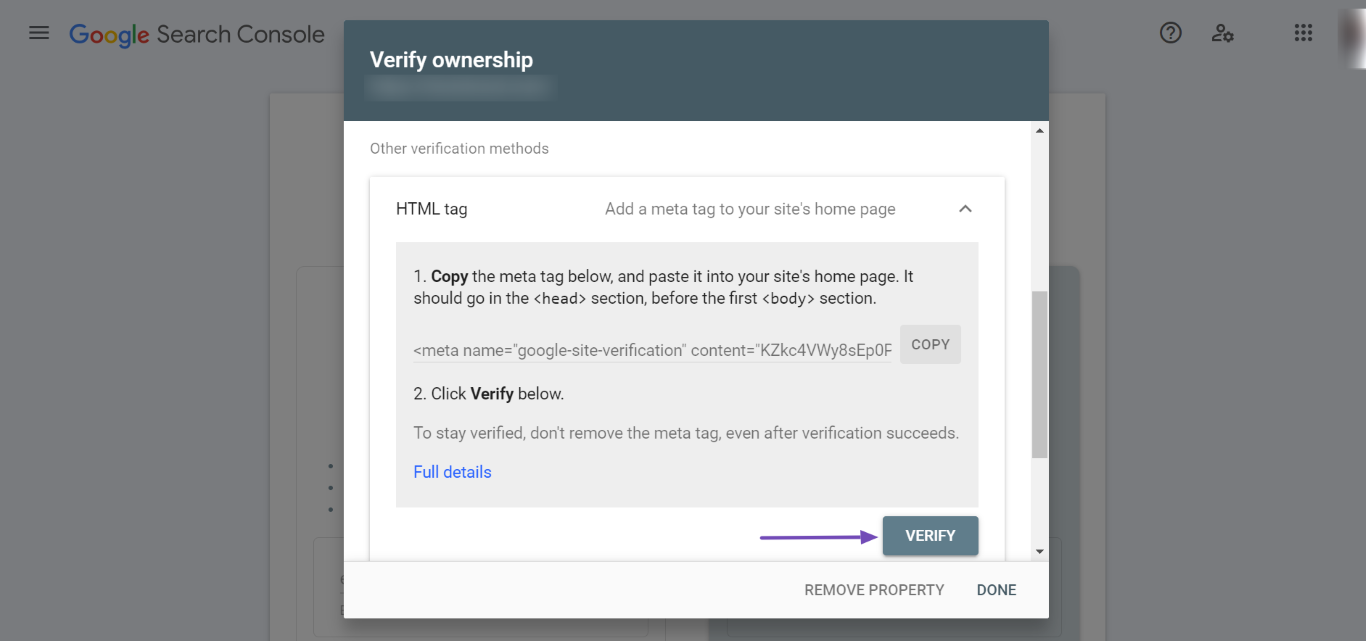
Verify Again: Head back to Google Search Console and click on Verify again to check if your site is now recognized as verified.
-
Clear Cache: If you encounter issues during verification, consider clearing your website’s cache and then attempt the verification process again. You can find guidance on how to clear cache here.
If these steps do not resolve the issue, please reply to this ticket, and a human agent from the Rank Math Support team will assist you further. Thank you for raising this concern, and we’re here to help you get it sorted out!
Hello,
It seems like you’ve marked this ticket as resolved.
Can you please confirm if you still need our assistance with this issue or anything else?
Looking forward to hearing back from you.
Thank you.
I solved the problem. Thanks
Hello,
We are glad that everything has been sorted out.
Please feel free to reach out to us again in case you need any other assistance.
We are here to help.
Thank you.



