
-
Hi Support Team,
I have used all the guides for bot support and documentation but Google still shows me the url and not the site name in the SERP https://imgur.com/a/77oiMcQ
My website link is matchprofile.be .
Your assistance in resolving this would be greatly appreciated.

-
Hello,
We apologize for the issue you are facing with Google displaying your URL instead of your site name in the search results. This can be frustrating, especially after following the guides and documentation.
Here are a few key points to ensure that Google recognizes your site name:
-
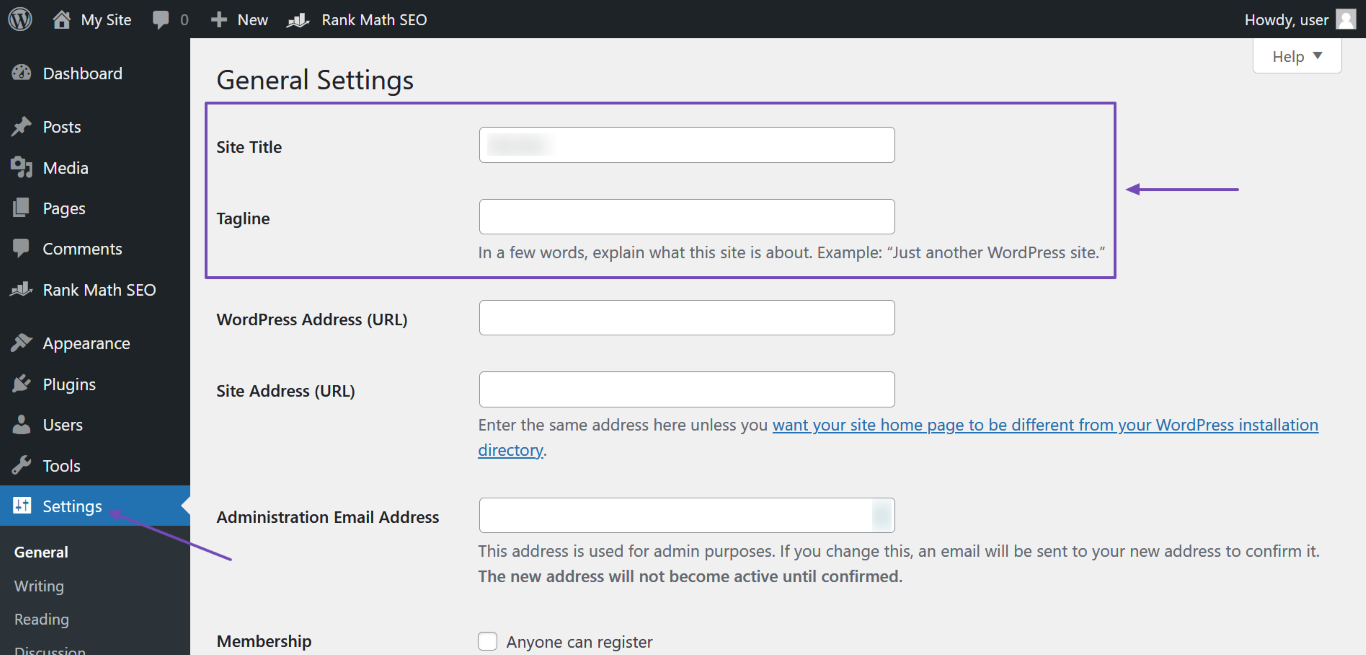
Check Your Homepage Title Tag: Make sure your site name is correctly entered in the Site Title field under WordPress Dashboard → Settings. After entering, click Save Changes.
-
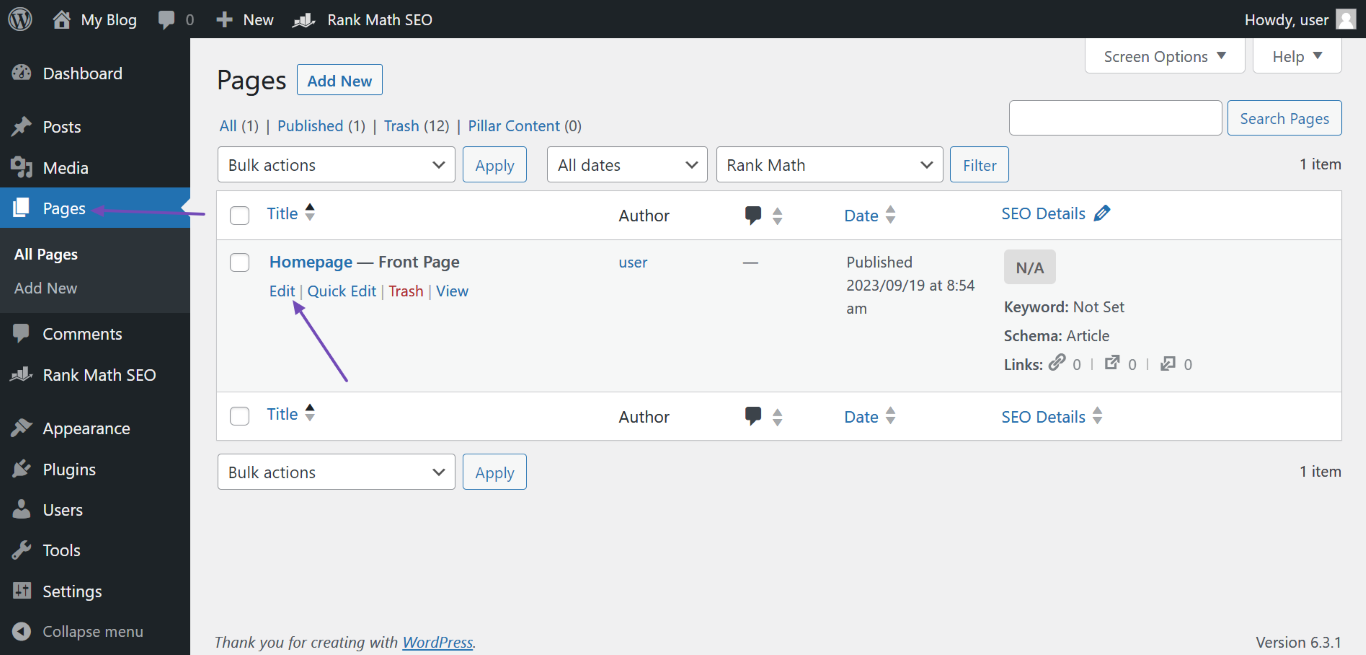
Set Your H1 Header Tag: If your homepage is set to display a static page, ensure that the page title is your site name. You can edit this by going to WordPress Dashboard → Pages, hovering over the front page, and clicking Edit.
-
Add Open Graph Metadata: If you have Rank Math installed, it automatically adds Open Graph metadata to your homepage, which helps search engines understand your content better.
-
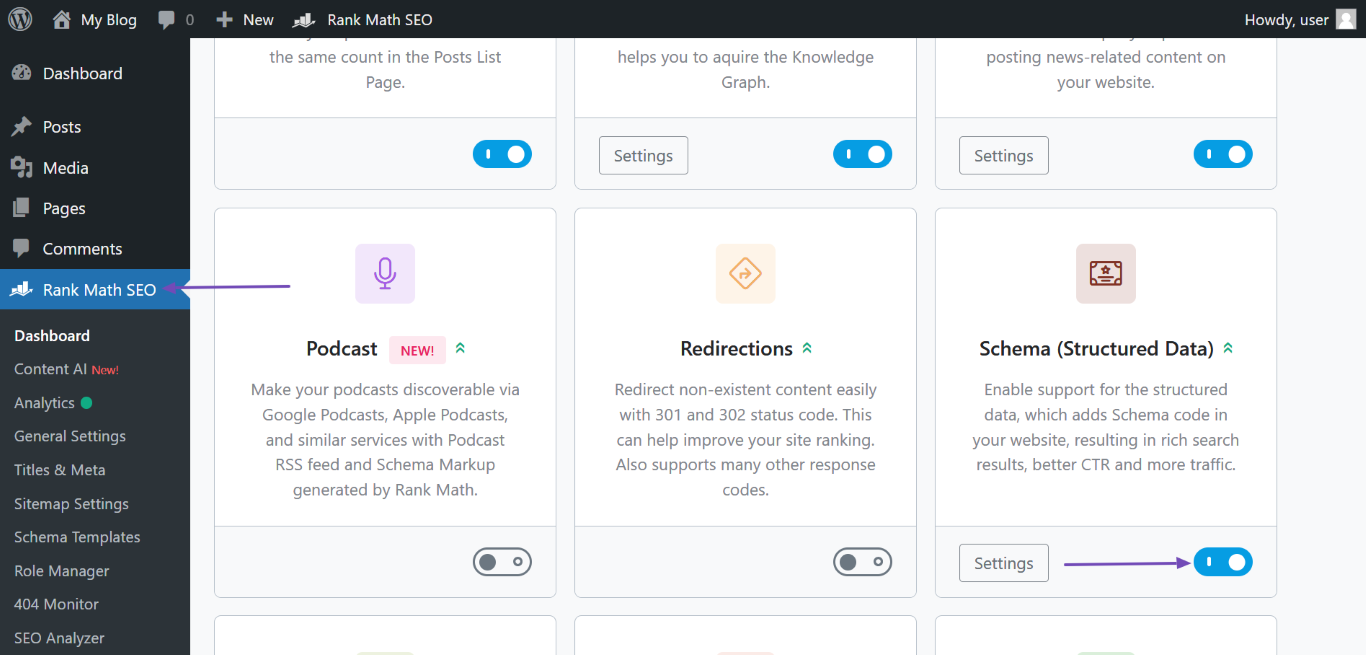
Structured Data: Ensure that your website structured data is set up correctly. You can do this by enabling the Schema module in Rank Math and filling out the necessary fields under Rank Math SEO → Titles & Meta → Local SEO.
-
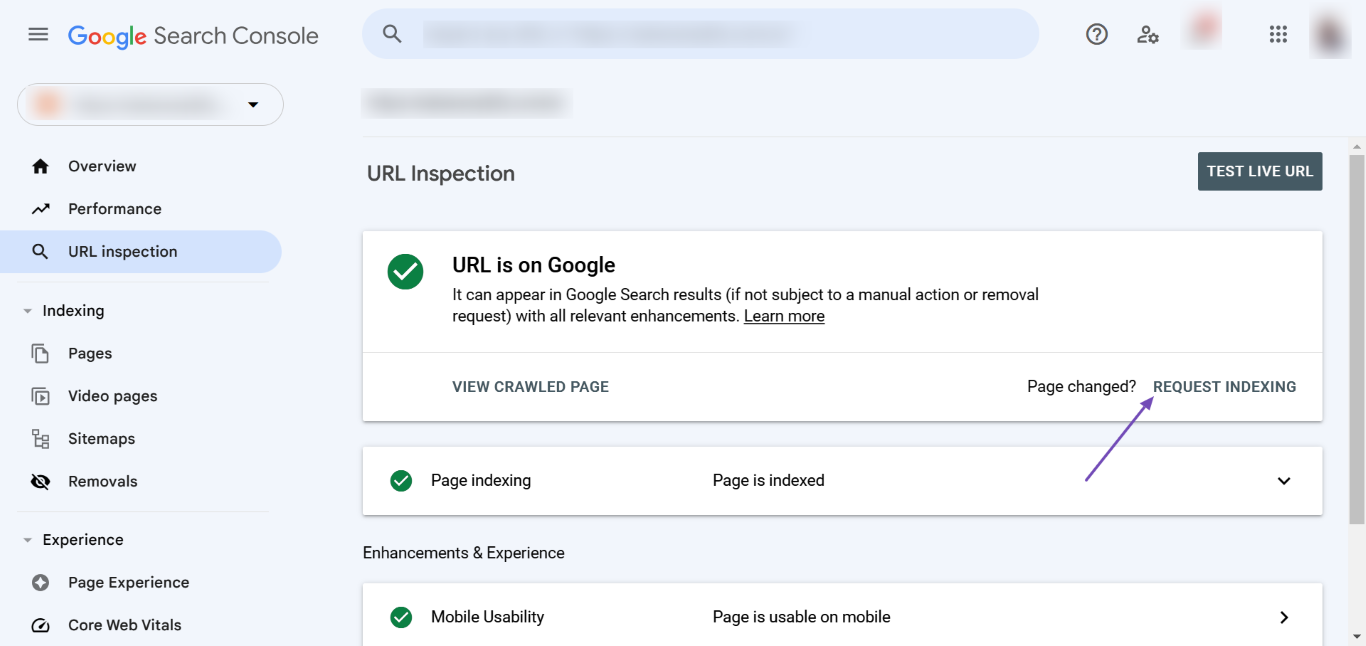
Request Reindexing: After making these changes, you may want to request Google to reindex your homepage through the Google Search Console. Enter your homepage URL and click REQUEST INDEXING.
-
Wait for Updates: It may take some time for Google to reflect these changes in the search results. You can also use Instant Indexing if you have it configured.
If you’ve already done all of this and are still experiencing issues, please reply to this ticket, and a human agent from the Rank Math Support team will assist you further. Thank you for raising this concern!
Sources:
Why Google Displays URL Instead of Site Name in SERP? » Rank MathBrother, I have done all these steps but there is no result
Hello,
We’ve checked the URL you have shared, and the site name is already added in the page’s source code.
Please note that Google uses a machine learning algorithm to generate the Sitename for your pages based on other information it has collected about your website and your industry.
Also, it is completely up to Google, and even if your site has followed all the guidelines, they can still decide to show a different or no site name. You should keep working on improving your site’s content quality and authority to increase the chances of your site name appearing in the SERPs.
Moreover, we would suggest to keep on mentioning the desired title on both the title of the page and the schema structure (which our plugin automatically adds after configuring the Local SEO settings in Rank Math > Titles & Meta).
Looking forward to helping you.
Hello
Thank you for your quick response. I will make sure to include the required title in both the page title and the schema structure. If there are any additional steps to improve the chances of my site name showing up, please let me know.
I just want to ask about the schema structure that is activated on my site but I don’t use it on the homepage,
this could cause a problem.Hello,
There are various sources that Google uses to define your site name on SERPs:
1 . og:site_name
2 . WebSite structured data (Schema)
3 . Content in title elements
4 . Heading elements (H1, H2, etc)Rank Math automatically incorporates the
og:site_namemeta tag and theWebSite/webPageSchema on your page.This aids Google in understanding and displaying your desired site name.
To encourage Google to display the sitename instead of domain, additionally you can:
1 . Double-check that your logo alt text and other significant areas on your site mention the sitename.
2 . Make sure internal links within your site use sitename rather than the domain.
3 . After making these adjustments, utilize the URL Inspection Tool in Google Search Console to request indexing for your homepage.
4 . Ensure sitename is consistently represented across all online profiles, directories, and other platforms.
5 . If you’ve rebranded or changed the name in the past, verify there’s no legacy content, old sitemaps, or outdated pages sending conflicting signals to Google.
6 . Remember, you’ll need patience as Google re-crawls and re-indexes your site. It might take some time before these updates are reflected in the SERPs.
It’s important to note that while these steps can guide Google, the final site name displayed in SERPs is determined by Google’s algorithm, based on what it deems relevant and user-friendly.
You can further understand this by reviewing Google’s documentation on site-name: https://developers.google.com/search/docs/appearance/site-names
We hope that helps.
Thanks.
Hello,
Since we did not hear back from you for 15 days, we are assuming that you found the solution. We are closing this support ticket.
If you still need assistance or any other help, please feel free to open a new support ticket, and we will be more than happy to assist.
Thank you.
-



The ticket ‘Google Displays URL Instead of Site Name in SERP’ is closed to new replies.