Hello,
We apologize for the issue you are facing with Google Console verification. It can be frustrating when the verification process does not work as expected. Here are a few steps you can follow to troubleshoot this issue:
-
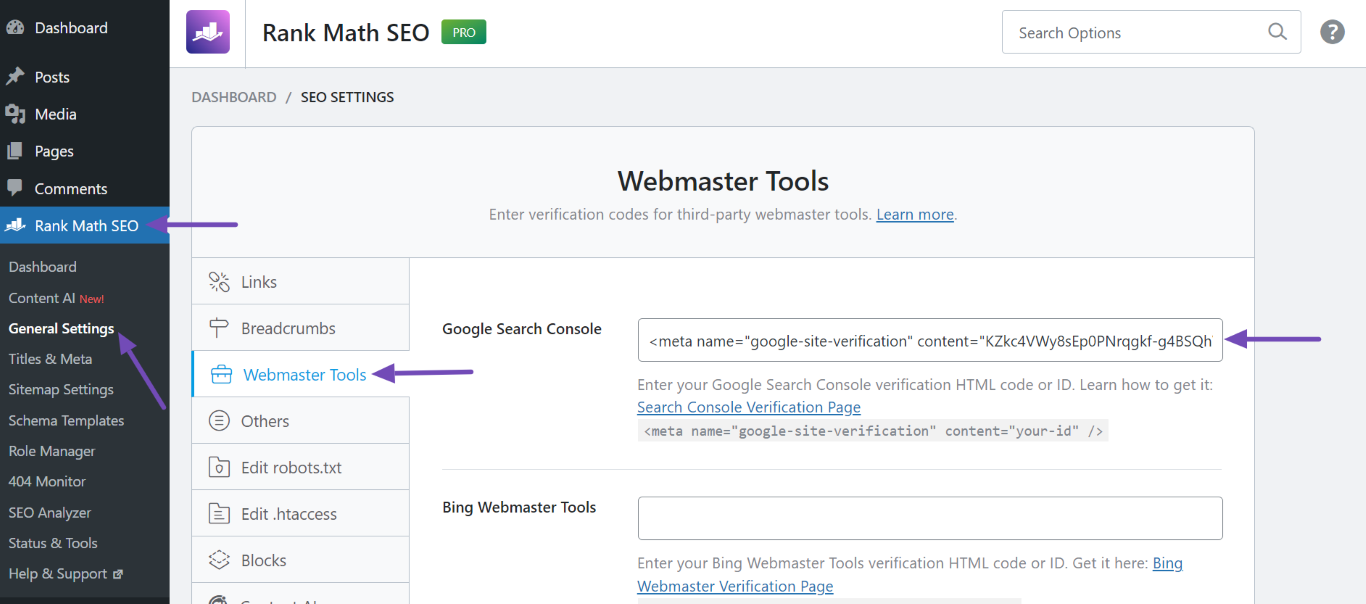
Ensure Correct HTML Tag: Make sure that you have copied the correct HTML tag from the Google Search Console and pasted it into the Rank Math plugin under WordPress Dashboard → Rank Math SEO → General Settings → Webmaster Tools.
-
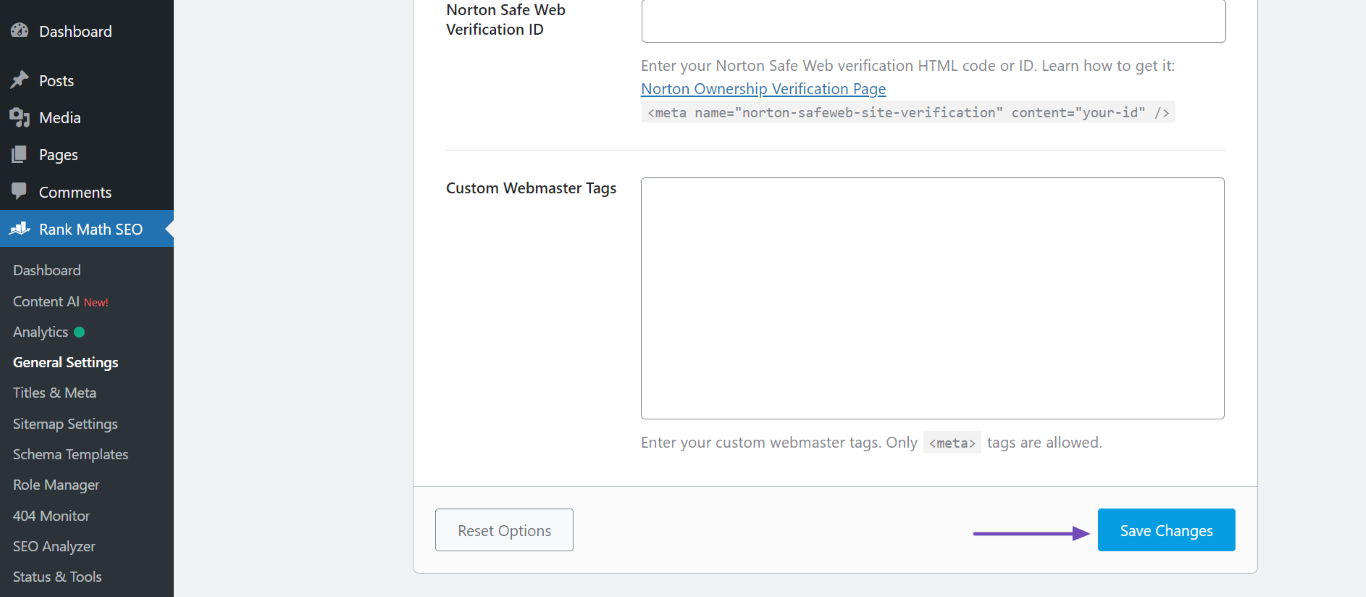
Save Changes: After pasting the HTML tag, ensure you scroll down and click Save Changes.
-
Verify Again: Go back to Google Search Console and click on Verify again. If it still fails, try clearing your website’s cache once more and then attempt the verification again.
-
Check for Multiple Properties: If you have multiple properties set up in Google Search Console, ensure that you are verifying the correct one.
-
Wait for Propagation: Sometimes, it may take a little time for changes to propagate. If you have just made changes, waiting a few minutes before trying again can help.
If you continue to experience issues after trying these steps, please reply to this ticket, and a human agent from the Rank Math Support team will take over and assist you further. Thank you for raising this concern!
Hello,
Thank you for contacting us and sorry for any inconvenience that might have been caused due to that.
Please make sure you’ve followed all the steps mentioned in this guide to verify your website on Google Search Console: https://rankmath.com/kb/google-site-verification/
If the issue persists, please share your website URL so that we can check if the verification meta tag is properly added or not.
Let us know how it goes. Looking forward to helping you.
Thank you.
Hello,
Since we did not hear back from you for 15 days, we are assuming that you found the solution. We are closing this support ticket.
If you still need assistance or any other help, please feel free to open a new support ticket, and we will be more than happy to assist.
Thank you.



