Hello,
We apologize for the issue you are facing with Google not indexing your pages. The error message stating "Robots.txt unreachable" suggests that Google is having trouble accessing your robots.txt file, which can prevent it from crawling and indexing your pages.
Here are some steps you can take to troubleshoot and resolve this issue:
-
Check Your Robots.txt File: Ensure that your robots.txt file is accessible. You can do this by visiting `https://rankmath.com/kb/indexed-though-blocked-by-robots-txt-error/ in your browser. If you see a 404 error or any other issue, it may need to be corrected.
-
Validate Your Sitemap: Make sure your sitemap is correctly configured and accessible. You can validate your sitemap using tools like the Validate XML Sitemap tool.

-
Check for Noindex Tags: Ensure that none of your pages have a "noindex" tag set in Rank Math. You can check this in the Rank Math settings under Titles & Meta.

-
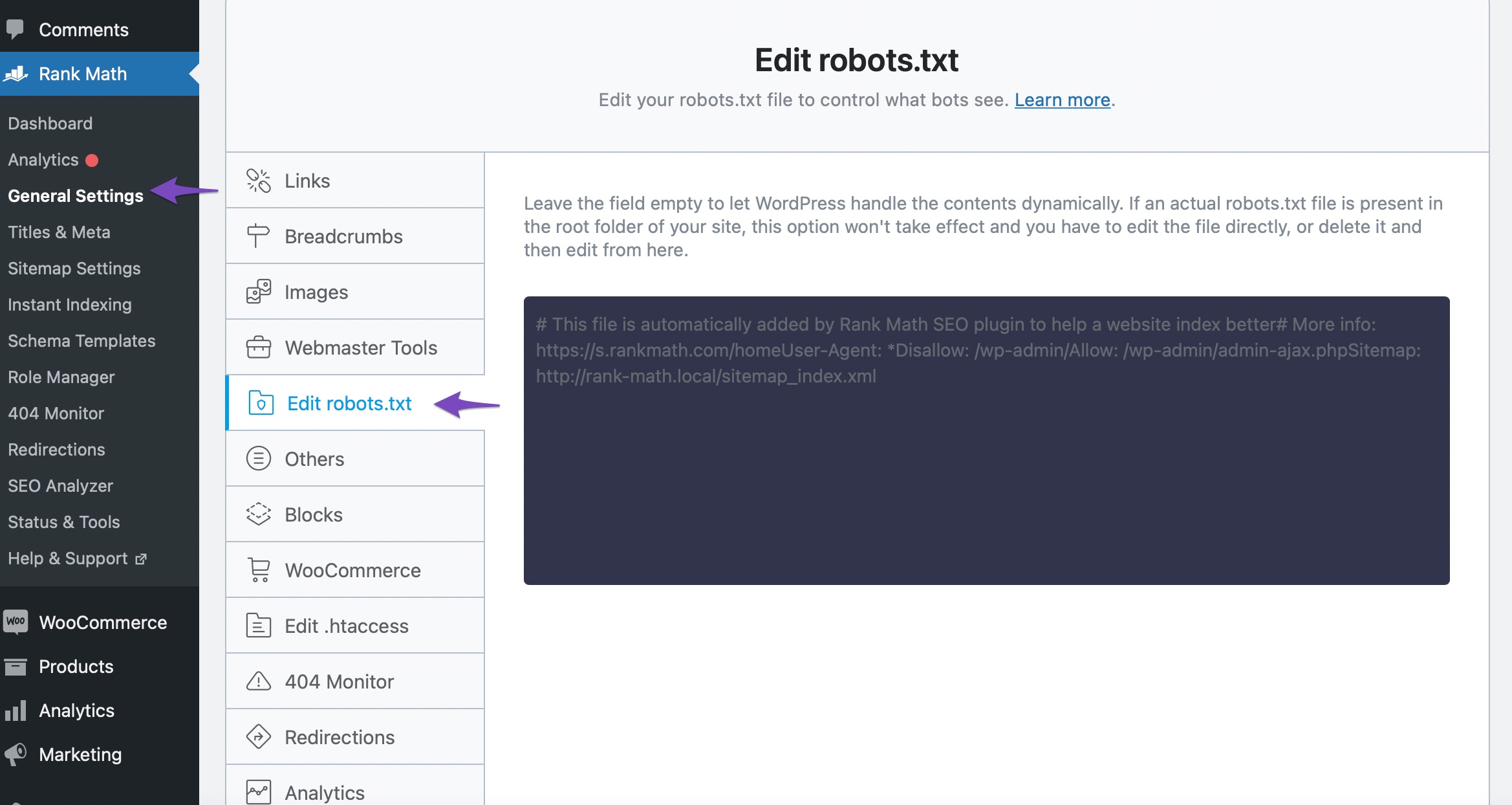
Allow Google to Crawl: If you have any rules in your robots.txt file that might be blocking Google from crawling your pages, you will need to adjust those rules. You can edit your robots.txt file through Rank Math by going to Rank Math SEO → General Settings → Edit robots.txt.
-
Re-submit Your Sitemap: After making any changes, re-submit your sitemap in Google Search Console to prompt Google to re-crawl your site.
If you continue to experience issues after following these steps, please reply to this ticket, and a human agent from the Rank Math Support team will assist you further.
Thank you for raising this concern, and we hope to help you resolve it soon!
Sources:
How to Fix Indexing Issues in Google Search Console » Rank Math
How to Fix the "Indexed, though blocked by robots.txt" Error » Rank Math
Troubleshooting the “Couldn’t Fetch” Error in Google Search Console » Rank Math
Hello,
Thank you for contacting the support and sorry for any inconvenience that might have been caused due to that.
We checked your robots.txt file and we can see it is working properly without any issues:

In this case, please try to clear your website cache including any server-level cache, and check again.
Looking forward to helping you.
Dear Support,
I only have this option to clear cache. Would that work?

Thank you
Hello,
Yes, clearing your website cache using the Clear Cache option should help. Additionally, if you are using any server-side or CDN caching (e.g., through your hosting provider or Cloudflare), clearing those caches would also be beneficial.
After clearing the cache, re-submit your sitemap in Google Search Console to prompt Google to re-crawl your site. If the issue persists, feel free to update us, and we’ll assist further.
Thank you for confirming that. I have re-submitted the sitemap as shown in the below image.

I will come with an update tomorrow.
Hello,
That is fine.
Please feel free to reach out to us again in case you need any other assistance.
We are here to help.
Thank you.
Hello,
Since we did not hear back from you for 15 days, we are assuming that you found the solution. We are closing this support ticket.
If you still need assistance or any other help, please feel free to open a new support ticket, and we will be more than happy to assist.
Thank you.




