Hello,
We apologize for the issue you are facing with Google Alerts not reporting new posts from your website. Thank you for your kind words about our tool!
It’s important to note that Google Alerts relies on Google’s indexing of your content. If your posts are not being indexed by Google, they won’t appear in alerts. Here are a few things to consider:
-
Indexing Status: Ensure that your posts are being indexed by checking the indexing status in Google Search Console. If they are not indexed, you may need to investigate further why that is happening.
-
Crawl Budget: If your website is new or has a lot of content, it might be a crawl budget issue. Google allocates a certain amount of resources to crawl your site, and if it’s focusing on other pages, your new posts might not be indexed promptly.
-
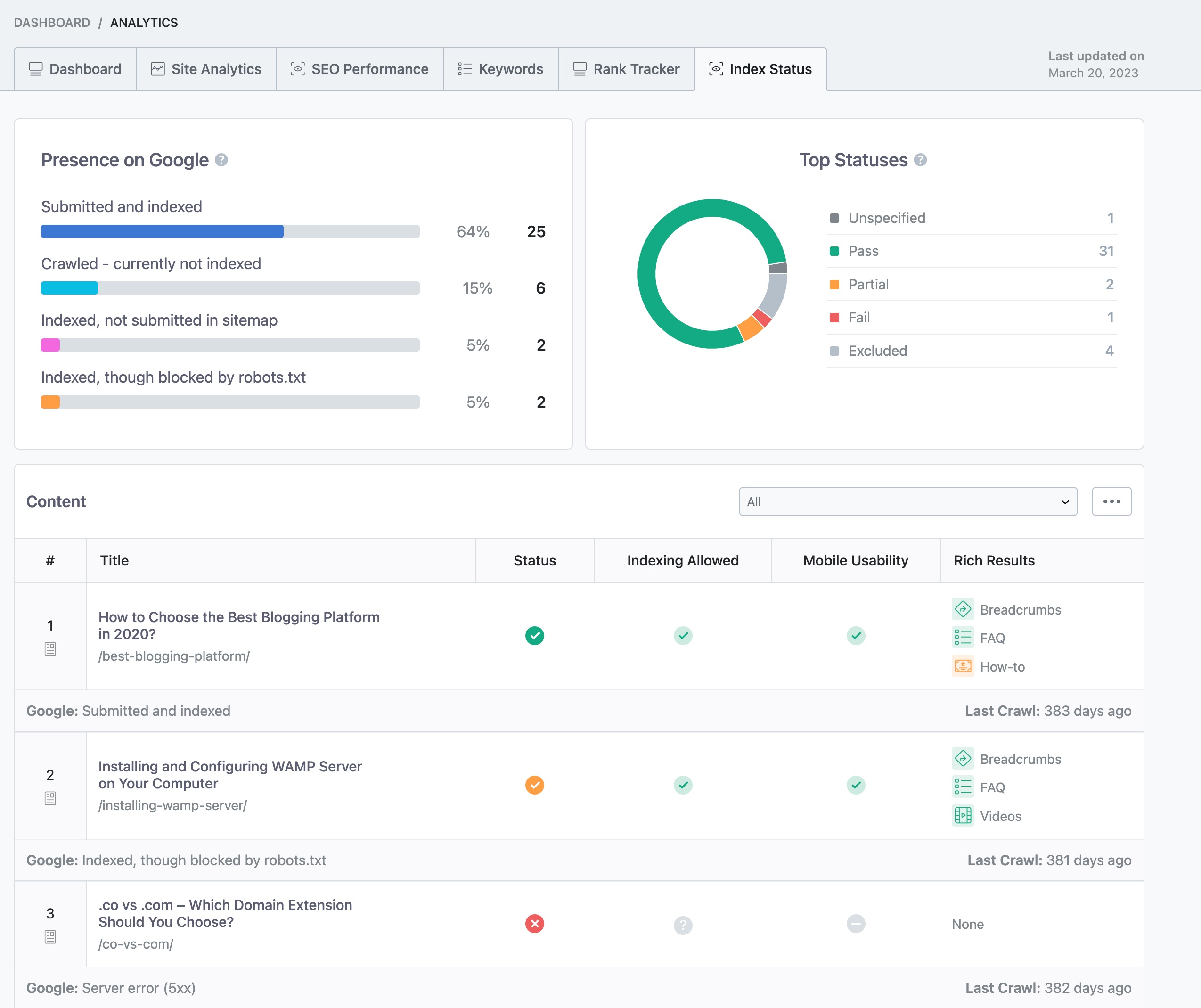
Manual Indexing: While you are using the Instant Indexing feature, it’s crucial to ensure that you are submitting the correct URLs and that they meet Google’s quality guidelines. You can check the index status within your WordPress dashboard by navigating to Rank Math SEO → Analytics → Index Status.
-
Content Quality: Ensure that the content you are posting is unique and valuable. Low-quality or duplicate content can lead to indexing issues.
-
Social Media Promotion: While promoting your posts on social media is great, it may not directly influence Google Alerts unless those posts lead to increased traffic and engagement, which can signal to Google that your content is worth indexing.
If you have checked all these aspects and are still facing issues, we recommend replying to this ticket so a human agent from the Rank Math Support team can assist you further.
Thank you for raising this concern, and we hope to help you resolve it soon!
This is an automated reply from Rank Math Support Bot. If you need further assistance, please reply to this topic and a human support agent will reply to you shortly.
Hello,
Since we did not hear back from you for 15 days, we are assuming that you found the solution. We are closing this support ticket.
If you still need assistance or any other help, please feel free to open a new support ticket, and we will be more than happy to assist.
Thank you.


