Hello,
We apologize for the issue you are facing with the "Error 404 Requested entity was not found" in Rank Math. This error typically indicates that the requested resource could not be found on the server. Here are a few steps you can take to troubleshoot this issue:
-
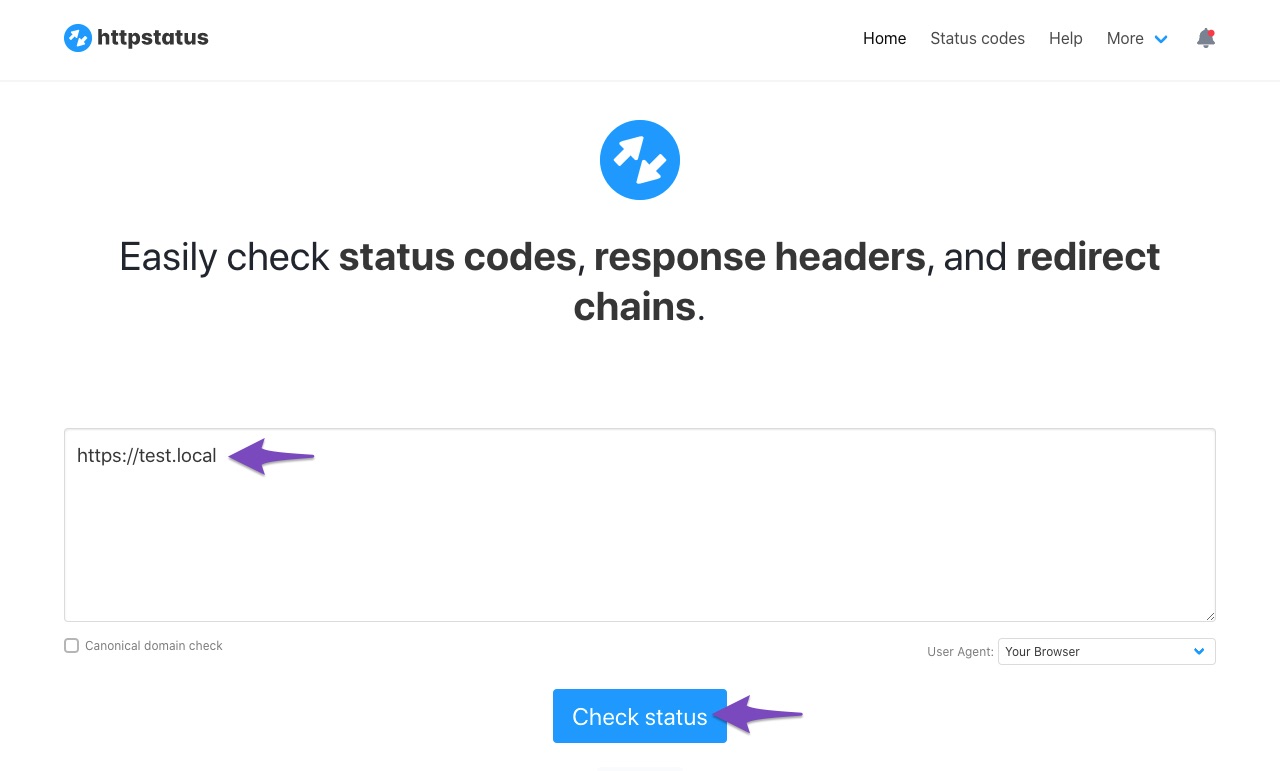
Check Website Status: Ensure that your website is returning a 200 status code. You can check the status of your website using this status checker tool. Enter your website URL and click Check Status.
-
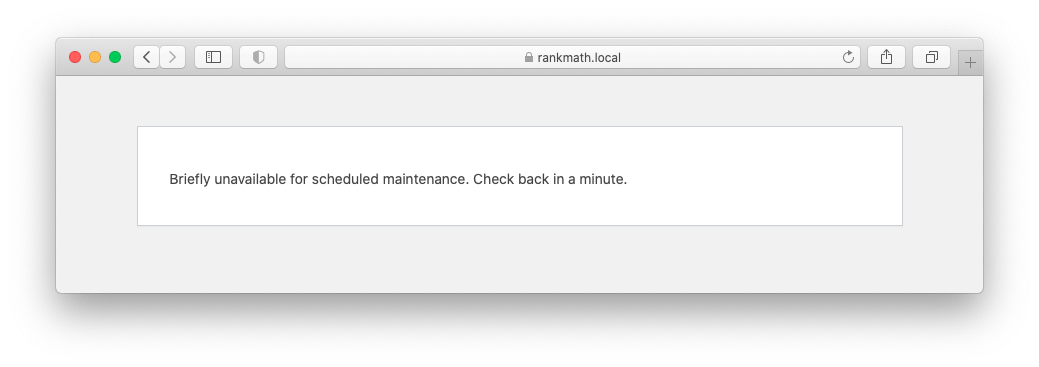
Website Under Maintenance: If your website is under maintenance, it may not be accessible, leading to this error. Make sure your website is live and not in maintenance mode.
-
API Requests Blocked by Firewall: Sometimes, server security or firewall settings can block API requests. Ensure that the necessary IPs and user-agents are whitelisted in your firewall settings.
-
Locally Hosted Website: If your site is hosted locally, the SEO Analyzer module will not work and will return an API error. Ensure your site is live and accessible from external sources.
If you continue to experience issues after checking these points, please reply to this ticket, and a human agent from the Rank Math Support team will assist you further. Thank you for raising this concern!
Sources:
Why Am I Getting "API Error: HTTP 400" Error » Rank Math
Hello,
Please make sure you’re using the latest version of the Instant Indexing plugin on your website: https://wordpress.org/plugins/fast-indexing-api/#developers
However, since you’re getting the error while trying to Get Status, please try to submit the URL in Publish/Update URL first as Google isn’t aware of the URL. Once done, please check the URL again with Get URL Status.
Let us know how it goes. Looking forward to helping you.
Thank you.
Hello,
Since we did not hear back from you for 15 days, we are assuming that you found the solution. We are closing this support ticket.
If you still need assistance or any other help, please feel free to open a new support ticket, and we will be more than happy to assist.
Thank you.



