Hello,
Thank you for contacting Rank Math and bringing your concern to our attention. I’m sorry for any inconvenience this issue may have caused you.
You mentioned that you’re using the Rank Math PRO version, but the account you have used is only the free version.
Can you please search and forward a receipt from FastSpring.com or the email address you used to purchase so we can locate your account and verify it?
Regarding the issue, please follow these steps for initial troubleshooting:
1. Please delete RankMath’s app from here:
https://myaccount.google.com/permissions

2. Re-create tables by clicking WP Dashboard > Rank Math > Status & Tools > Database Tools and click the Re-create database Table button.

3. Reconnect the account inside Rank Math by clicking here and ensure that you approve all the permission notices that show up:
WP Dashboard >> Rank Math >> General Settings >> Analytics tab, and click the Reconnect link

Allow all the permissions on the next screen.
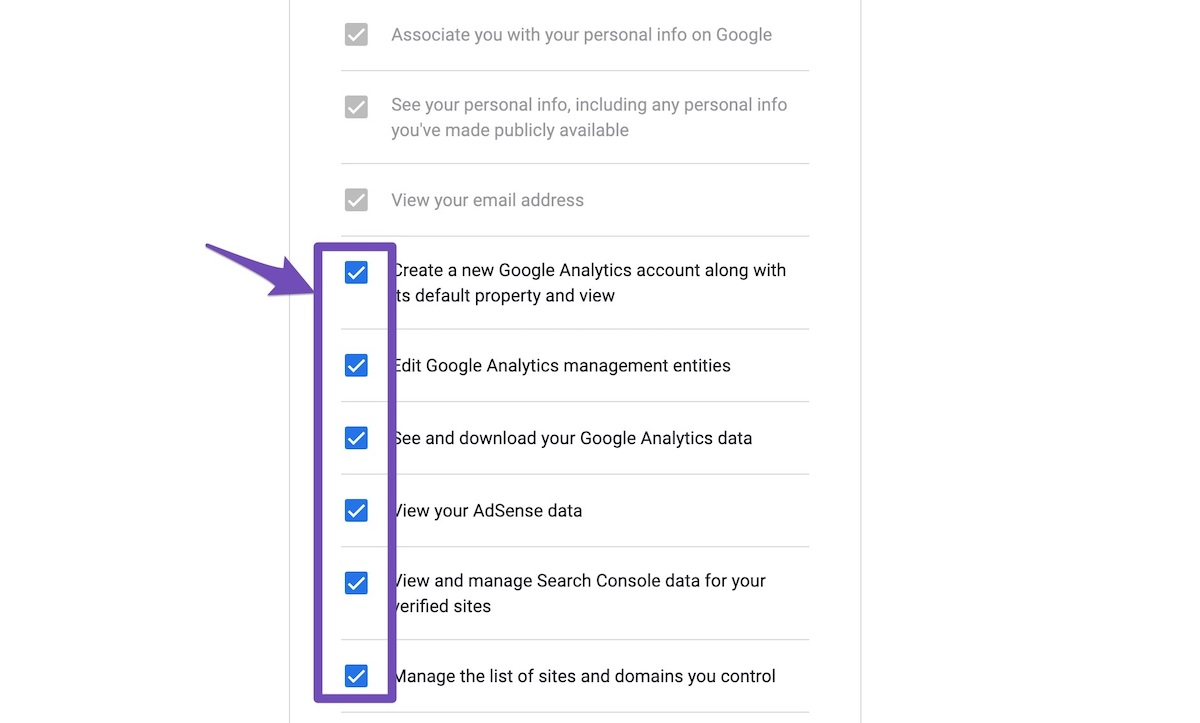
4. Let the process complete, which might take around 30 minutes.
5. Now head over to WP Dashboard > Rank Math > Status & Tools > Database Tools and click the Rebuild Index for Analytics button.

6. Please check if the data shows up here:
/wp-admin/admin.php?page=rank-math-analytics#/

If that does not help, please paste the data from here:
WP Dashboard > Rank Math > Status & Tools > System Status and click the Copy System Info to Clipboard button

We really look forward to helping you.
Thank you.



