Hello,
We apologize for the issue you are facing with the focus keywords not showing in Chrome. It seems like you have already followed the necessary steps to set up Rank Math correctly. However, there could be a few reasons why the focus keywords are not appearing as expected.
Here are some common causes and solutions:
-
Plugin Conflicts: Sometimes, other plugins can conflict with Rank Math, preventing it from functioning properly. We recommend checking for any plugin conflicts by following our guide on plugin conflict.
-
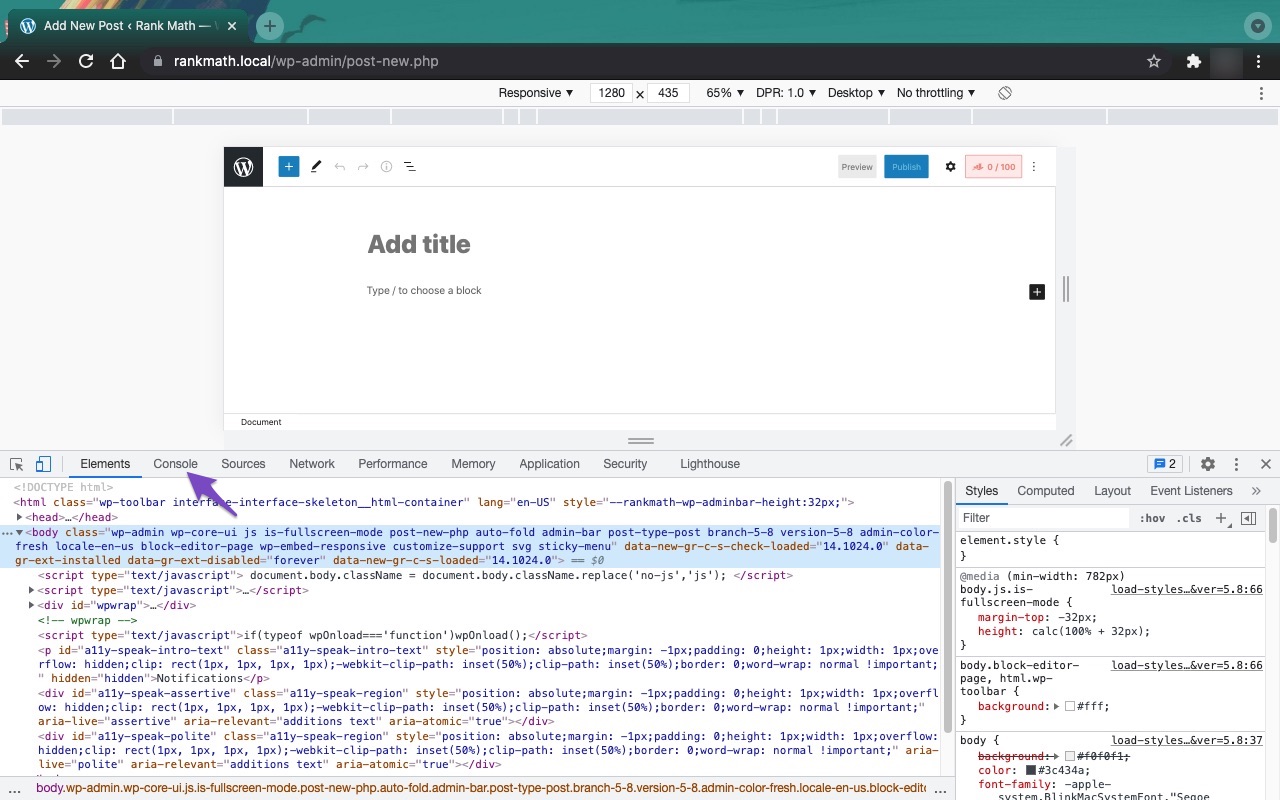
JavaScript-Related Errors: JavaScript errors can also cause issues with saving or displaying focus keywords. You can diagnose these errors by checking the JavaScript Console in your browser. Here’s how to do it in Chrome:
- Open Developer Tools by navigating to More Tools > Developer Tools from the Chrome menu or using the shortcut Ctrl + Shift + J (Windows) or Cmd + Option + J (Mac).
- Click on the Console tab to see if there are any errors that might be affecting Rank Math.

-
SEO Title and Meta Description: Ensure that you have set a custom SEO title and meta description for your posts/pages, as Rank Math uses these to evaluate focus keywords. You can do this by clicking on the Rank Math icon in the post editing screen and then selecting "Edit Snippet".
If you have checked all of these and are still experiencing issues, we recommend replying to this ticket, and a human agent from the Rank Math Support team will assist you further.
Thank you for raising this concern, and we hope to resolve it for you soon!
Sources:
Why Your SEO Title, Description & Focus Keyword Aren’t Being Saved » Rank Math
Here show just “JQMIGRATE: Migrate is installed, version 3.4.”, no error
Hello,
Thank you for contacting Rank Math support.
Please share a screenshot of the issue.
Also, please share access to your website with us so we can help investigate the issue properly. Please follow these steps:
- Edit the first post on this ticket and include your WordPress logins in the Sensitive Data section. This is a secure section that only our support staff can access.

- Make sure you take a complete backup of your website before sharing the information with us.
- If you prefer, you can use this plugin to generate a temporary login URL to your website and share that with us instead: https://wordpress.org/plugins/temporary-login-without-password/
- You can also use this plugin to monitor what changes our staff might make on your website (if any): https://wordpress.org/plugins/wp-security-audit-log/
We appreciate your cooperation and patience. Thank you for choosing Rank Math.
Hello,
Since we did not hear back from you for 15 days, we are assuming that you found the solution. We are closing this support ticket.
If you still need assistance or any other help, please feel free to open a new support ticket, and we will be more than happy to assist.
Thank you.



