Hello,
I’m sorry to hear about the issue you are facing with the featured images disappearing from LinkedIn after adding Rank Math to CottrillResearch.com. It’s essential to ensure that your Open Graph/Social Preview images are correctly set up to display on social platforms like LinkedIn.
To verify and adjust the Rank Math settings for Open Graph images, you can follow these steps:
-
Set the Default Open Graph Image Using Rank Math:
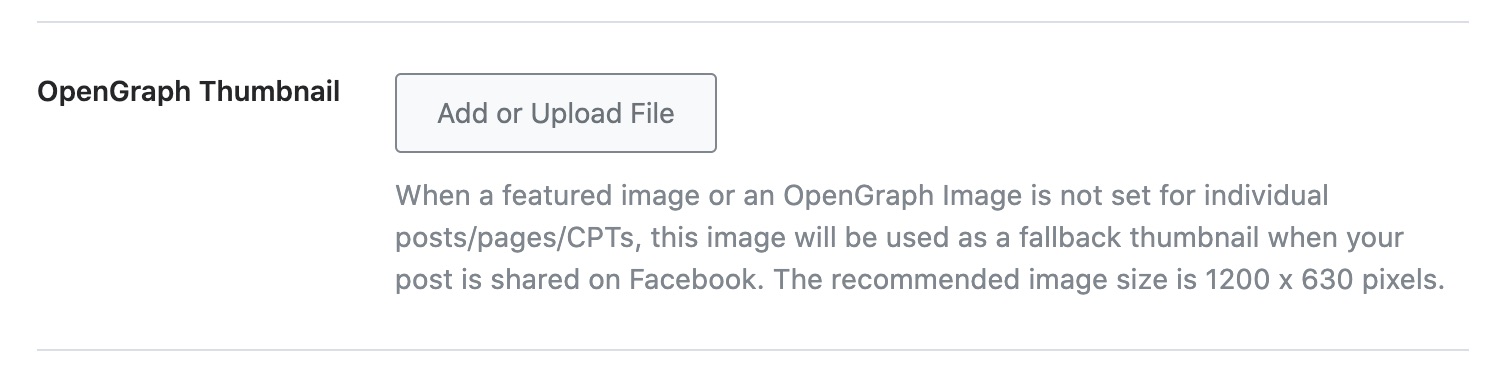
- Navigate to WordPress Dashboard → Rank Math → Titles & Meta → Global → OpenGraph Thumbnail.
- Click on Add or Upload File button to set your default image.
- Don’t forget to click on Save Changes after uploading the image.
-
Set Open Graph Image for Individual Posts/Pages:
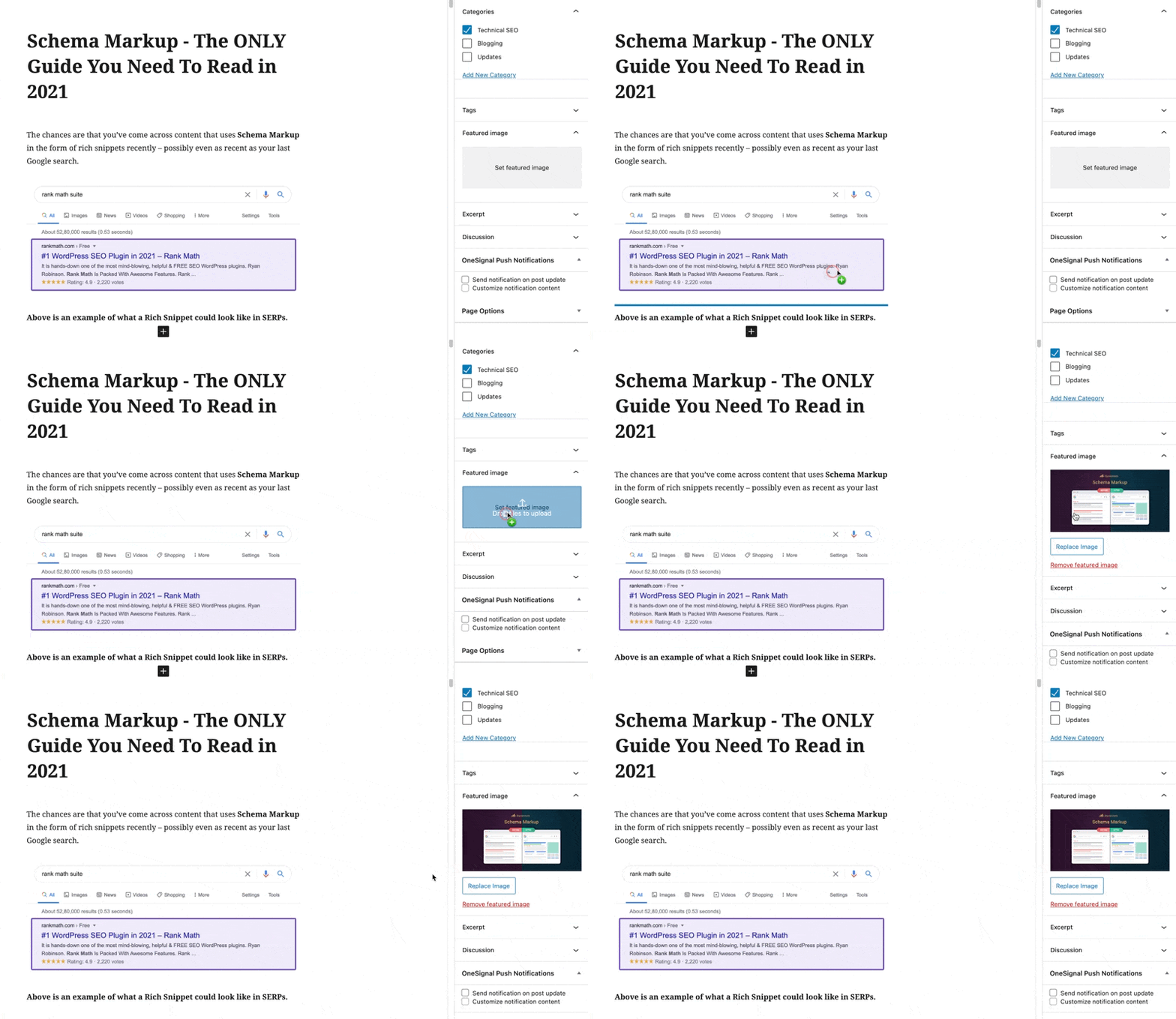
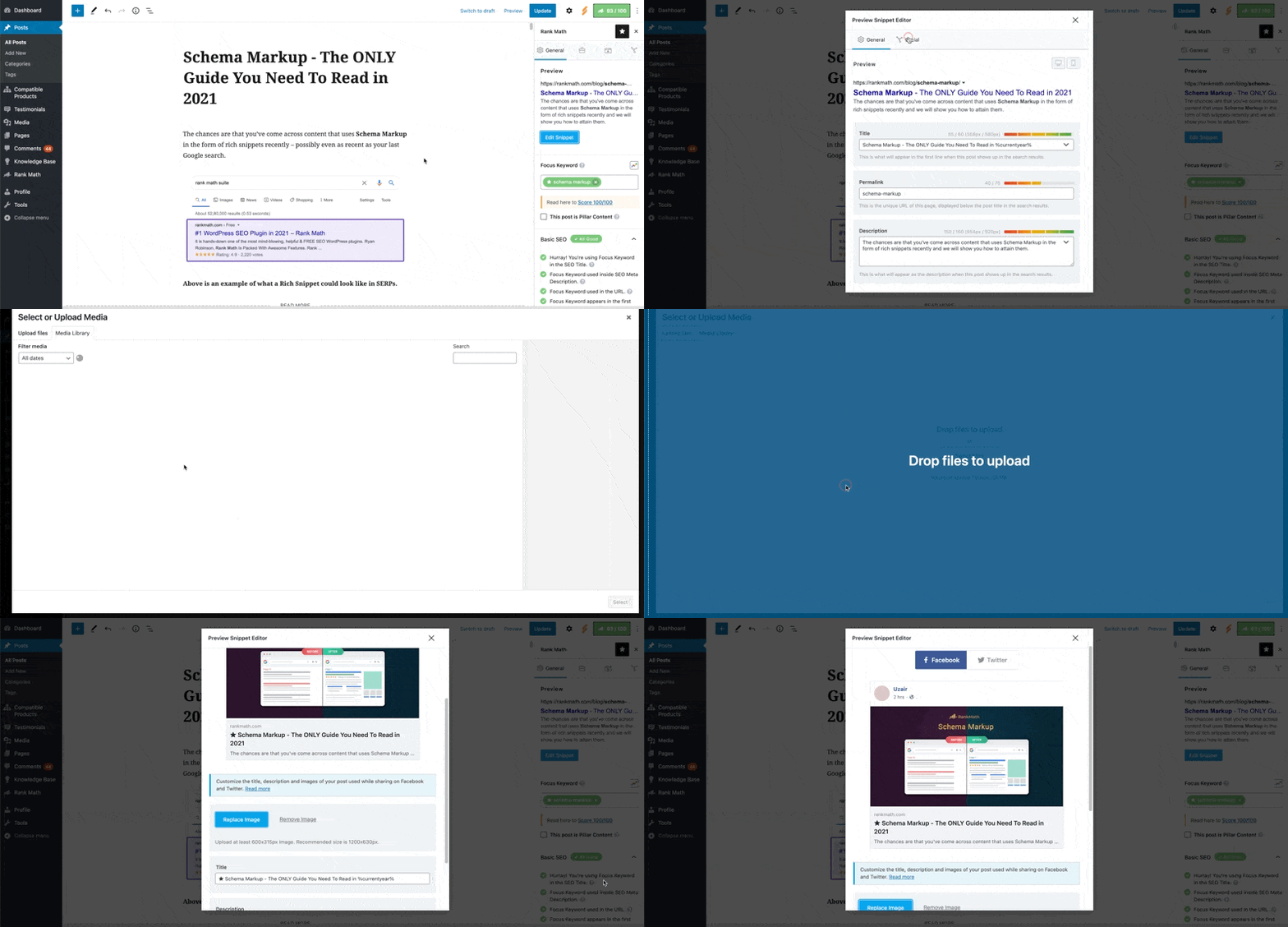
- You can set a custom Open Graph/Social Preview image for each post/page by uploading a featured image.
- You can also set it through the Rank Math sidebar in the WordPress Block Editor.
-
Check Image Dimensions & Format:
- Ensure that the images you are using meet the recommended dimensions of 1200px X 630px and are in supported formats like jpeg, png, and gif.
- Incorrect image dimensions or formats may cause issues with how the images are displayed on social platforms.
If after verifying these settings, the issue persists, please reach out to the Rank Math support team by opening a support ticket here. They will provide more specific guidance based on your website’s configuration.
Thank you for bringing this concern to our attention, and we appreciate your patience as we work to resolve this issue for you.
Kind regards.
Sources:
Open Graph/Social Preview Image Is Not Displayed » Rank Math
Open Graph Meta Tags » Rank Math
Rank Math ‘Titles and Meta’ Options and Settings
Open Graph/Social Preview Image Is Not Displayed » Rank Math
The site has 600 blog posts which all have featured images.
To be clear, all posts have had featured images since publishing. These images were on linkedin before we added rankmath. These images have now disappeared from linkedin.
Hello,
Apologies for the inconvenience.
Please share some affected URLs so we can check and advise accordingly.
You can add them into the sensitive data section

It is completely secure, and only our support staff has access to that section.
Looking forward to helping you.
Please update me on this item.
Hello,
I can check that the link preview shows the correct image on LinkedIn. You can confirm that using the LinkedIn’s Post Inspector tool: https://www.linkedin.com/post-inspector/inspect/https:%2F%2Fcottrillresearch.com%2Fnew-beneficial-ownership-reporting-solutions-are-launching-now-that-reporting-is-required%2F
I also shared the post on my profile, and it showed the correct image:

Hope that helps and please do not hesitate to let us know if you need our assistance with anything else.
Hello,
Since we did not hear back from you for 15 days, we are assuming that you found the solution. We are closing this support ticket.
If you still need assistance or any other help, please feel free to open a new support ticket, and we will be more than happy to assist.
Thank you.




