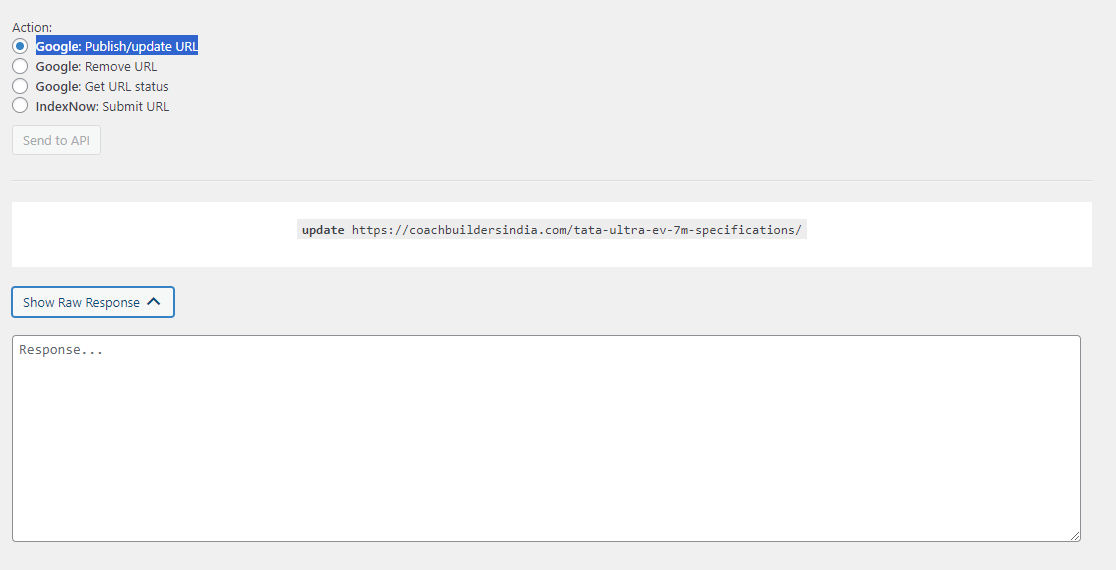
Hello,
We apologize for the issue you are facing with the Google Instant Indexing API. It seems like there might be a few reasons for the freezing pane and the 404 error you are encountering.
Here are some steps you can take to troubleshoot this issue:
-
Check API Key: Ensure that your API key is correctly configured and has the necessary permissions to access the Instant Indexing API.
-
URL Format: Make sure that the URL you are trying to submit is correctly formatted and accessible. A malformed URL can lead to errors.
-
Server Response: Check if your server is returning any errors when Google tries to access the URL. You can do this by checking your server logs for any 5xx errors or other issues.
-
Rate Limits: If you are submitting URLs too frequently, you might hit rate limits imposed by Google, which could cause the API to not respond as expected.
-
Browser Issues: Sometimes, browser-related issues can cause problems with the interface. Try using a different browser or clearing your current browser’s cache and cookies.
If these steps do not resolve the issue, we recommend replying to this ticket, and a human agent from the Rank Math Support team will be able to assist you further.
Thank you for raising this concern, and we hope to help you resolve it soon!
Sources:
Google URL Inspection API Integration in Rank Math
I have checked everything.
Check API Key is configured.
URL Format is correct
There’s no Server Response errors
No Browser Issues as well.
Could you please help me out?
Thanks,
Hello,
Thank you for contacting support.
The 404 error when checking the status it’s normal because that entry has not been submitted to the Instant Indexing API so Google cannot find it.
The issue while submitting the URLs where the status doesn’t update could be related to a conflict with other plugins or a browser extension you have on your browser.
Please make sure to go through the following tutorial to isolate this: https://rankmath.com/kb/check-plugin-conflicts/
If that doesn’t help, please share working WordPress credentials in the sensitive data section and our team will check the settings of this feature.
Looking forward to hearing back from you.
Thanks so much for the reply Miguel. I genuinely appreciate it. Let me try out the Health Check Plugin and I will let you know.
With WordPress credentials, you are referring to the login credentials and password right?
Thanks,
Hi Coach Builders India – CBI<
I got the same isuue for all of my websites which installed Instant Indexing.
Some of my websites haven’t installed new plugins.
I don’t think this issue is related to plugins.
Tom
Could be. It’s a pretty straight forward installation, beats me why I ended up with the error.
Hi Coach Builders India – CBI<,
I deleted Instant Indexing plugin and re-installed Instant Indexing and reconfigured it.
But it is still not working.
You are the 3rd users facing the same issue as far as I knew in this forum.
Tom
Hello @coachbuildersindia-cbi,
Yes, when we ask for WordPress credentials, we are referring to your WordPress admin login username and password. You can provide them securely by adding them to the Sensitive Data section of this ticket.
Please do take a complete backup of your website before sharing the information with us.
If you want, you can use the below plugin to generate a temporary login URL to your website and share that with us instead:
https://wordpress.org/plugins/temporary-login-without-password/
You can use the above plugin in conjunction with the WP Security Audit Log to monitor what changes our staff might make on your website (if any):
https://wordpress.org/plugins/wp-security-audit-log/
We really look forward to helping you.
Hello @melbourneotousan,
Kindly open a new ticket and share your specific issue with us so we can provide you with personalized support.
We look forward to assisting you.
Thanks.
Hi sir from past 5 6 days i am getting same error anyone can tell me the solution same things the guy told above thanks
I am facing the same issue from last 3 days
I have created 10 websites and same issue in all these websites.
I think it’s some type of bug in rank math or instant indexing.
i am aslo facing this same error i think its a problem from rankmath end
hi rank math team instead of wasting time kindly fix that issue and tell us how to do
getstatus https://newsighthub.com
Error 404
Requested entity was not found. this is the error that you have to fix on your own end