Hello,
We apologize for the issue you are facing. Currently, there isn’t a specific filter like rank_math/sitemap/exclude_post_ids available in Rank Math to exclude specific posts from the sitemap directly. However, you can use the rank_math/sitemap/exclude_post_type filter to exclude entire post types, but for excluding individual posts, you would typically enter the Post IDs in the settings under Rank Math SEO → Sitemap Settings.
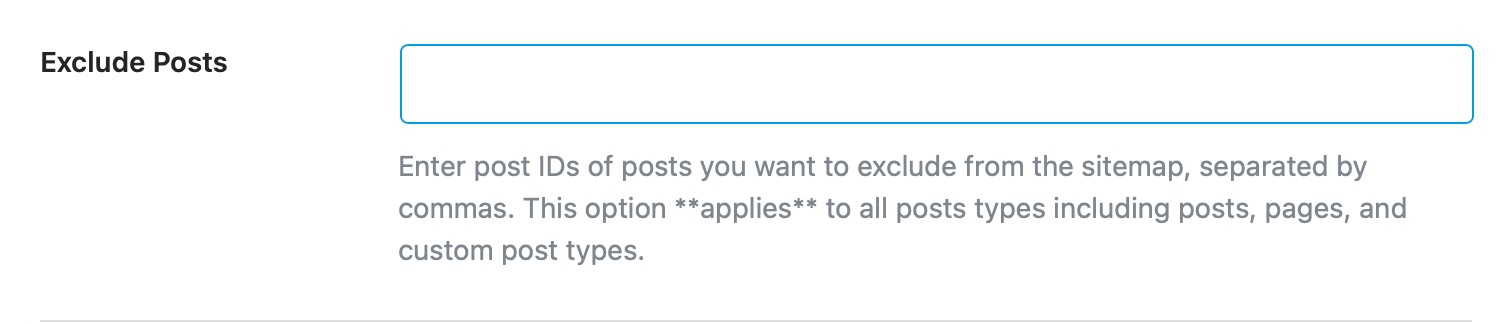
To exclude specific posts, you can enter their IDs in the Exclude Posts field, separated by commas. Here’s how you can find the Post ID:
- Open the post you want to find the ID for in a new tab.
- Check the URL, which will look something like this:
yourwebsite.com/wp-admin/post.php?post=1&action=edit.
- The number after
post= is the Post ID (in this case, it would be 1).
If you are looking to implement a custom solution using filters, you might need to use the rank_math/sitemap/entry filter, but it would require additional coding to check against your list of Post IDs and exclude them accordingly.
Thank you for raising this concern! If you have further questions or need assistance with implementation, please reply to this ticket, and a human agent from the Rank Math Support team will assist you further.
Sources:
How to Configure Sitemaps in Rank Math – Best Settings and Tips
Hello,
Instead of using a filter, you can exclude the post IDs in Rank Math > Sitemap Settings > General > Exclude Posts
However, here’s a sample filter you can use and customize if you want to exclude specific posts and use their slug/URL instead of ID:
add_filter( 'rank_math/sitemap/entry', function ( $url, $type, $object ) {

        $urls_to_skip = array(
                'https://yourdomain.com/URL-1',
                'https://yourdomain.com/URL-2',
                'https://yourdomain.com/URL-3',
        );

        if ( isset( $url['loc'] ) && in_array( $url['loc'], $urls_to_skip ) ) {
                return false;
        }

        return $url;
}, 10, 3 );
Looking forward to helping you.
Ok thanks. Yeah, I need it to be programatic as I’m excluding them based on the value of an ACF field. So I need to do it with a filter.
That example should work as a starting point -> I will do my query and then do a foreach to loop over them to get_permalink and add that to the array of urls to skip
Hello,
We are glad that everything has been sorted out.
Please feel free to reach out to us again in case you need any other assistance.
We are here to help.
Thank you.




