Hola, lamento que estés enfrentando problemas con Rank Math. Para resolver los errores de conexión y almacenamiento de datos, te recomendaría seguir estos pasos:
-
Verifica la Conexión: Ve a Rank Math SEO → Configuración General → Analytics y utiliza la opción Probar Conexiones. Esto te permitirá verificar si hay algún problema con la conexión a tu cuenta de Google.
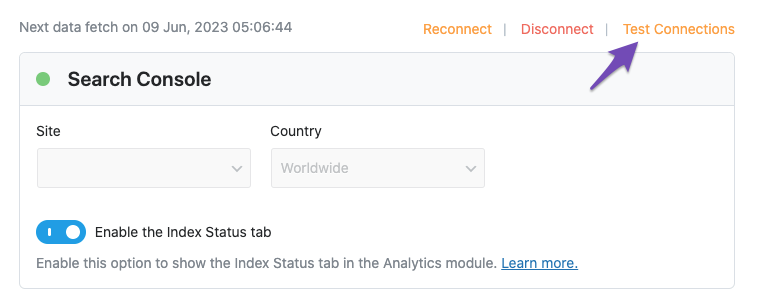
-
Reconectar Cuentas: Si ves una señal roja al probar la conexión, intenta reconectar tu cuenta de Google.
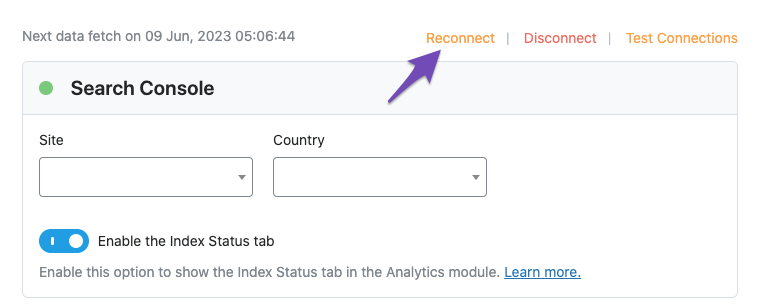
-
Importar Datos Nuevos Manualmente: Si no hay errores y los trabajos cron están funcionando correctamente, puedes intentar importar nuevos datos manualmente. Ve a la sección de Analytics y haz clic en Eliminar Datos y luego en Actualizar Datos manualmente.
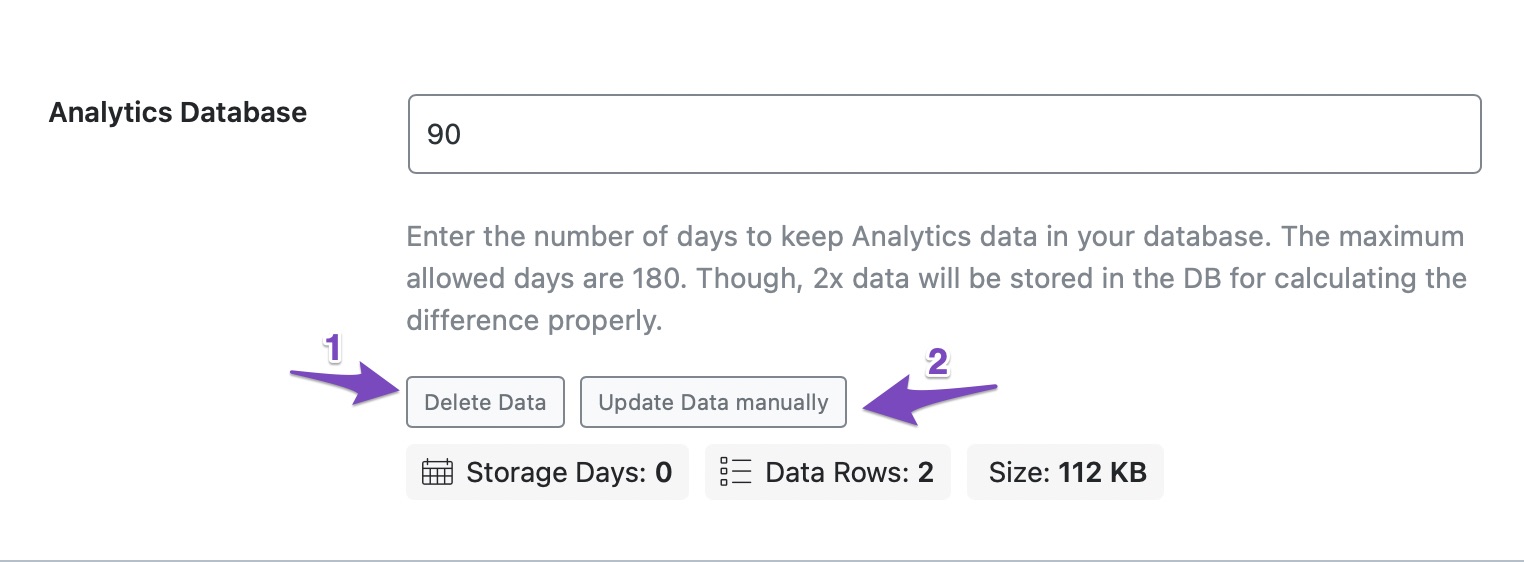
-
Revisar Errores: Después de actualizar, verifica si hay errores en la página de Analytics o si hay conflictos con otros plugins. Puedes hacerlo haciendo clic derecho en la página y seleccionando "Inspeccionar Elemento".
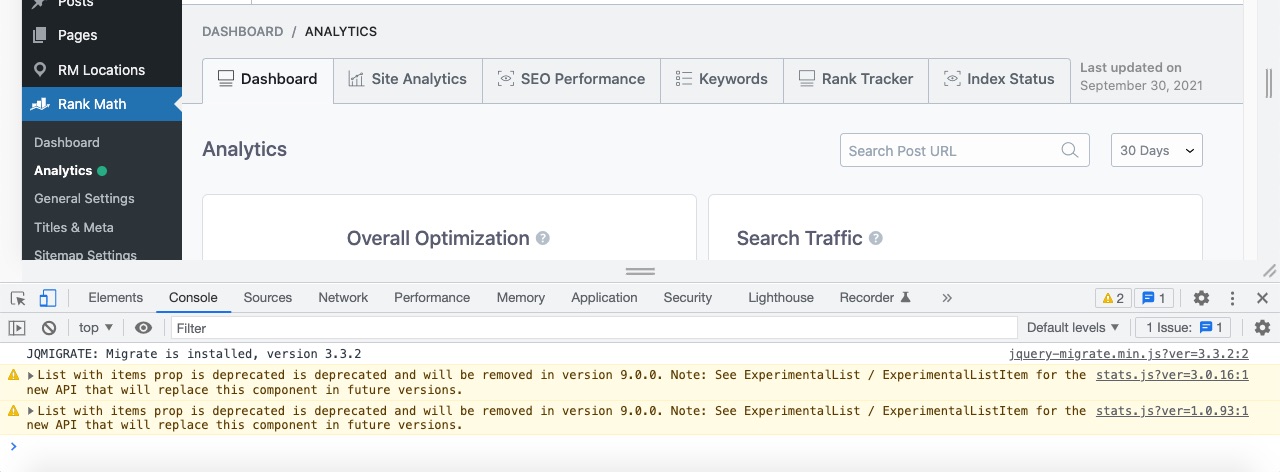
Si después de seguir estos pasos el problema persiste, por favor responde a este ticket y un agente humano del equipo de soporte de Rank Math se encargará de ayudarte. También sería útil incluir la URL de tu sitio para que podamos investigar más a fondo.
Sources:
Resolving Rank Math Analytics Related Issues » Rank Math
Resolving Rank Math Analytics Related Issues » Rank Math
he hecho todo eso pero sigue el error
Hello,
Thank you for contacting Rank Math support and we apologise for any inconveniences caused.
Please follow these steps to reconnect Rank Math with your Google account and grant all the necessary permissions:
1) Remove Rank Math’s access from Google Please remove RankMath’s app from your Google apps permissions: https://myaccount.google.com/permissions

2) Re-connect to regenerate the auth token from Google
After that, reconnect the Google account again to regenerate the auth token from Google, by going to WordPress Dashboard > Rank Math > General Settings > Analytics and configure the Search Console and Analytics settings again:

3) Grant all necessary permissions
Kindly check all necessary checkboxes to allow Rank Math to access some of the Google Services. Please check my screenshot below for reference:

4) Follow the instructions to sign in with your Google account and allow Rank Math to access your data. https://rankmath.com/kb/connect-your-google-account/
You can also refer to this guide for more details: https://rankmath.com/kb/analytics-issues/#expired-google-oauth-token
We hope this resolves the issue for you.
If you still face any problems or have any questions, please let us know.
We’re always here to help.
Hello,
Since we did not hear back from you for 15 days, we are assuming that you found the solution. We are closing this support ticket.
If you still need assistance or any other help, please feel free to open a new support ticket, and we will be more than happy to assist.
Thank you.



