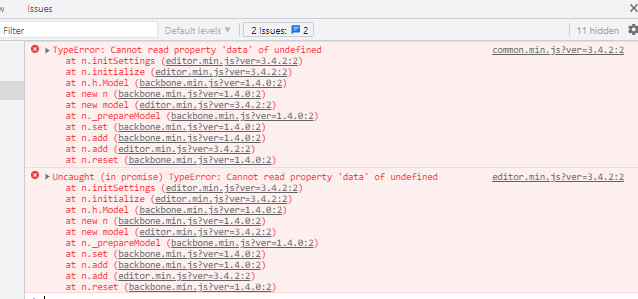
from the front-end everything works fine
Hello,
Thank you for contacting us and sorry for any inconvenience that might have been caused due to that.
It seems that this error is happening because you are trying to edit the product pages not from the WooCommerce Builder of Elementor PRO and thus it’s causing the_content() function to not be triggered.
You can see more information about this error here: https://elementor.com/help/the-content-area-was-not-found-error/
These product pages should only be edited for the WooCommerce Builder page otherwise they would cause this error.
Hope this helps clarify your doubts.
Don’t hesitate to get in touch if you have any other questions.
Hello,
I read this topic.
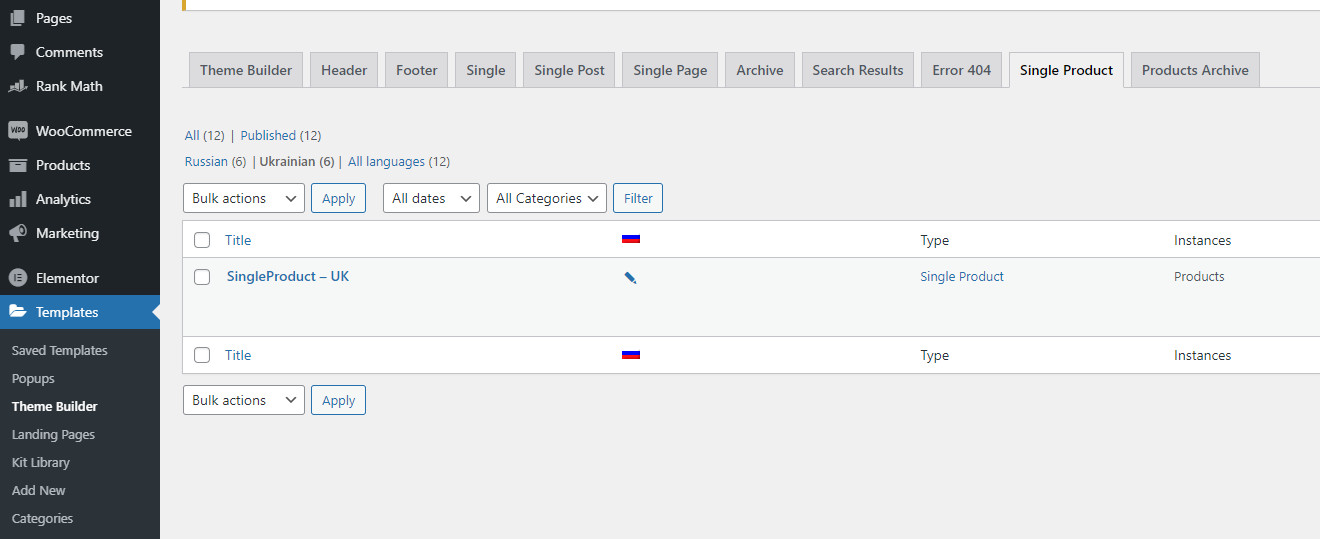
But I have made templates for a single product and for product archives
for example see screenshot – http://img.webmister.pro/2021-09-02_220548.jpg
what do you mean WooCommerce Builder?
Maybe templates for WooCommerce, so I have them.
I made a test copy and gave you access. It seems that I did everything according to the recommendations and still a mistake.
Hello,
As you can see from the page we mentioned previously, if you create a template for the products you’ll need to edit the template in order to be able to do so and not the products themselves.

If you edit the products directly, that have a template you’ll receive this error according to the Elementor documentation we showed.
Hope this helps clarify your doubts.
Don’t hesitate to get in touch if you have any other questions.
Hello,
We are super happy that this resolved your issue. If you have any other questions in the future, know that we are here to help you.
If you don’t mind me asking, could you please leave us a review (if you haven’t already) on https://wordpress.org/support/plugin/seo-by-rank-math/reviews/#new-post about your overall experience with Rank Math? We appreciate your time and patience.
If you do have another question in the future, please feel free to create a new forum topic, and it will be our pleasure to assist you again.
Thank you.