Hello, we apologize for the issue you are facing with indexing your post. To help resolve this, you can use Rank Math’s Instant Indexing feature. Here’s how to do it:
-
Enable Instant Indexing Module: Go to your WordPress Dashboard and navigate to Rank Math SEO. Make sure the Instant Indexing module is enabled.
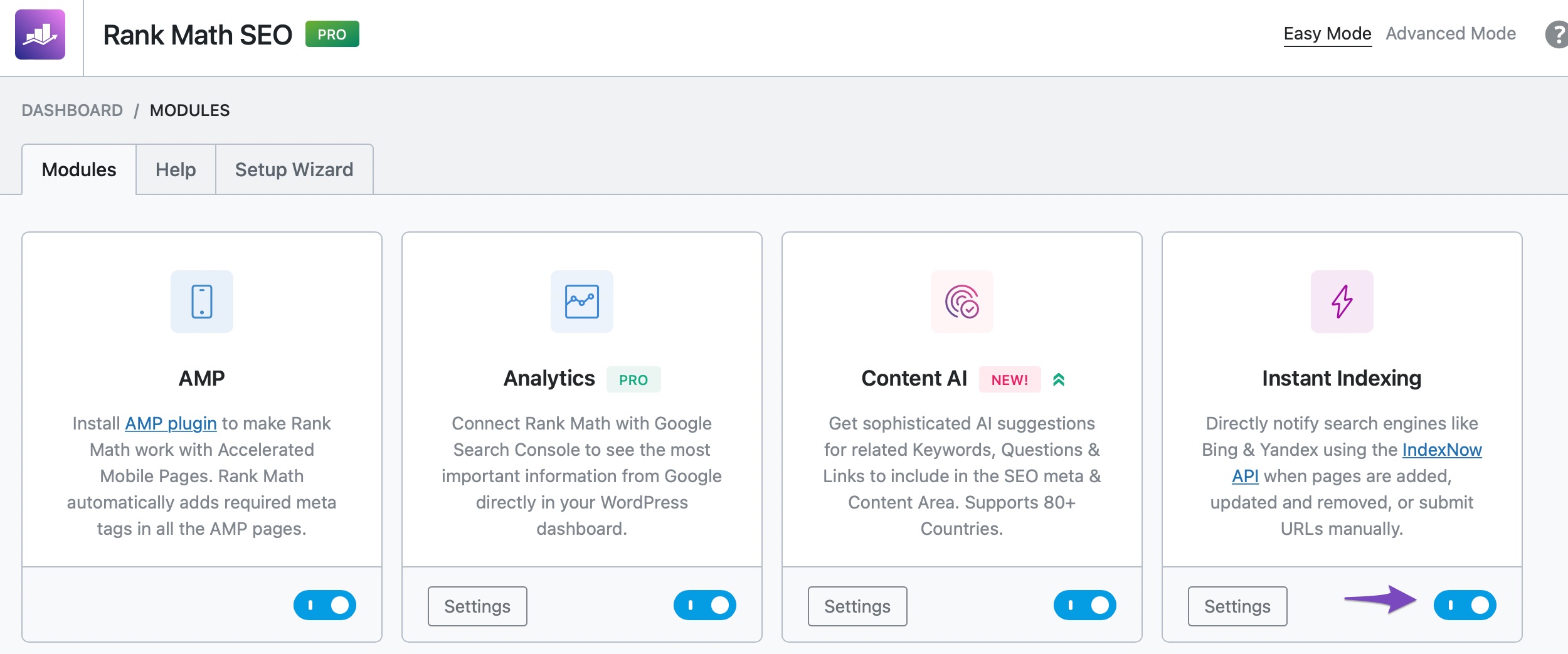
-
Submit Your Post for Indexing: On the Posts page, hover over the post you wish to index and select the Instant Indexing: Submit Page option.
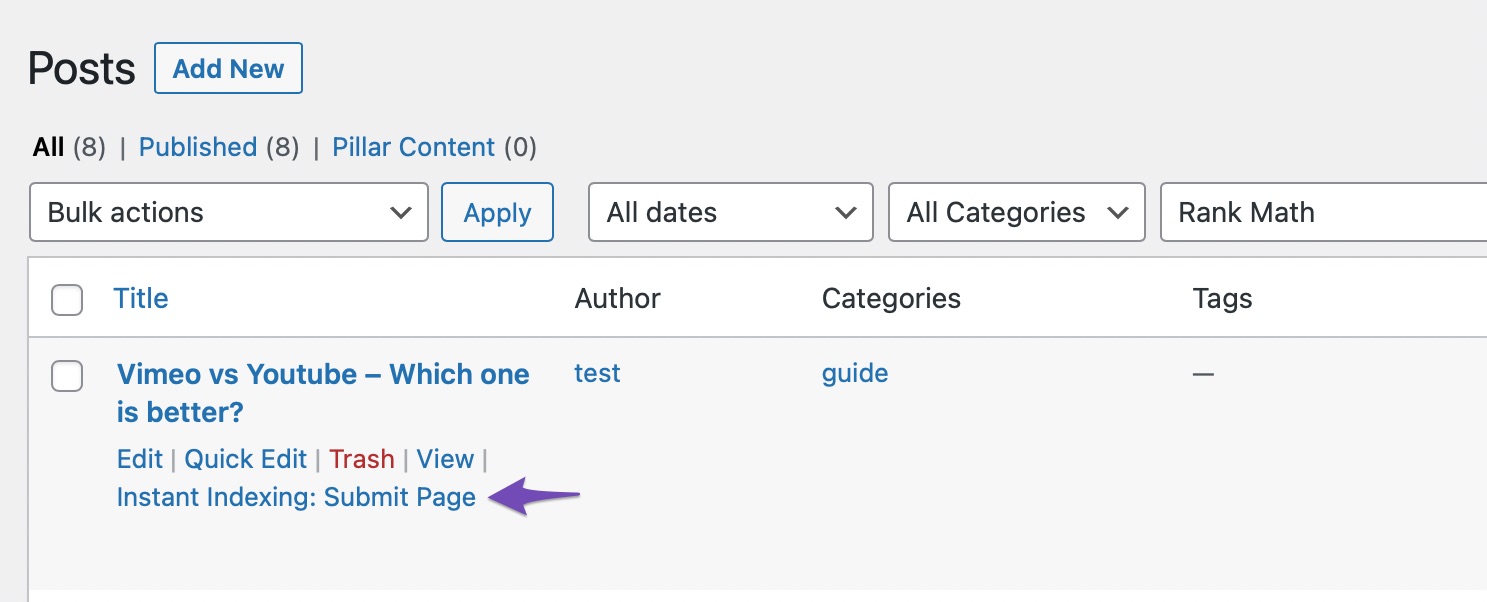
-
Check Index Status: You can check your page’s index status by navigating to Rank Math SEO → Analytics → Index Status.
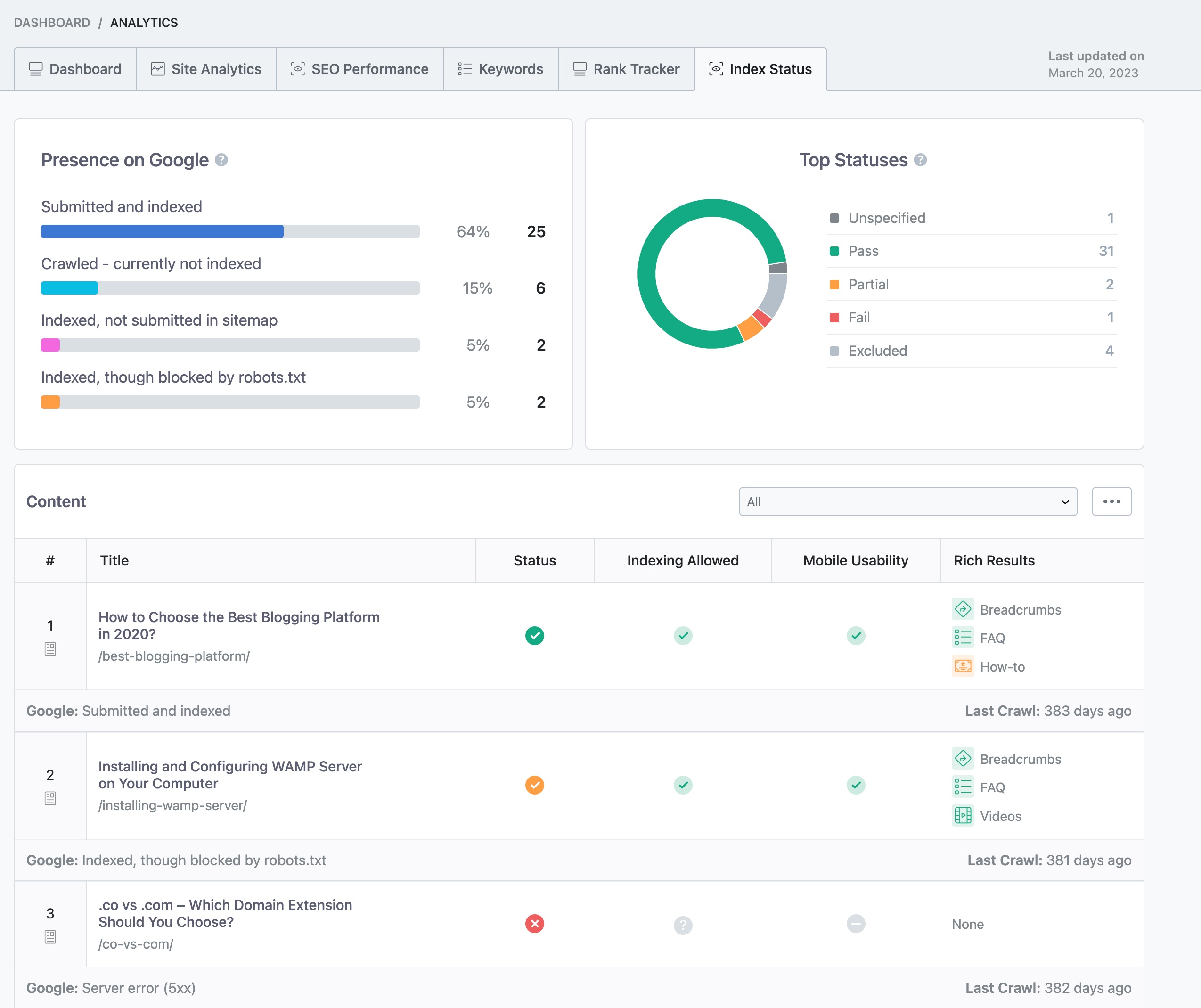
If you continue to experience issues, please reply to this ticket with your site URL, and a human agent from the Rank Math Support team will assist you further. Thank you for raising this concern!
Sources:
How to Fix "Crawled – Currently Not Indexed" Error in Google Search Console » Rank Math
How to Fix "Crawled – Currently Not Indexed" Error in Google Search Console » Rank Math
Hello,
Thank you for your query and we are so sorry about the trouble this must have caused.
We need further details of the indexing issues. Please share a screenshot of the error or the details of the error from your Google Search Console. Please also share the affected URL here.
Meanwhile, you may check this guide to help you with your concern: https://rankmath.com/kb/fix-google-indexing-issues/
Looking forward to helping you.
Dear Team,
ISSUE HAS BEEN RESOLVED. THANK YOU.
Hello,
We are glad to know that this issue has been resolved. Thank you for letting us know.
This ticket will be closed now, but you can always open a new one if you have any other questions or concerns. We are here to help you with anything related to Rank Math.
We appreciate your patience and cooperation throughout this process.
Thank you for choosing Rank Math.




