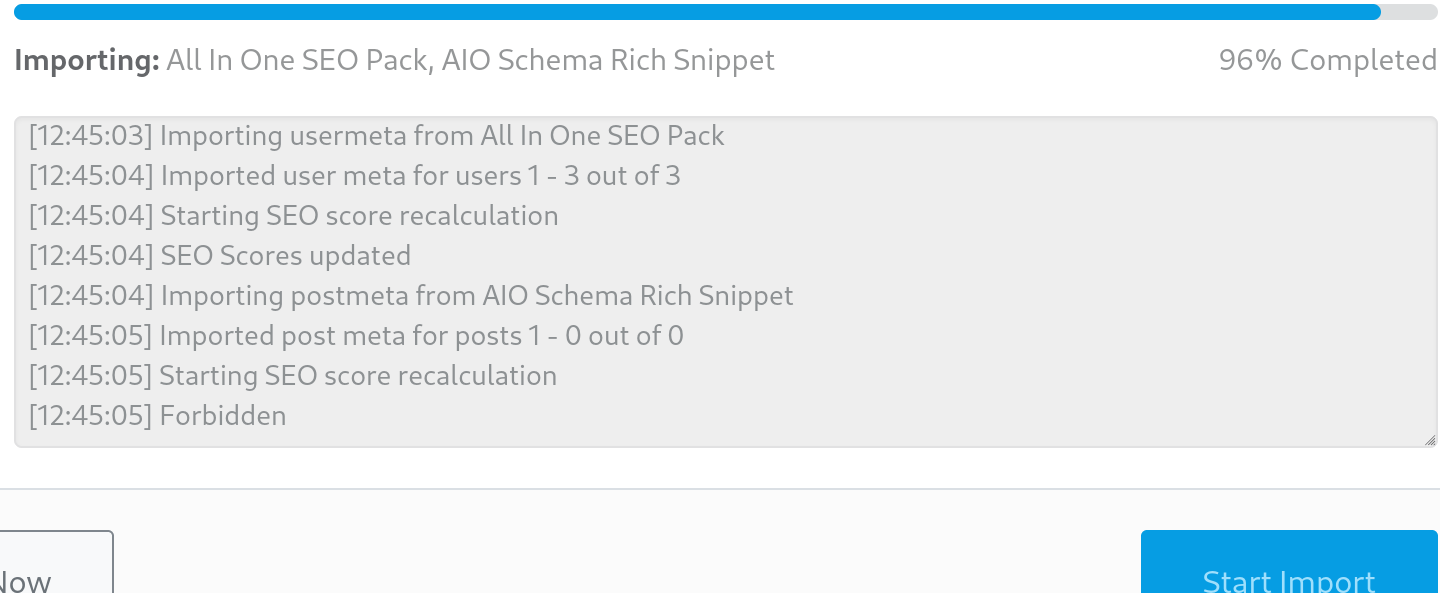
Hello,
Thank you for contacting us and sorry for any inconvenience that might have been caused due to that.
It looks like the issue is with the calculate score option upon importing the data. In this case, you can continue the setup by skipping the importing process. After that, please try reimporting the data in WordPress Dashboard > Rank Math > Status & Tools > Import & Export > Other Plugins, then under the plugin column, uncheck the Calculate SEO Scores option below, and click the Import button.
Here’s a screenshot for your reference:

Please note that some options are only available in Advance Mode. If you are not able to find the Import & Export, please try to switch to Advance Mode: https://rankmath.com/kb/switch-from-easy-to-advanced-mode/
Once the import process is done, you can recalculate the scores by following the steps from this link:
https://rankmath.com/kb/rank-math-status-and-tools/#recalculate-seo-score-for-posts
Let us know how it goes. Looking forward to helping you.
Hello,
Since we did not hear back from you for 15 days, we are assuming that you found the solution. We are closing this support ticket.
If you still need assistance or any other help, please feel free to open a new support ticket, and we will be more than happy to assist.
Thank you.