Hello,
We apologize for the issue you are facing with duplicated canonical tags in your articles. This can happen if the canonical URL is set multiple times within the same page or if there are conflicting settings.
To resolve this issue, you can follow these steps:
-
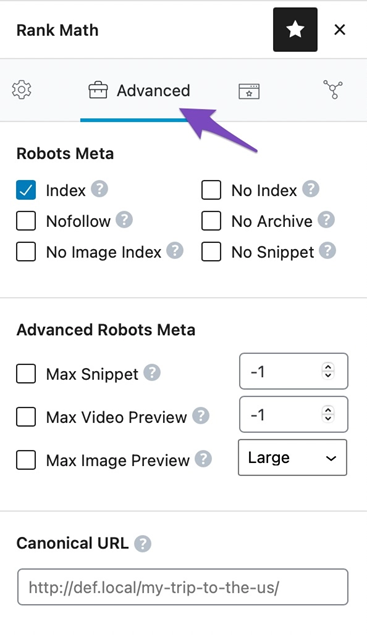
Check the Canonical URL Setting: Ensure that you have only one canonical URL set for each post or page. You can do this by going to the Rank Math meta box on the edit screen of your post/page. If you see multiple entries, remove the duplicates.
-
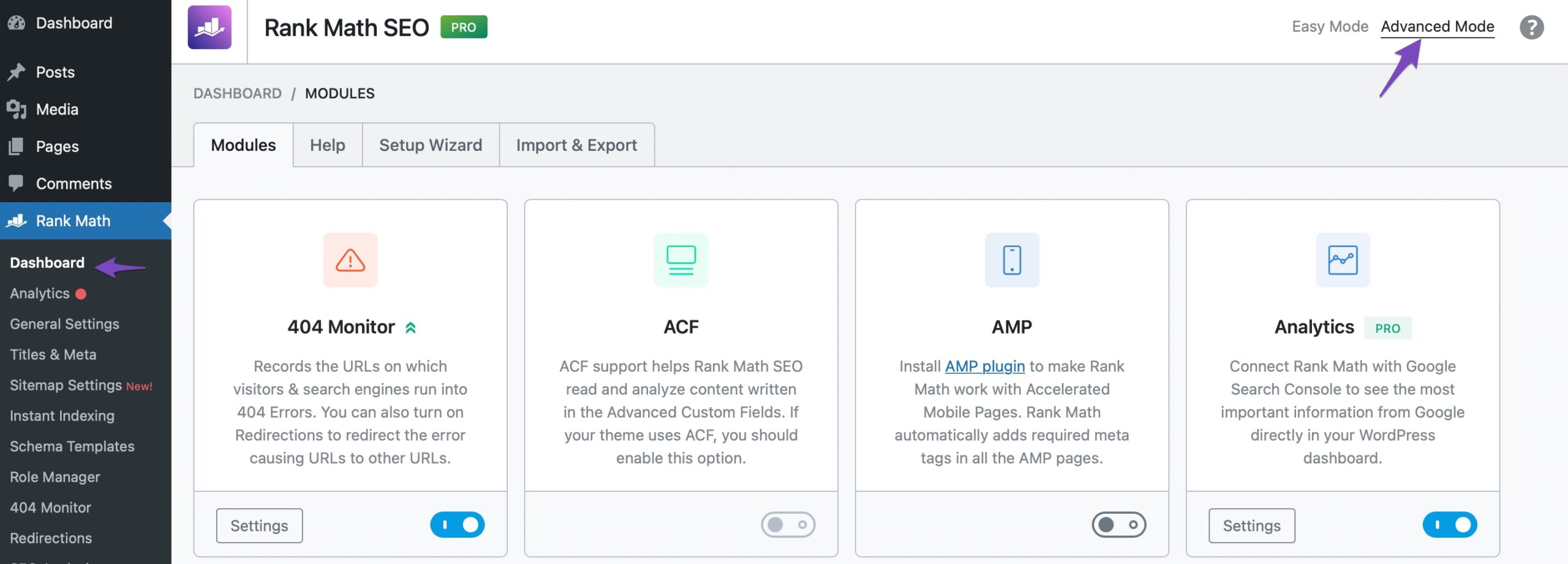
Enable Advanced Mode: If you cannot find the Advanced tab in the Rank Math meta box, make sure to enable the advanced mode from WordPress Dashboard > Rank Math > Dashboard.
-
Review Theme and Plugin Conflicts: Sometimes, themes or other plugins may also add their own canonical tags. Check your theme settings and any other SEO plugins to ensure they are not adding additional canonical tags.
-
Clear Cache: If you are using a caching plugin, clear your cache after making changes to ensure that the latest version of your pages is served.
If you continue to experience issues after following these steps, please reply to this ticket, and a human agent from the Rank Math Support team will assist you further. Thank you for raising this concern!
Sources:
How to Fix “Duplicate, Google Chose Different Canonical than User” » Rank Math
Hello,
Thank you for contacting us. We apologize for any inconvenience this issue may have caused.
It seems that you’re currently using the Rank Math PRO plugin, but the account you used to open this ticket is a free account.
Can you please search and forward a receipt from FastSpring.com so we can locate your account and verify it?
We look forward to hearing back from you.
Thanks.
Hello,
Since we did not hear back from you for 15 days, we are assuming that you found the solution. We are closing this support ticket.
If you still need assistance or any other help, please feel free to open a new support ticket, and we will be more than happy to assist.
Thank you.



