Hello,
We apologize for the issue you are facing with the ‘Duplicate without user-selected canonical’ status in your Google Search Console. This error indicates that Google has found duplicate content on your website but cannot determine which version to prioritize as the canonical version.
Causes of the Issue
This situation often arises when multiple pages have similar or identical content, such as your tag feeds. Here are some common causes:
- Multiple pages with the same title tags or structural issues leading to duplicate content.
- Dynamic URLs generated by templates that create similar links (e.g., feeds).
How to Fix the Issue
To resolve this, you can take the following steps:
-
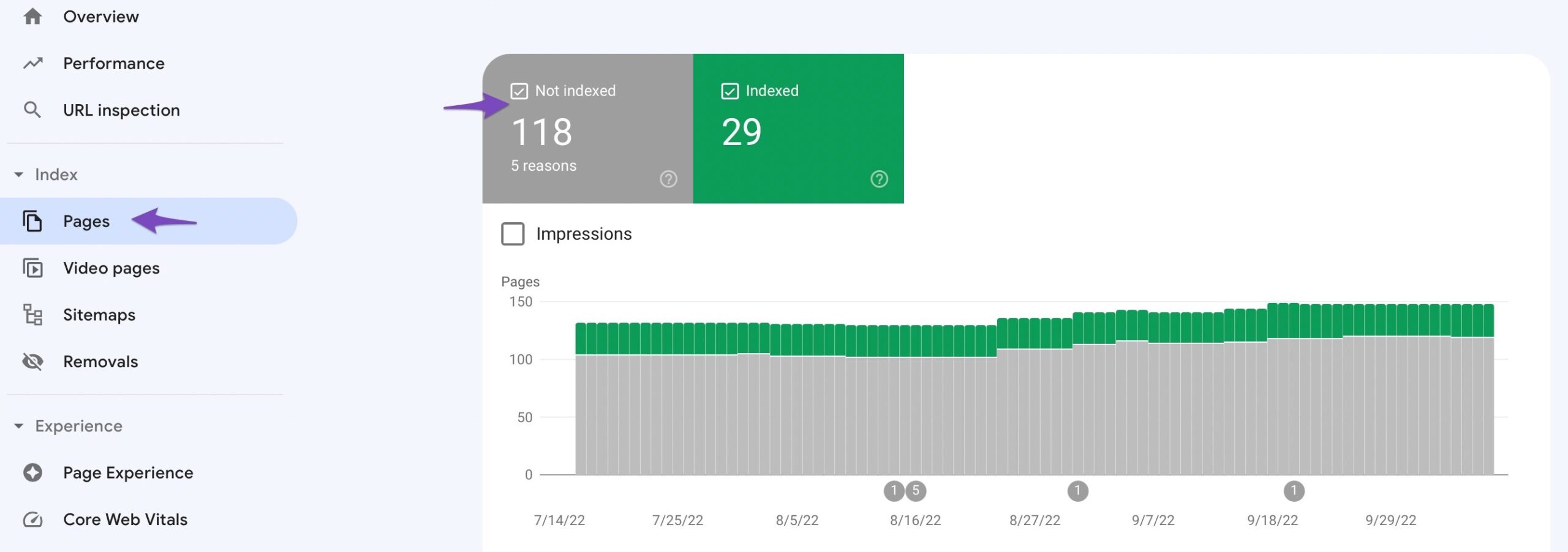
Identify Affected Pages: Check the Not indexed tab in Google Search Console to see which pages are affected by this status.
-
Specify Canonical Tags: Add canonical tags to your pages to indicate which version should be prioritized by search engines. This informs Google which page to index and rank.
-
Consolidate Content: If possible, combine similar content into a single page to minimize duplication.
-
Implement 301 Redirects: Use 301 redirects to guide traffic from duplicate pages to the preferred version, preserving link equity.
-
Review Feed Settings: Since you mentioned feed errors, consider whether these feeds are necessary for your site. If they are not essential, you might want to exclude them from indexing using the noindex directive in your robots.txt file or through meta tags.
Impact on Page Ranking
While feed errors may not be serious, having multiple instances of duplicate content can negatively impact your site’s SEO and rankings. It’s important to address these issues to ensure that search engines can effectively crawl and index your site.
For more detailed guidance, you can refer to our article on fixing the ‘Duplicate without user-selected canonical’ status here.
Thank you for raising this concern, and we hope this helps you resolve the issues you’re experiencing! If you have further questions, feel free to reply to this ticket.
Sources:
How to Fix ‘Duplicate Without User-Selected Canonical’ Status in Google Search Console » Rank Math
How to Fix Indexing Issues in Google Search Console » Rank Math
The actual problem is raising with feed errors …
In several aeas same feed errors are coming ..
I have already set disallow: /*/feed in robot.txt file but it’s not working…
Day by day my search console is filling with number of errors in all areas ..
* Crawled but not indexed
* Duplicate canonical
* Duplicate without user selected
Bla bla bla everywhere url/feed links are creating headache
Can I expect some extra help from anyone
Hello,
Thank you for contacting us and sorry for any inconvenience that might have been caused due to that.
To figure out how Google is discovering those URLs, you should use the URL inspection tool of your GSC account to check the URLs and check the referring page where are they coming from.
We hope that helps, and please don’t hesitate to get in touch if you have any other questions.
Thank you.
Uff …. This is how they working..
They suggested to check gsc … Even I have submitted gsc data in sensitive area ..
Even though they suggested to check inspection tool in gsc …
Wow 👍 it’s better to quit rankmath and use yoast instead of taking support from these technical fellow
Not necessarily any suggestions.just simple remove rankmath all problems automatically solve ..
I never seen such kind of errors in yoast .. only facing these errors in rankmath and no solution



