Hello,
We apologize for the issue you are facing with your pages not showing up in their respective categories after installing Rank Math. It sounds like there may be a problem with how the categories are configured or indexed on your website.
Here are a few steps you can take to troubleshoot this issue:
-
Check Category Settings: Ensure that your posts are correctly assigned to the appropriate categories. You can do this by editing each post and verifying the category selection.
-
Permalink Settings: Sometimes, permalink settings can cause issues. Go to Settings → Permalinks in your WordPress dashboard and simply click Save Changes to refresh your permalink structure.
-
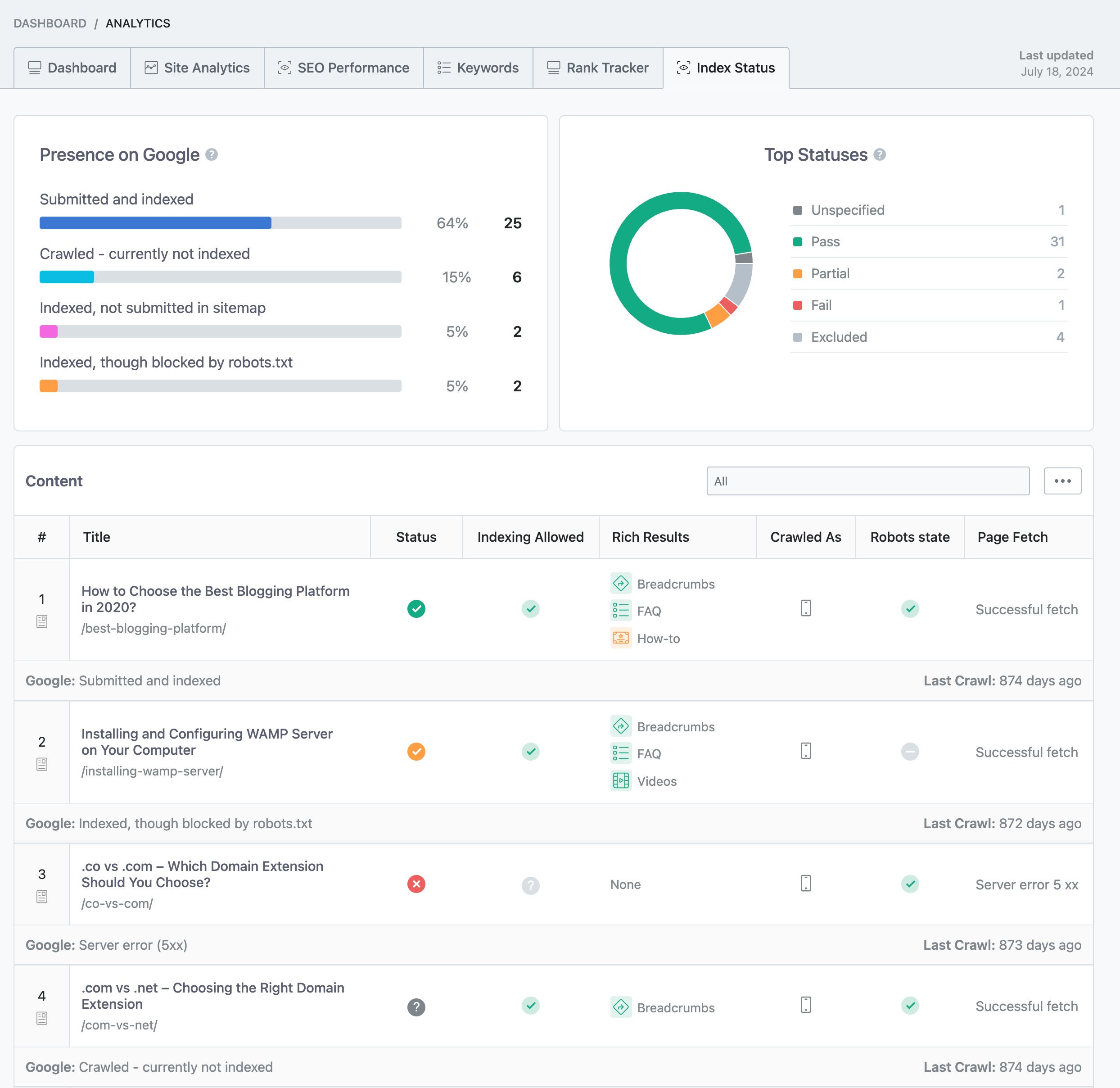
Reindex Your Site: If you have made changes to your site structure, it might help to reindex your site. You can do this by using the Index Status report in Rank Math’s Analytics. Navigate to Rank Math SEO → Analytics → Index Status to check for any issues.
-
Check for Conflicting Plugins: Sometimes, other plugins can conflict with Rank Math. Try deactivating other plugins temporarily to see if that resolves the issue.
-
Clear Cache: If you are using a caching plugin, clear your cache to ensure that the latest changes are reflected on your site.
If you have gone through these steps and the issue persists, please reply to this ticket, and a human agent from the Rank Math Support team will take over and assist you further. Thank you for raising this concern, and we are here to help you resolve it!
Sources:
Why Did My Website Disappear From Google Search? » Rank Math
Solving Redirection Issues Using Rank Math SEO Plugin » Rank Math
Hello,
For troubleshooting, please check this option in Rank Math > General Settings > Links as it modifies your URLs:
https://rankmath.com/kb/general-settings/#strip-category-base
Let us know how this goes.
My pages still show up blank in the category….the analytics index status is also blank. Google console showing 8 pages not indexed but I have indexed them all. Only 2 of the pages (that have content) are not showing- I get the error message on just these two pages
Hello,
Please share the affected URL/s so we can check as well. You can upload screenshots using this tool and add the link here.
You can add them to the sensitive data section by editing your first post

It is completely secure, and only our support staff has access to that section.
Looking forward to helping you.
Hello,
Since we did not hear back from you for 15 days, we are assuming that you found the solution. We are closing this support ticket.
If you still need assistance or any other help, please feel free to open a new support ticket, and we will be more than happy to assist.
Thank you.



