Hello,
We apologize for the issue you are facing with the different URL structures for your products in WooCommerce while using Rank Math SEO. This can happen due to the way the permalink settings are configured in your WordPress site.
To address this, you can check the following:
-
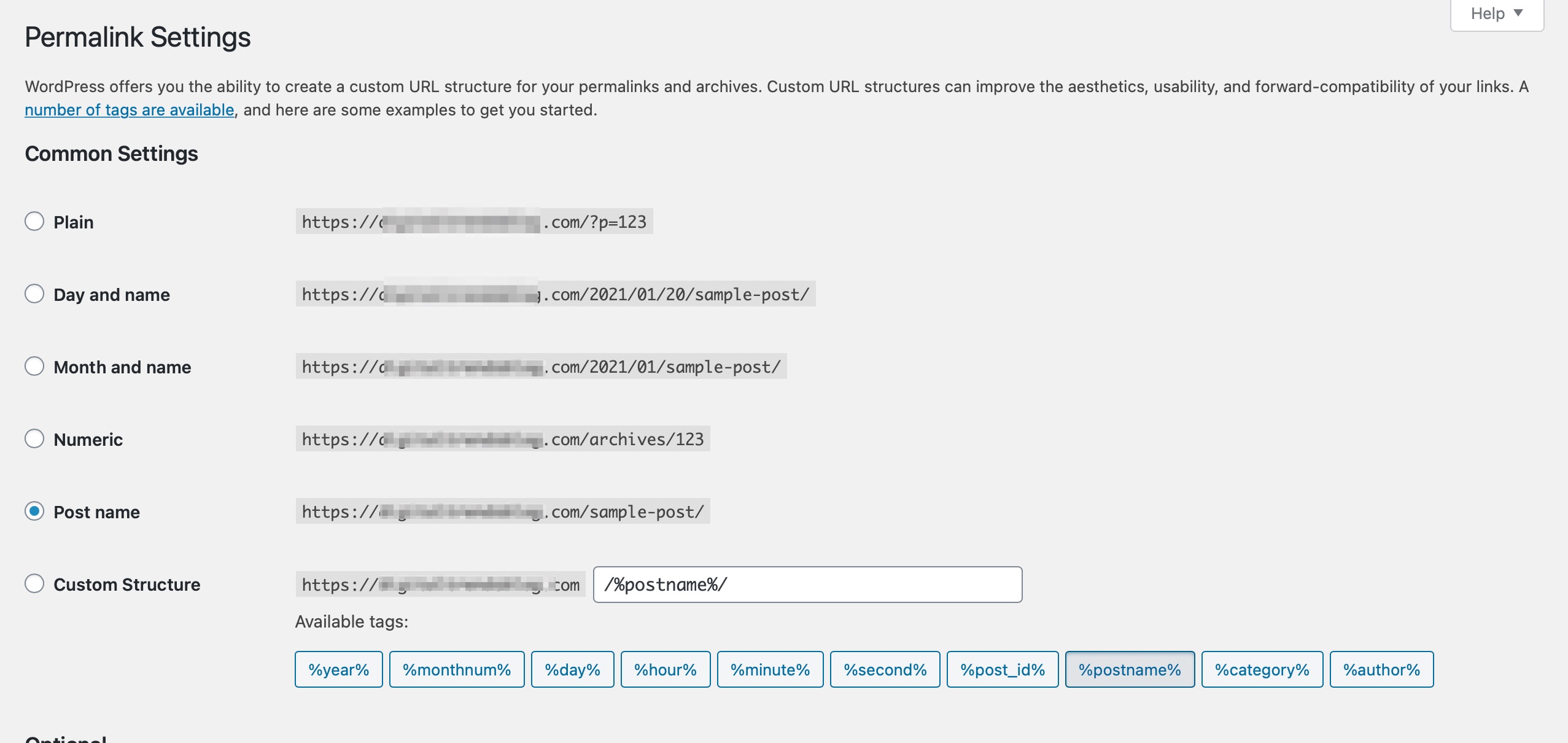
Permalink Settings: Go to WordPress Settings → Permalinks and ensure that your permalink structure is set correctly. You may want to select a structure that does not include the category base if that’s your preference.
-
Remove Category Base Option: If you want to remove the category base from your URLs, you can enable the "Remove category base" option in Rank Math settings. This will help in making your URLs cleaner.

-
Check Product Categories: Ensure that the products are assigned to the correct categories and subcategories. Sometimes, products may have multiple categories assigned, which can lead to different URL structures.
-
Remove Parent Slugs: If you want to remove parent slugs from your product URLs, you can enable the "Remove parent slugs" option in Rank Math settings as well.

If after checking these settings the issue persists, please reply to this ticket, and a human agent from the Rank Math Support team will assist you further.
Thank you for raising this concern, and we hope to resolve it soon!
Sources:
WordPress Permalink Structure & Changing Individual URLs » Rank Math
Hello,
Thank you for contacting us. We apologize for any inconvenience this issue may have caused.
If you have enabled the Remove parent slugs option in Rank Math SEO > General Settings > WooCommerce, Rank Math removes the slugs from the products category URL.
Modification to the product or product category URL also happens when the Remove base or Remove category base option is enabled.
We hope this helps. Don’t hesitate to reach out if you have further concerns/questions.
Thanks.
Hello,
We deeply apologize for the unexpected delay in response. Your previous reply seems to have been stuck in our drafts section for some reason.
Can you please confirm if you’ve selected the primary category for your products? For initial troubleshooting, please head over to your WordPress Dashboard > Rank Math > Titles & Meta > Products > Primary Taxonomy and from there select None and see if that works for you:

Let us know how it goes. Looking forward to helping you.
Thank you.
Hello,
no problem, you don’t have to apologize for that.
Thanks for the hint. The primary taxonomy was already set to “none”.
Could it be another setting that is causing this?
Kind regards, Carina
Hello,
Please set the primary taxonomy to “Categories”.
Once done, you should select the subcategory as the primary category for your product:
https://rankmath.com/kb/how-to-choose-a-primary-category/#how-to-choose-a-primary-category
After choosing the subcategory as the primary term, the URL should include the parent and subcategory.
Looking forward to helping you.
Hello,
thank you very much for your help.
Due to this settings I could solve the problem.
Kind regards, Carina
Hello,
We are super happy that this resolved your issue. If you have any other questions in the future, know that we are here to help you.
If you don’t mind me asking, could you please leave us a review (if you haven’t already) on
https://wordpress.org/support/plugin/seo-by-rank-math/reviews/#new-post
about your overall experience with Rank Math? We appreciate your time and patience.
If you do have another question in the future, please feel free to create a new forum topic, and it will be our pleasure to assist you again.
Thank you.





