Hello,
We’re sorry to hear that you’re looking to cancel your subscription. To remove your Rank Math subscription and ensure that there will be no renewal, you can follow these steps:
-
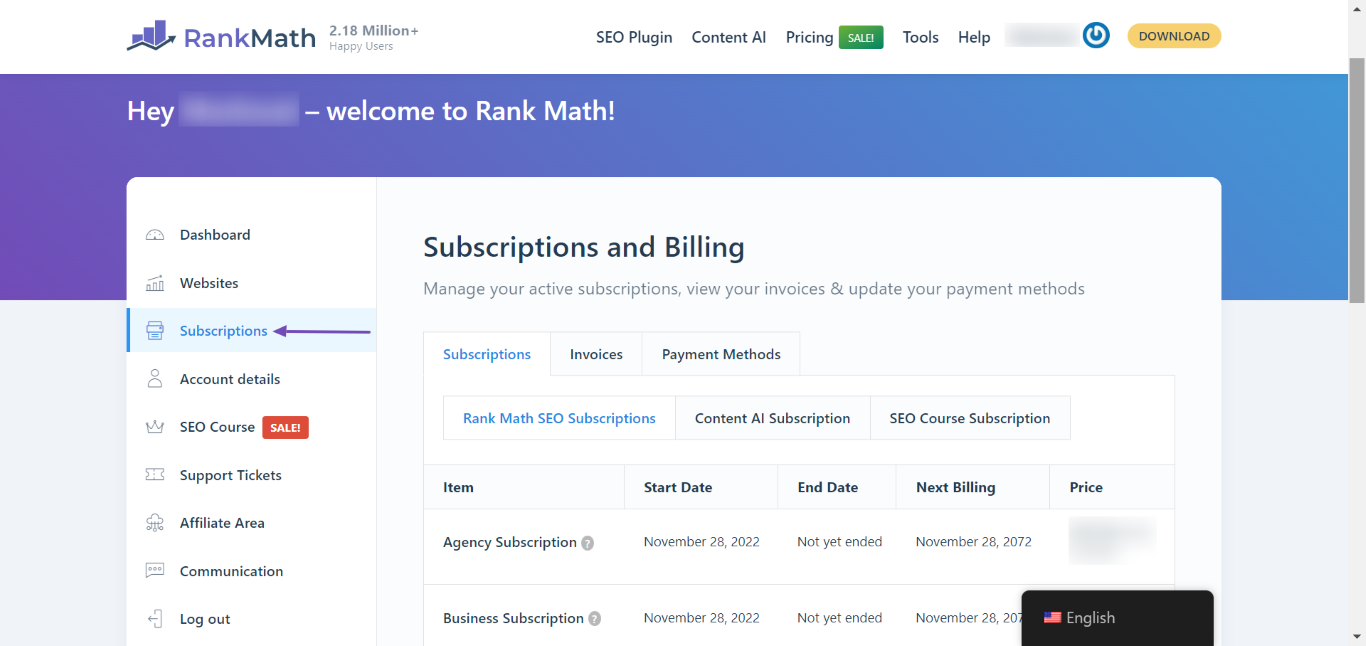
Navigate to Rank Math Dashboard: Log in to your Rank Math account and go to Rank Math Dashboard → Subscriptions.
-
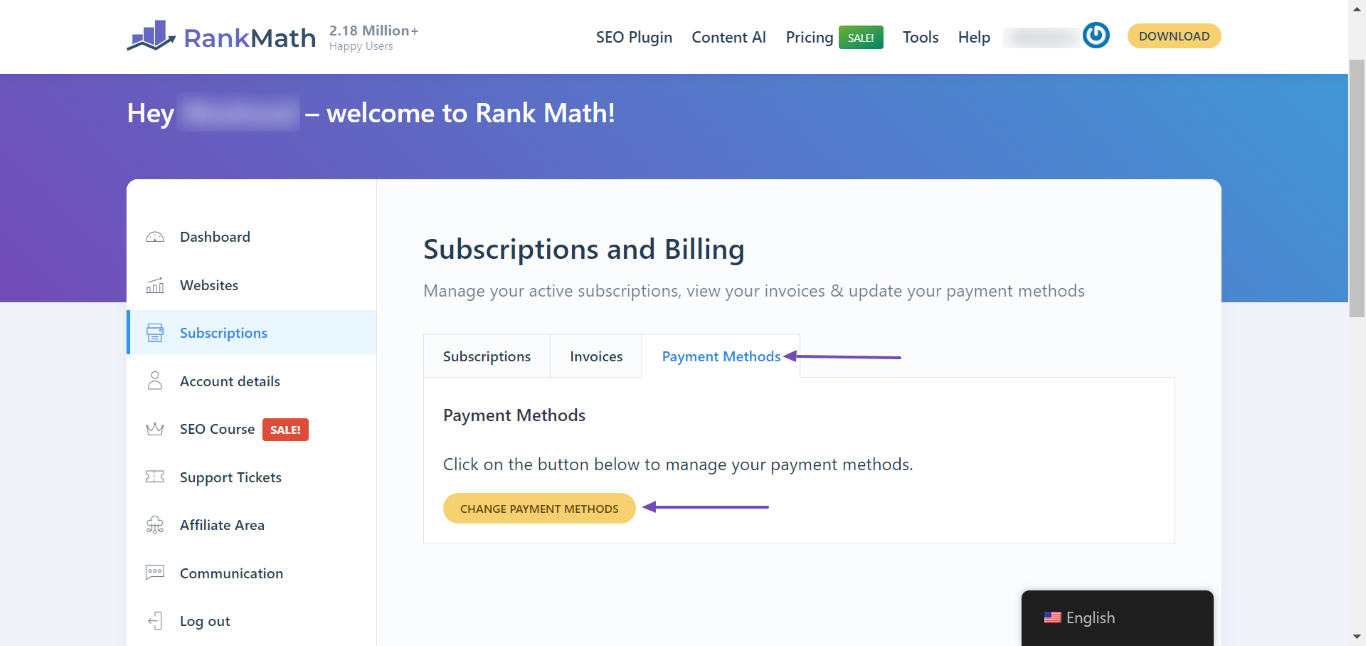
Change Payment Methods: In the subscriptions page, select the Payment Methods tab and click the Change Payment Methods button.
-
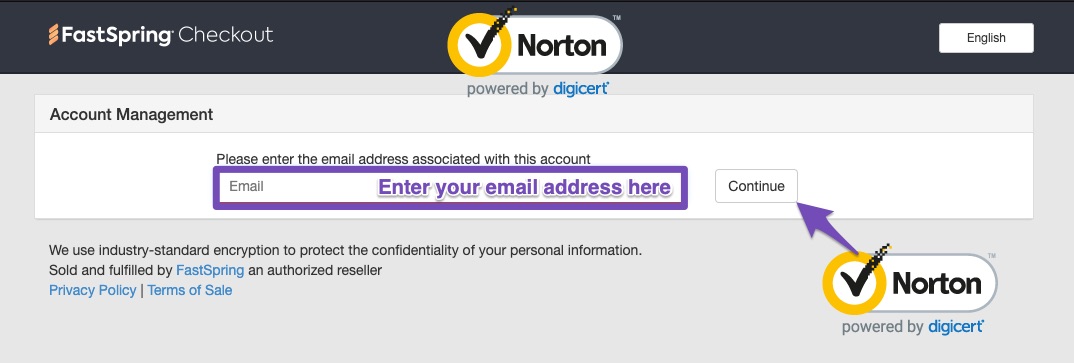
Access FastSpring Checkout: This will open the FastSpring Checkout Page in a new tab. Enter the email address you used to purchase the subscription and click the Continue button.
-
Follow the Instructions: After clicking continue, you will receive an email with further instructions on how to cancel your subscription.
If you encounter any issues while canceling, please reply to this ticket, and we will assist you further.
Hope this helps! If you have any more questions, feel free to ask.
Sources:
How to Cancel Your Rank Math Subscription » Rank Math
Hello,
Thank you for contacting the support.
We’re sorry to see you go, but if you wish to cancel your subscription, you can follow the steps illustrated in this tutorial:
https://rankmath.com/kb/cancel-subscription/
If you face any issues while canceling, please do reply, and we will forward your cancellation request to the concerned team.
Hope this helps. Don’t hesitate to get in touch if you require any further assistance.
Hello,
Since we did not hear back from you for 15 days, we are assuming that you found the solution. We are closing this support ticket.
If you still need assistance or any other help, please feel free to open a new support ticket, and we will be more than happy to assist.
Thank you.



