Hello,
Thank you for contacting the support and sorry for any inconvenience that might have been caused due to that.
Please follow these steps for initial troubleshooting:
1. Please delete RankMath’s app from here:
https://myaccount.google.com/permissions

2. Re-create tables by clicking WP Dashboard > Rank Math > Status & Tools > Database Tools and click the Re-create database Table button.

3. Reconnect the account inside Rank Math by clicking here and ensure that you approve all the permission notices that show up:
WP Dashboard >> Rank Math >> General Settings >> Analytics tab, and click the Reconnect link

Allow all the permissions on the next screen.
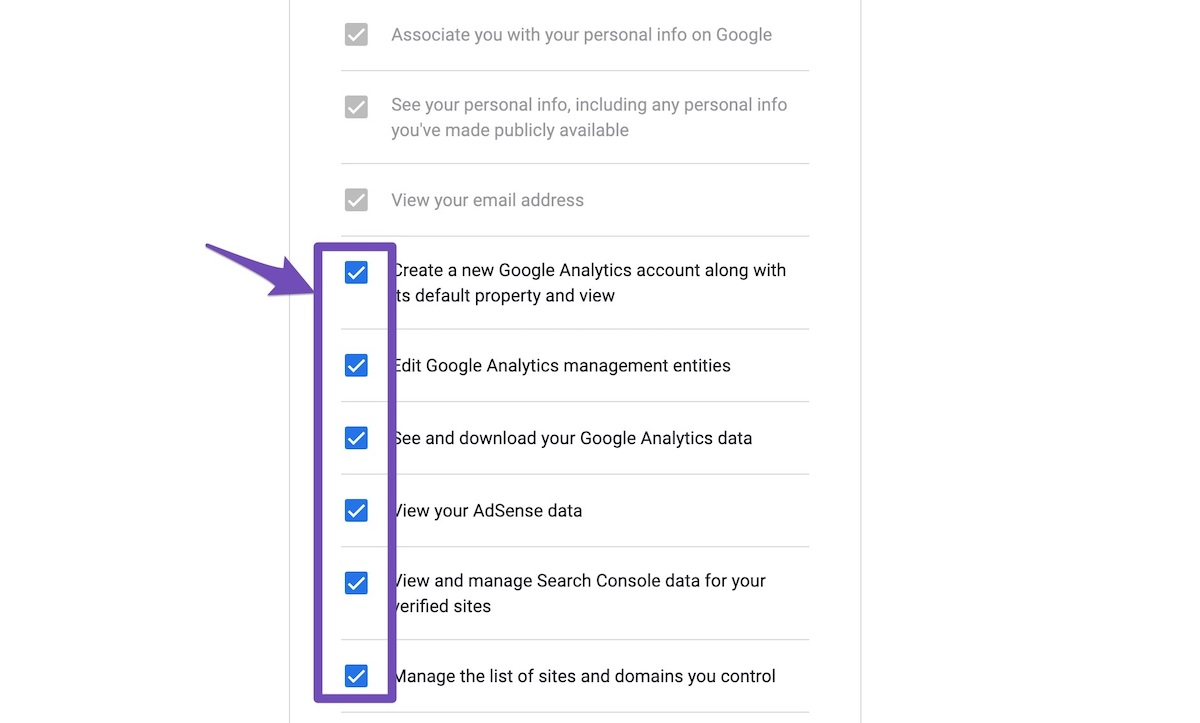
4. Let the process complete, which might take around 30 minutes.
Let us know how this goes.
Thank you.
IT is still not working, the domain doesn’t show up.
Hello,
In this case, please update the Rank Math plugin and reconnect your website to your Analytics, but this time, try using the Google Chrome browser.
If the settings are not getting saved, please try using Google Chrome or another chromium-based browser the next time you need to save those settings. We have seen this in the past happening when people were using Safari on macOS or the Firefox browser, so if you are using any of these combinations.
Also, please make sure that you are not connecting to Google Search Console via a domain property but rather a URL prefix and that you have verified the correct version of your website on the Google Search Console (HTTP or HTTPS, www or non-www)
Let us know how this goes.
Thank you.
I am using chrome, may i ask what do you mean by not connecting to google search console via domain property but url prefix? I have created account in google search console and verify my DNS through my hosting services site with the TXT. after verification, I still could not find my domain in RankMath setup wizard.
update, the google search console appeared, but the GA is still not visible. Do i need to create a GA first? Or rankmath can help to create one?
Hello,
Yes, you may need to create Google Analytics first before connecting it to your website.
Here’s a link you can follow as well:
https://rankmath.com/kb/using-ga4/#ga4-property
Hope that helps.
Thank you.
Hello,
Since we did not hear back from you for 15 days, we are assuming that you found the solution. We are closing this support ticket.
If you still need assistance or any other help, please feel free to open a new support ticket, and we will be more than happy to assist.
Thank you.



