Hello,
Thanks for contacting us and sorry for any inconvenience that might have been caused due to that.
1. We have already fixed the issue with the post meta table size. Please make sure that you are using the latest version of Rank Math: https://rankmath.com/changelog/
After that, please navigate to WP Dashboard > Rank Math > Status & Tools > Database Tools and Flush the SEO Analysis Data. The issue should be resolved once you re-run the SEO Analysis.
2. And the number of page objects is controlled by the theme and plugins you have installed and thus this is not directly related to something you have done. A single web page that you browse is made up of multiple elements. You have the actual HTML, JavaScript, CSS, images, and then external resources.
To fix this, you need to reduce the number of images, scripts from the theme that are making non-essential requests.
I can suggest that you take a look at these resource pages for more information on optimizing the performance of your pages:
https://mythemeshop.com/blog/wordpress-speed-optimization/:
https://onlinemediamasters.com/slow-wordpress-site
I hope that helps. Thank you, and please don’t hesitate to contact us anytime if you need further assistance.
Unforunataly the keyword issue still shows up even after clearing all caches possible and checking to see if there are any updates on RankMath.
Anything else that could be done?
Hello,
In this case, we might need to take a closer look at your website to investigate.
Please edit the first post on this ticket and include your WordPress & FTP logins in the designated Sensitive Data section.
Please do take a complete backup of your website before sharing the information with us.

It is completely secure and only our support staff has access to that section. If you want, you can use the below plugin to generate a temporary login URL to your website and share that with us instead:
https://wordpress.org/plugins/temporary-login-without-password/
You can use the above plugin in conjunction with the WP Security Audit Log to monitor what changes our staff might make on your website (if any):
https://wordpress.org/plugins/wp-security-audit-log/
We really look forward to helping you.
Thank you.
Do you have an email address to create the wordpress login?
I used this email to create an admin: s******@r***********
Hello,
We apologize for the unexpected delay.
Yes, you may use that email address to create your temporary user login.
We are looking forward to helping you with this one.
You should have received all the info in the email even the wordpress login credentials.
Hello,
I was able to check that your postmeta table has over 100k entries and that’s why you are getting that warning.
We have released a quick Beta update with a fix for this. https://rankmath.com/changelog
Please enable the Beta update by following this:
https://rankmath.com/kb/version-control/#beta-updates
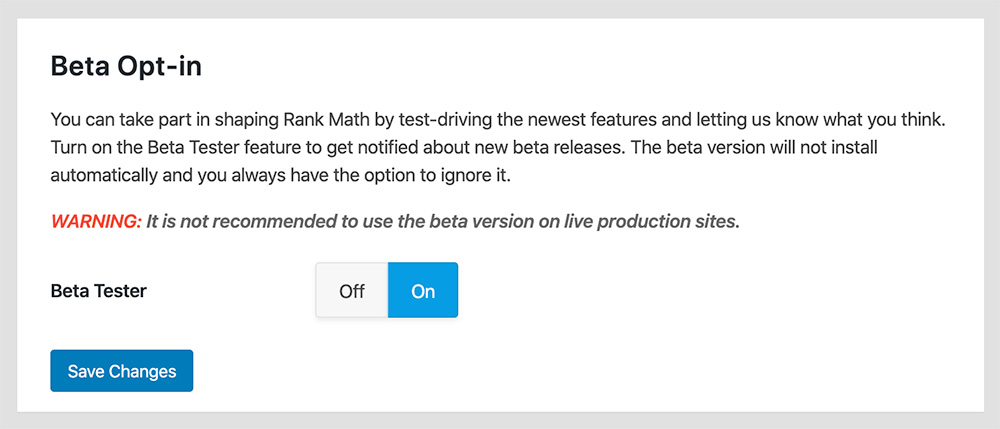
If you are unable to see an update, please clear Rank Math’s transients from:
WP Dashboard > Rank Math > Status & Tools > Database Tools > Remove Rank Math Transients > Remove transients

Please clear the caches, server, and WordPress after updating.
You can disable the Beta updates once you update to the latest version and if the issue is fixed.
We are here to assist. Thank you.
I followed the steps you told me but I’m still getting the same error.
Can you have a look for me, please?
Hello,
We wanted to continue debugging the issue but unfortunately, the login credentials seem to have been deactivated and we can’t access the website anymore.
Could you please verify that and revert back so we can continue debugging?
Looking forward to hearing back from you.
Hello,
I have updated the sensitive data as requested. Can you please check further?
Thank you.
Hi there.
Done. Details in sensitive data 😉
Hello,
The postmeta table on your installation contains a lot of entries and even the increased value we have set in the plugin is not enough to run through all the tests.
We increased that value in your installation to a larger number and the test for the focus keyword has run properly now.
Don’t hesitate to get in touch if you require any further assistance.
Great. The score has gone up to 82. The strange thing is that it was up to 86.
Also, what does No keywords found in the page title, mean?
I was looking to fix this to get a higher score.
Hello,
The Keywords in Title & Description test looks for the common keywords in your homepage’s SEO title and description. The common keywords are the keywords that appear frequently on the page:

Since your homepage’s SEO title doesn’t have any common keyword, you are getting the error.
Hope this clarifies your doubts. Let us know if you need any further assistance.



