Hello,
We apologize for the issue you are facing with Content AI and the loss of your past keywords on old posts. Unfortunately, once keywords are deleted or reset in Content AI, they cannot be recovered directly through the system.
However, you can manually re-add focus keywords to your posts by editing each post and using the Content AI feature to research and set new keywords. To do this:
- Open the post or page you want to optimize by clicking the Edit option.
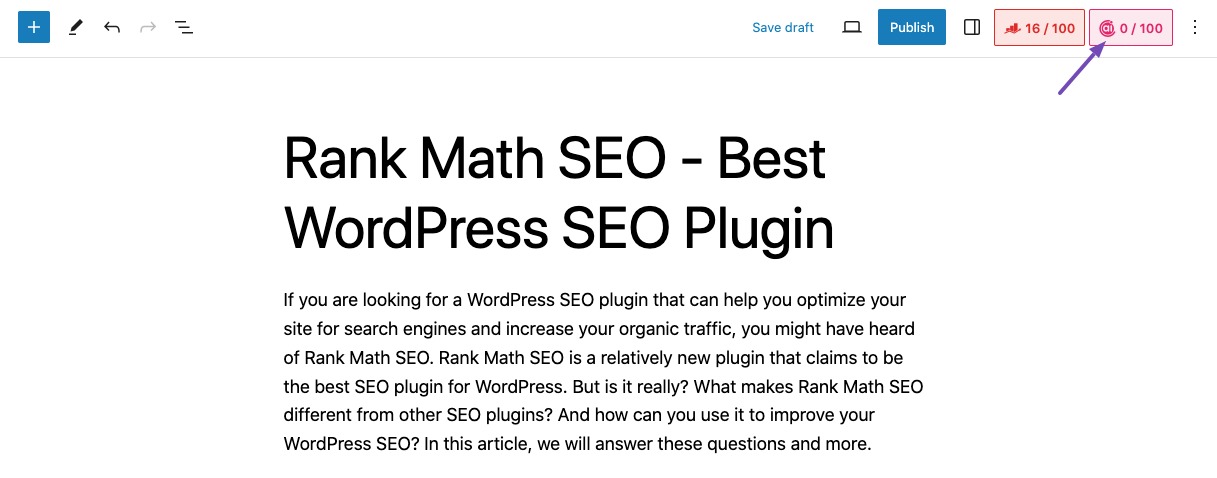
- In the Gutenberg Editor, open the Content AI Panel by clicking the Content AI icon in the top-right corner.
If you need further assistance or have more questions, please reply to this ticket, and a human agent from the Rank Math Support team will assist you further. Thank you for raising this concern!
Sources:
How to Use Rank Math’s Content AI for SEO » Rank Math
What is a Focus Keyword? » Rank Math
This is an automated reply from Rank Math Support Bot. If you need further assistance, please reply to this topic and a human support agent will reply to you shortly.
Hello,
Since we did not hear back from you for 15 days, we are assuming that you found the solution. We are closing this support ticket.
If you still need assistance or any other help, please feel free to open a new support ticket, and we will be more than happy to assist.
Thank you.


