Hello,
We apologize for the issue you are facing with connecting your Content AI Plan to your WordPress site. It sounds like you may need to ensure that your Rank Math account is properly connected to your website. Here are the steps you can follow to connect your site with Content AI:
-
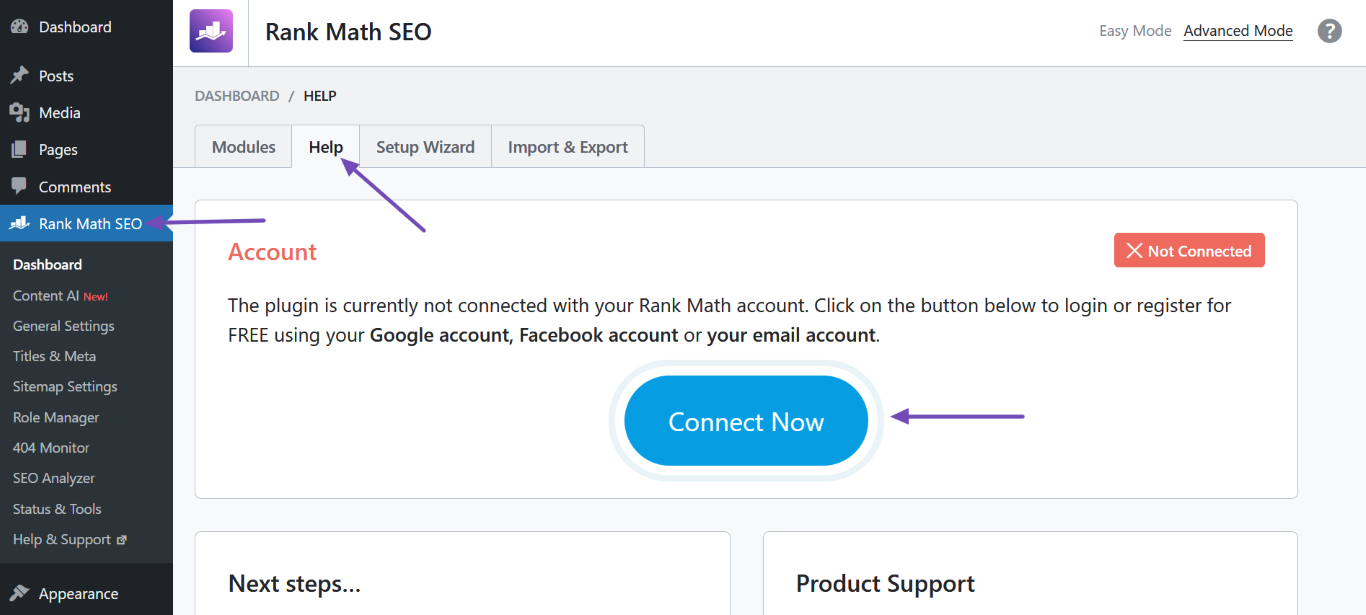
Navigate to the Help Section: Go to your WordPress Dashboard, then navigate to Rank Math SEO → Help.
-
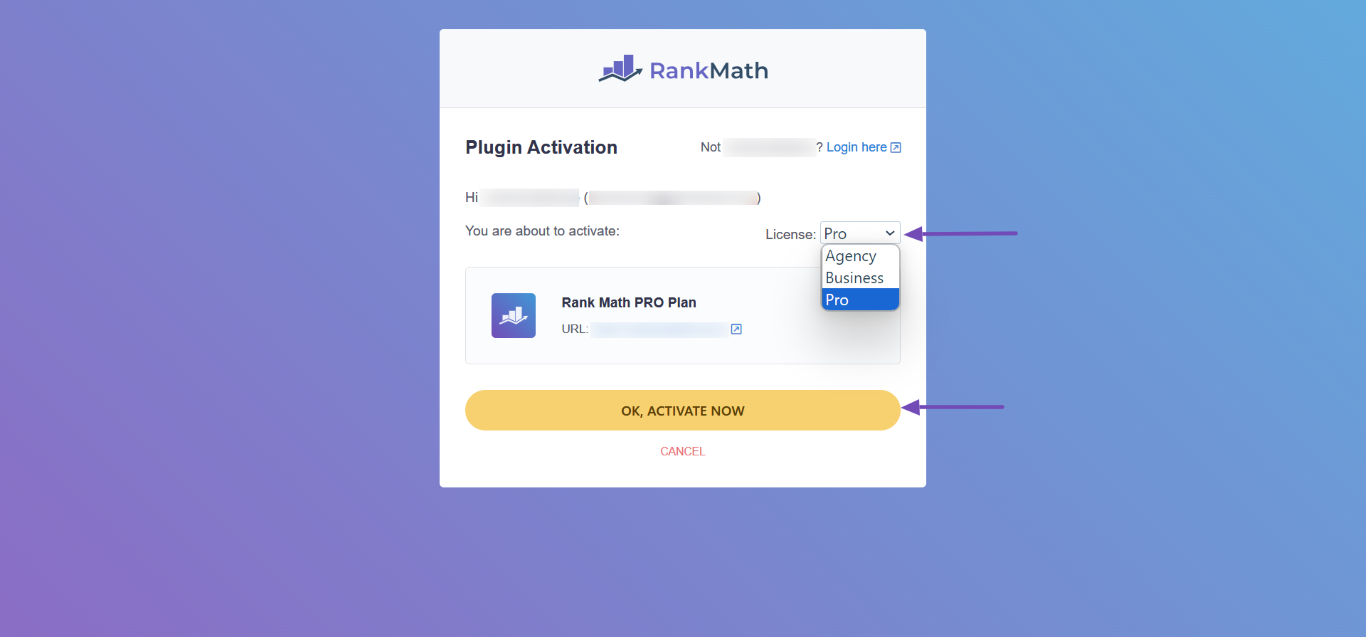
Connect Your Account: Click on the Connect Now button. This will prompt you to log into the Rank Math account that contains your Content AI credits.
-
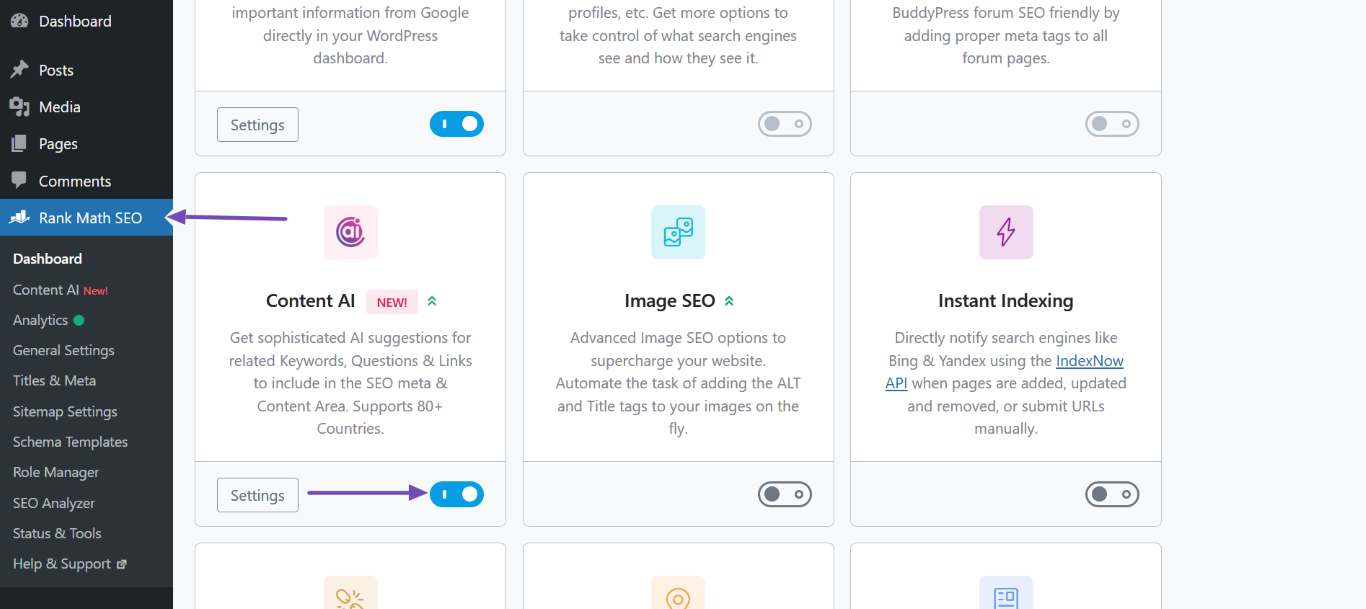
Enable Content AI Module: Ensure that the Content AI module is enabled by going to Rank Math SEO → Dashboard → Modules and checking if it is activated.
-
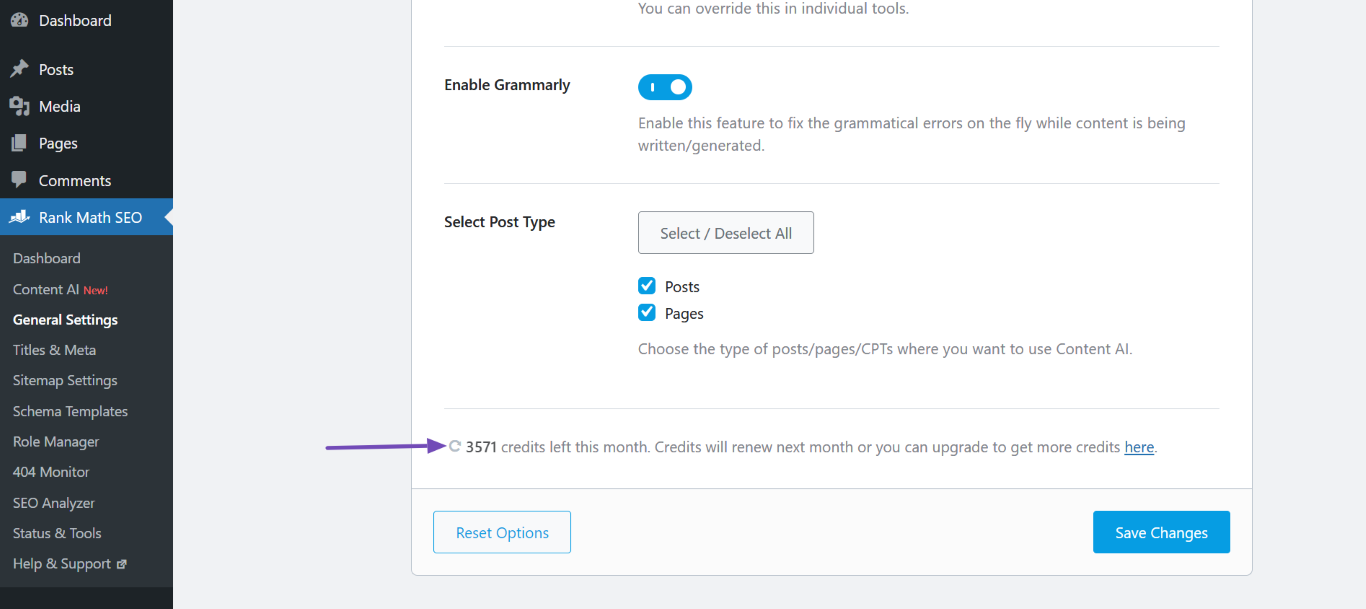
Refresh Content AI Credits: After connecting, head over to Rank Math SEO → General Settings → Content AI and click the Refresh icon to update your credits.
If you still encounter issues after following these steps, please reply to this ticket, and a human agent from the Rank Math Support team will assist you further. Thank you for raising this concern, and we hope to resolve it quickly for you!
Sources:
How to Connect/Disconnect Your Website From Content AI
Hello,
It seems that you already marked this ticket as “Resolved”.
Do you still need our assistance regarding this issue?
Looking forward to helping you.
Thank you.



