Hello, we’re sorry to hear about the issue you’re facing with the Content AI tool. Since you’ve mentioned that the module is already active, it seems like you might need to ensure that your subscription is indeed active. Here are the steps you can follow to activate your Content AI subscription:
-
Check Your Subscription: Make sure you have an active Content AI plan. You can do this by visiting the Content AI plans page.
-
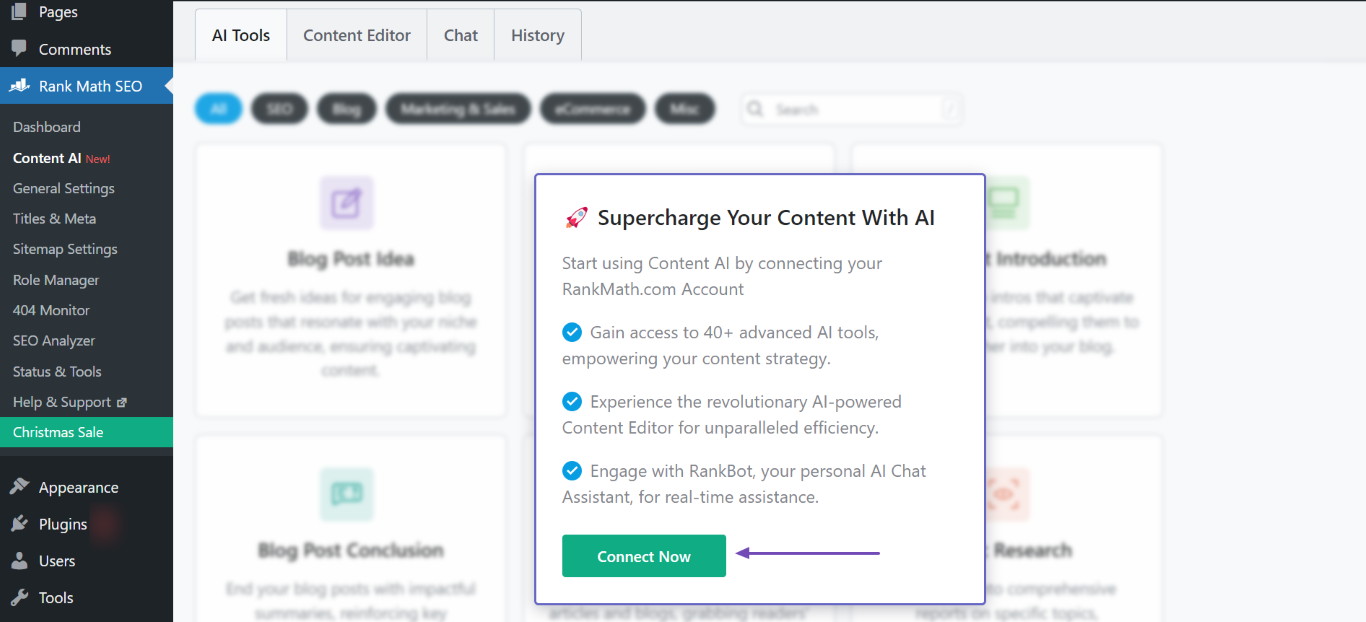
Connect Your Rank Math Account: If you haven’t done so already, ensure that your website is connected to your Rank Math account. You can do this by navigating to WordPress Dashboard → Rank Math SEO → Help and clicking on Connect Now.
-
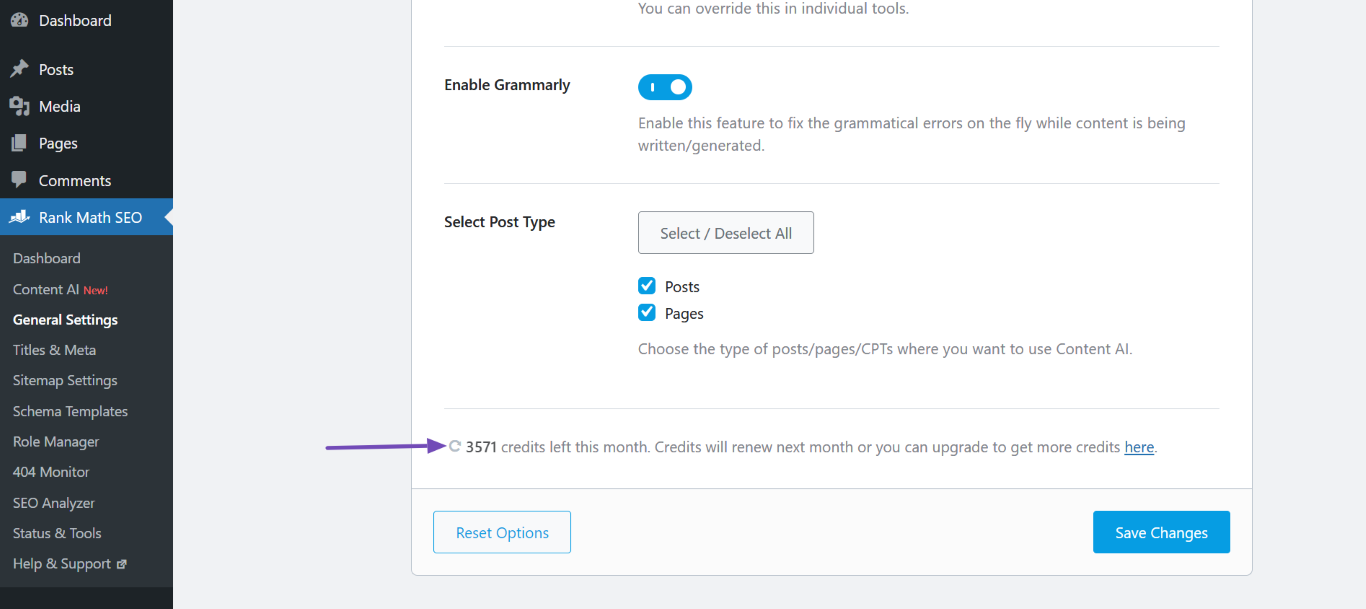
Refresh Credits: After connecting, go to WordPress Dashboard → Rank Math SEO → General Settings → Content AI and click the Refresh icon to update your credits.
-
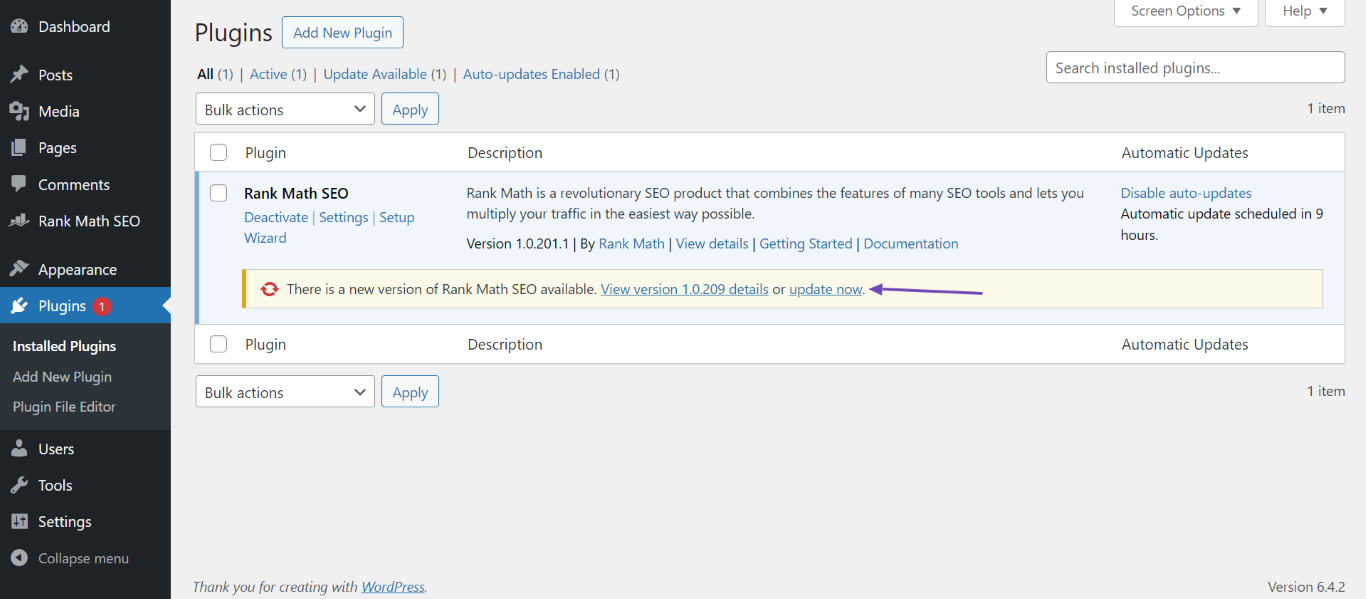
Update Rank Math: Ensure that you are using the latest version of the Rank Math plugin. You can check for updates in WordPress Dashboard → Plugins and click Update Now if an update is available.
If you’ve followed these steps and are still experiencing issues, please reply to this ticket, and a human agent from the Rank Math Support team will assist you further. Thank you for raising this concern!
Sources:
Resolving Content AI Related Issues » Rank Math
How to Connect/Disconnect Your Website From Content AI
Hello,
It seems like you’ve marked this ticket as resolved.
Can you please confirm if you still need our assistance with this issue or anything else?
Looking forward to hearing back from you.
Thank you.
No, that’s all I needed. Thank you!
Hello,
We are glad to know that this issue has been resolved. Thank you for letting us know.
This ticket will be closed now, but you can always open a new one if you have any other questions or concerns. We are here to help you with anything related to Rank Math.
We appreciate your patience and cooperation throughout this process.
Thank you for choosing Rank Math.



