Hello,
We apologize for the issue you are facing with assigning Content AI credits to your websites. Thank you for raising this concern.
To assign credits to a website, please follow these steps:
- Log in to your Rank Math account that you used to purchase the Business/Agency License.
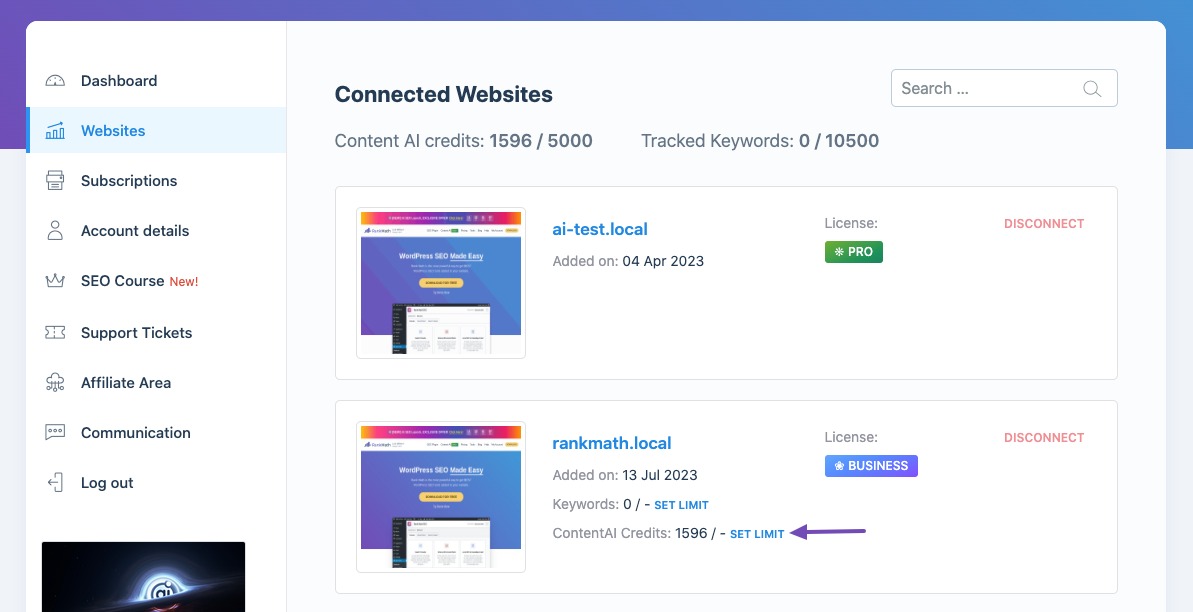
- Navigate to the Websites section from the left sidebar.
- Here, you should see all your connected websites along with their details.
- Click the Set Limit button next to the Content AI Credits for the specific website you want to allocate credits to.
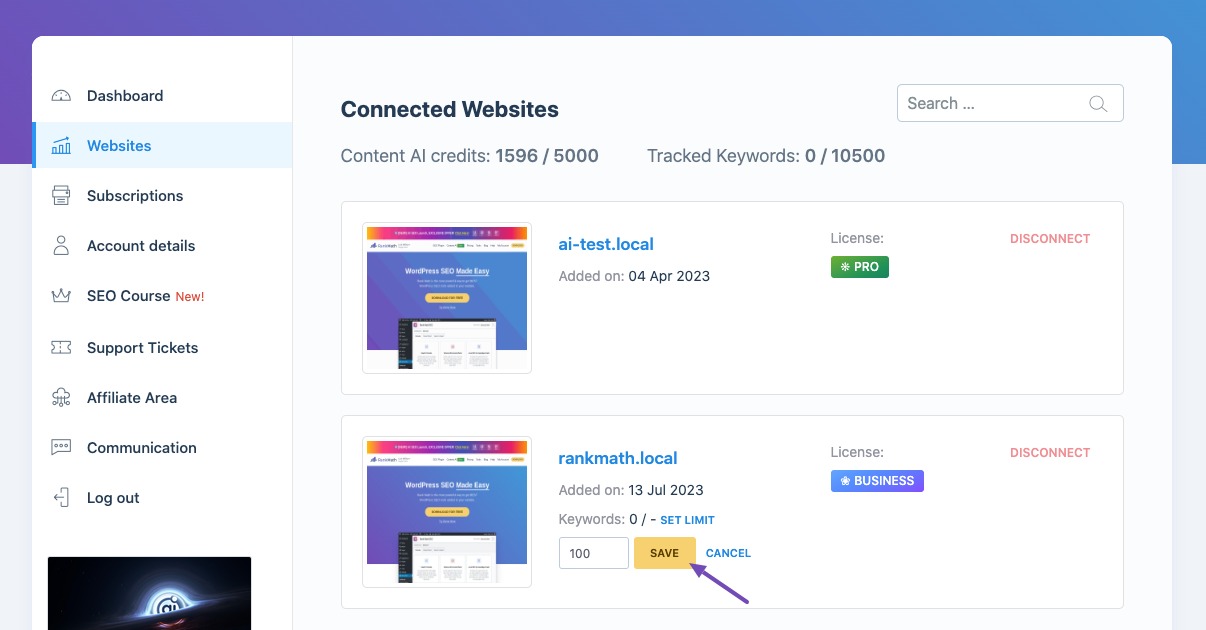
- Enter the number of credits you wish to allocate and click the Save button.
If you are still unable to assign credits after following these steps, please reply to this ticket, and a human agent from the Rank Math Support team will assist you further.
We hope this helps!
Sources:
How to Use Rank Math’s Content AI for SEO » Rank Math
We don’t have any set the limit botton for any of our site.
we’ve already reconnected the website franchilaser.it but nothing changes.
Thanks
Antonio
Hello,
Thank you for contacting support.
The option to assign limits to websites is only available in the Business and Agency subscriptions. With the Free subscription, the Content AI credits cannot be assigned and are used by all websites connected to the account.
Don’t hesitate to get in touch if you have any other questions.
I’m disappointed by this misunderstanding. Nowhere in your pre-sale FAQs or pricing list was it explicitly mentioned that the two services had to be linked and purchased as a bundle.
Your marketing states Content AI operates independently, but users are frequently blocked. With a limited credit allowance, effective testing is impossible. Please provide details on your refund policy.
Thanks
Antonio
Hello,
The credits can be used without a subscription to the Rank Math SEO plugin but you cannot assign them to specific websites. The credits will be available to all connected websites on your account here: https://rankmath.com/my-account/websites/
As for our refund policy, we offer a 30-day refund policy which can be granted by just stating unequivocally that you would like a refund.
Don’t hesitate to get in touch if you have any other questions.
Before asking for a refund, there’s something else we need to figure out. On each connected website, when I refresh to check my available credits, the number changes from a percentage to the total amount of credits in my account (45,000). So, which number should I use for each website?
Thanks.
Hello,
Our plugin doesn’t use percentages for the credit counts. Only exact numbers so in this case, you should see 45,000 credits available on each website connected to the account because you have not used any credits so far.
If you see zero credits available initially it’s because they have not been refreshed yet and clicking the little circling arrow under WordPress Dashboard > Rank Math SEO > General Settings > Content AI will do just that.
Don’t hesitate to get in touch if you have any other questions.
Hello,
Since we did not hear back from you for 15 days, we are assuming that you found the solution. We are closing this support ticket.
If you still need assistance or any other help, please feel free to open a new support ticket, and we will be more than happy to assist.
Thank you.



