Hello,
We apologize for the issue you are facing with the conflict between the Rank Math plugin and Elementor. To confirm if this is indeed a plugin conflict, we recommend performing a quick conflict check using the Health Check plugin. This will allow you to test without affecting your website visitors.
Here are the steps to follow:
1. Installing the Health Check Plugin
- Log on to WordPress: Log into your WordPress Administrator account and navigate to the dashboard.
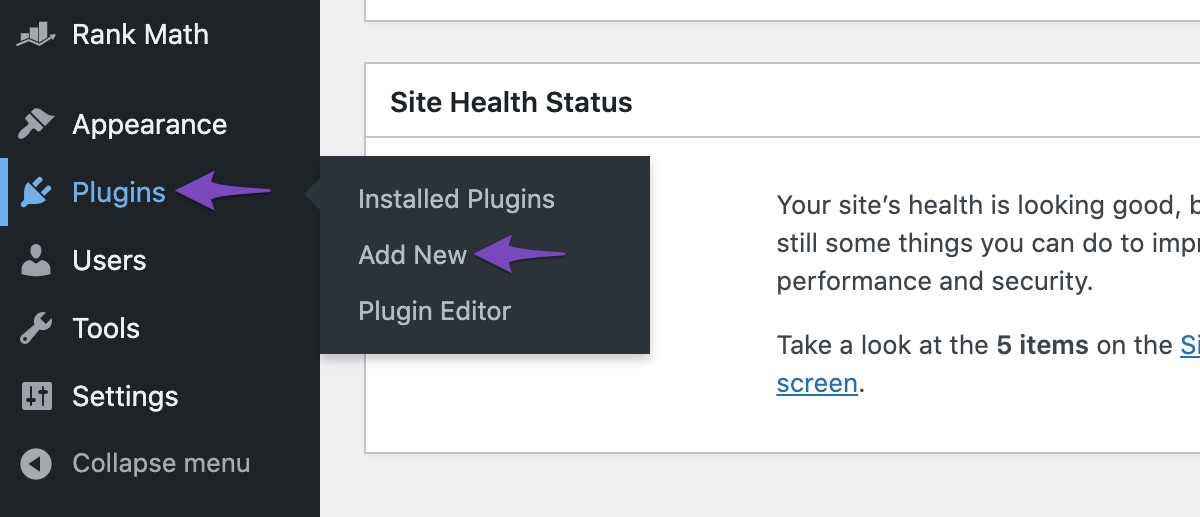
- Add Plugin: Go to Plugins in the WordPress menu, then click on Add New.
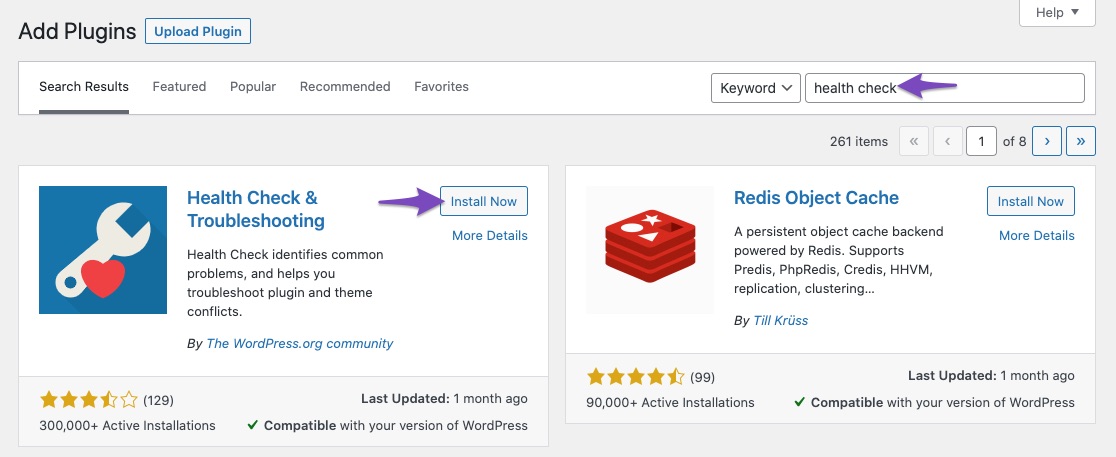
- Install Health Check Plugin: Search for ‘Health Check’ and click Install Now on the Health Check & Troubleshooting plugin.
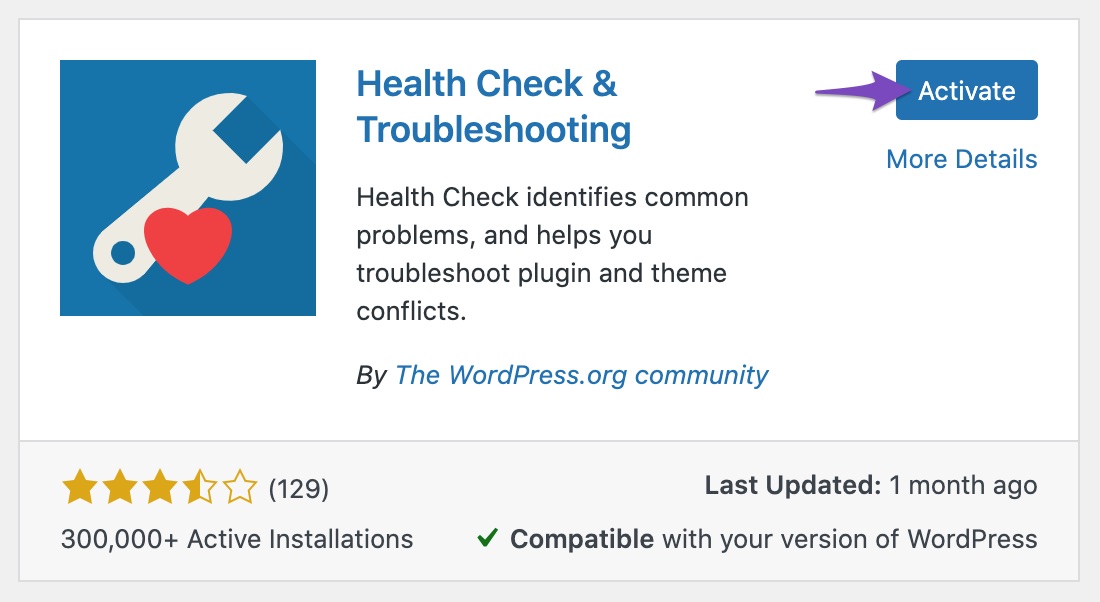
- Activate Health Check Plugin: Activate the official Health Check plugin.
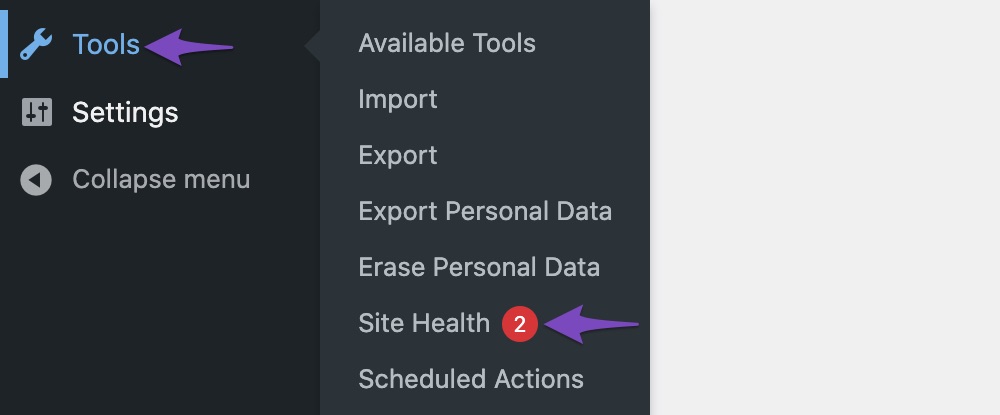
- Finding the ‘Site Health’ Option: Hover over Tools in the WordPress Menu and click on Site Health.
2. Checking for Conflicts
- Navigate to the Troubleshooting Mode in the top bar of the Health Check plugin.
- Enable the Rank Math plugin and check if Elementor works.
- If it does not work, disable Rank Math and enable Elementor to see if it functions correctly.
- If you find that one of these plugins is causing the issue, please let us know which one it is, and we will do our best to resolve the conflict from our end.
If the issue persists even when only the default WordPress theme and Rank Math are active, please reply to this ticket, and a human agent from our support team will assist you further.
Thank you for bringing this to our attention!
Sources:
Confirming a Theme/Plugin Conflict With Rank Math
when I activate rankmath the Elementor plugin doesn’t work. What can you do to solve the problem?
Hello,
Thank you for contacting us. We apologize for any inconvenience this issue may have caused.
It seems that you’re currently using the Rank Math PRO plugin, but the account you used to open this ticket is a free account.
Can you please search and forward a receipt from FastSpring.com so we can locate your account and verify it?
This issue is likely happening because you are using an old version of the Rank Math PRO plugin which conflicts with the latest version of the Elementor PRO plugin. https://rankmath.com/changelog/
The latest version of the Rank Math PRO is version 3.0.80. Please download and install manually from: https://rankmath.com/my-account/
Here’s a guide you can follow to update manually: https://rankmath.com/kb/update-rank-math-manually/
Let us know how it goes. Looking forward to helping you.
Thank you.
Wordpress doesn’t give me the new Rankmath update. I have no receipts on FastSpring.com, how do I verify this account? If I verify the account, could you solve my problem later?
Hello,
Please note that you may need to have an active subscription from Rank Math to use the Rank Math PRO plugin on your site.
Aside from that, we don’t offer support for nulled or cracked plugins as we explain here: https://rankmath.com/kb/rank-math-pro-nulled/
Once you have a Rank Math PRO subscription, you can update the plugin and fix the issue on your site:
https://rankmath.com/pricing/
Looking forward to helping you.
Hello,
Since we did not hear back from you for 15 days, we are assuming that you found the solution. We are closing this support ticket.
If you still need assistance or any other help, please feel free to open a new support ticket, and we will be more than happy to assist.
Thank you.




