Hello,
We apologize for the issue you are facing regarding category optimization in your WooCommerce store. Thank you for raising this concern.
In Rank Math, when you set up a category and add a title, keyword, and description, the image you see in the social tab is primarily for social media sharing (like Facebook and Twitter). The Default Social Share Image is used when no specific image is set for a post or category.
To answer your question about Google search results: Google does not guarantee that a specific image will be displayed for categories in search results. The image shown in search results is typically determined by Google’s algorithms based on various factors, including relevance and quality of content.
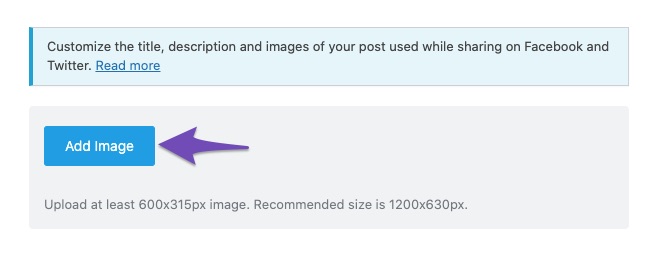
Regarding the image in the social tab, if you upload a new image using the button provided, it will replace the Default Social Share Image. This means that the new image will be used for social sharing instead of the default one. You can always change it back if needed.
Here’s a visual representation of how to add an image for Facebook sharing:
If you have any more questions or need further clarification, feel free to reply to this ticket, and a human agent from the Rank Math Support team will assist you further.
Thank you for your understanding!
Sources:
Social Media Options in Rank Math
Hello,
Thank you for contacting us and sorry for any inconvenience that might have been caused due to that.
Please note that there is no way we can control the images shown in search results. Google search algorithms select images that they believe will benefit users.
Here’s a link for more information on this: https://www.infidigit.com/news/can-you-control-the-image-snippets-shown-for-a-google-search-result/
But we have a guideline for your images that you can try to follow and see if that works for you: https://rankmath.com/kb/how-to-show-images-in-search-results/
Hope that helps and please don’t hesitate to let us know if you have any other questions.
Thank you.
Hello,
Since we did not hear back from you for 15 days, we are assuming that you found the solution. We are closing this support ticket.
If you still need assistance or any other help, please feel free to open a new support ticket, and we will be more than happy to assist.
Thank you.



