Hello,
We apologize for the issue you are facing with the payment process. Since you are currently in the United States but using an Indonesian credit card or PayPal account, there are a few things you can check:
-
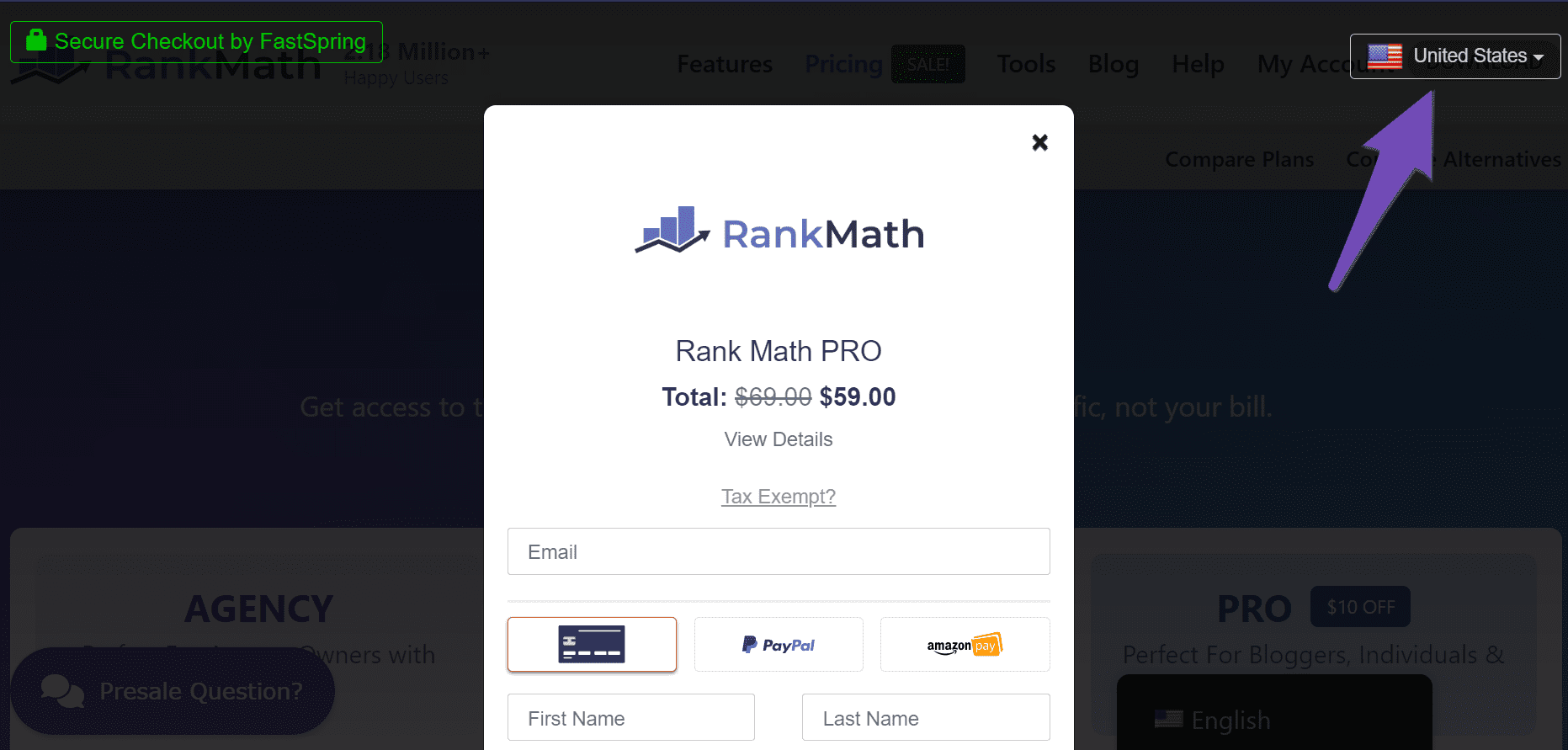
Select Your Current Location: Ensure that the country displayed in the dropdown menu at the top-right corner of the checkout page is set to the United States. If it shows a different country, please select the correct one.
-
Payment Method Compatibility: Make sure your credit card supports international payments in USD and is approved for subscription-based payments. Prepaid cards typically do not work for these transactions.
-
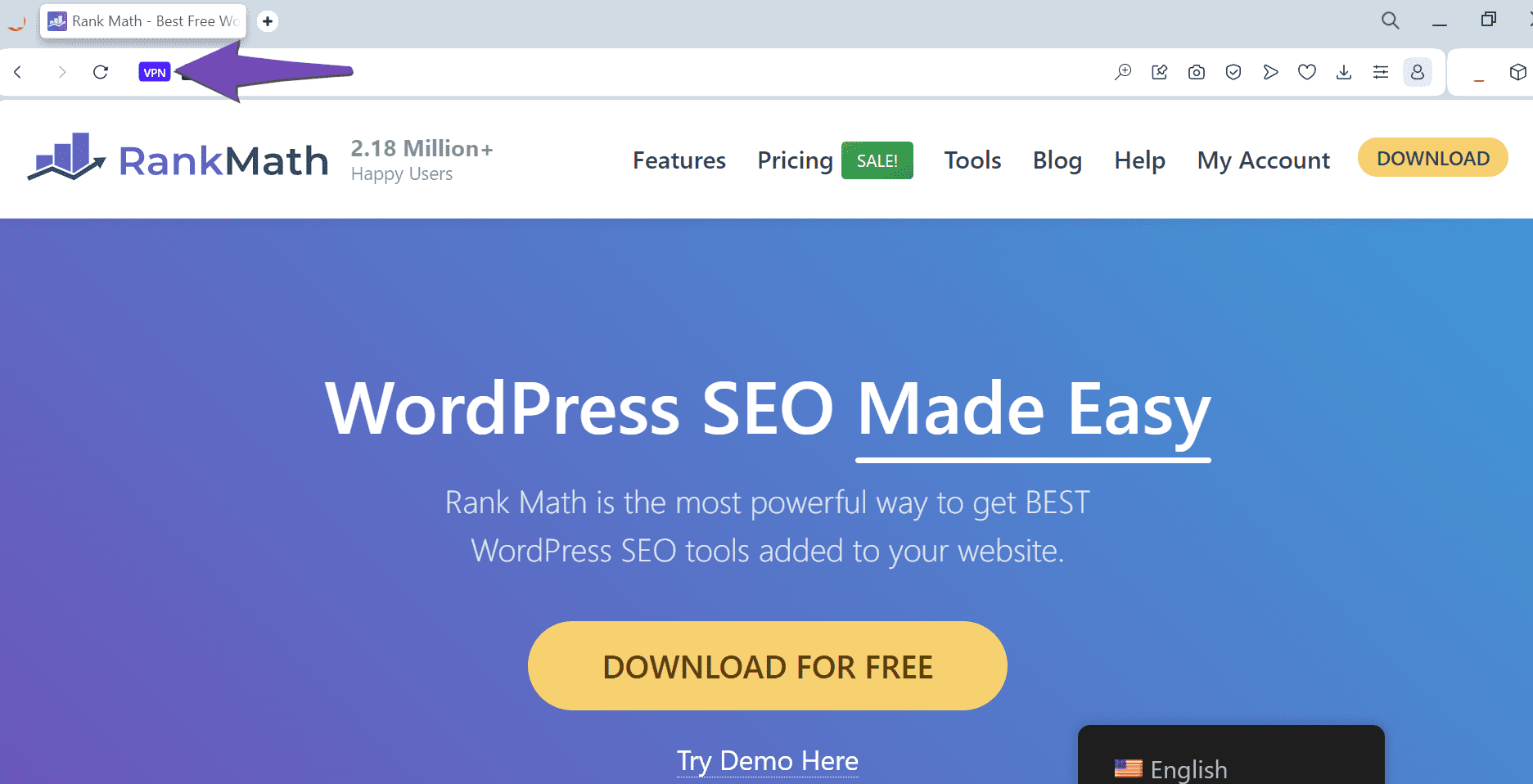
Turn Off VPN or Proxy: If you are using a VPN or proxy, please disable it as it may interfere with the payment process.
-
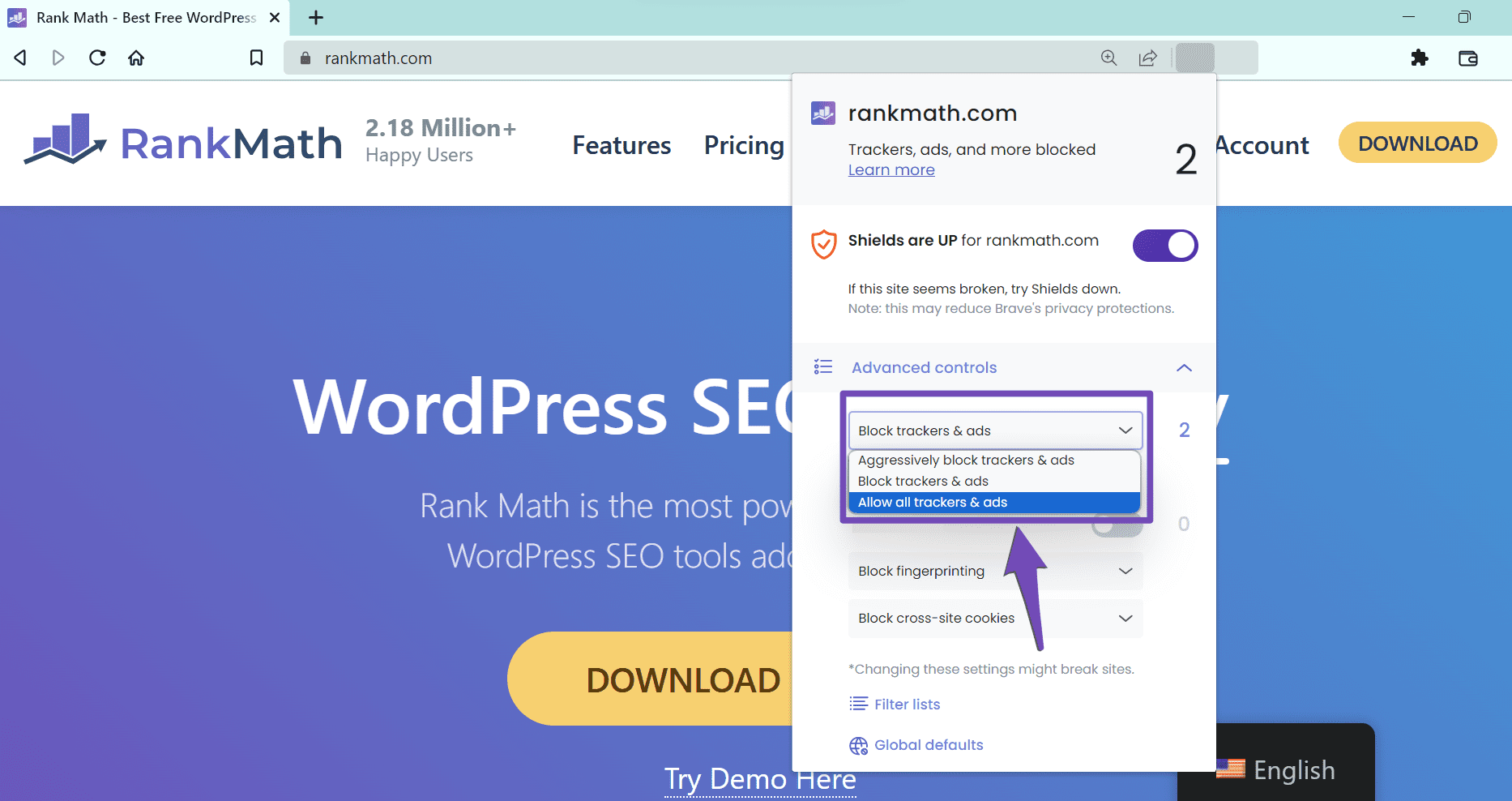
Ad Blockers: Check if you have any ad blockers enabled and turn them off, as they can sometimes block payment processes.
If you have checked all of these and are still unable to proceed with the payment, we recommend contacting your bank or PayPal support to ensure there are no restrictions on your account for international transactions.
If the issue persists, please reply to this ticket, and a human agent from our support team will assist you further.
Thank you for raising this concern!
Sources:
Troubleshooting Payment Issues at Rank Math » Rank Math
Hi,
Can I subscribe monthly?
Regards
Yande Putra
Hello,
Unfortunately, we do not offer a monthly recurring billing option, as our subscription plans are structured annually. Also, we cannot create a monthly recurring billing option exceptionally.
However, committing to an annual plan might be a significant decision. To ensure your peace of mind, we offer a 30-day refund policy.
If you feel the subscription is not the right fit for your needs, you can request a full refund within 30 days of your initial payment.
We hope that helps, and please don’t hesitate to get in touch if you have any other questions.
Thank you.
Hi,
I successfully subscribe to content AI. I already have Rankmath pro previously installed. How to activate the content AI features? When I click on content AI tab it is blurred.
Thank you
Yande Putra
Hello,
If you still don’t see the credit after following this guide: https://rankmath.com/kb/how-to-restore-missing-content-ai-credits/
Please share the affected URL/s so we can check on our end as well.
We really look forward to helping you. Thank you.
Hi,
I followed the instructions, When I clicked on the websites tab I can’t see my credits. I think that is mismatch between Rankmath pro with Credit AI. I got my rankmath from my agent. How to merge them so I can see and use my credits?
Regards
Yande Putra
Hello,
Please share the affected URL/s so we can check on our end as well.
We really look forward to helping you. Thank you.
Hi my url is puterasilver.com
Thank you
Regards
Yande Putra
Hello,
We have manually disconnected the website from our end. Now, please try to reconnect your website with your Rank Math account by navigating to WordPress Dashboard → Rank Math SEO → Dashboard → Help and then click on Connect Now.

Once you click on Connect Now, please ensure that you’ve selected the correct account and then click on OK, Activate Now, as shown below. In case you’ve multiple Rank Math licenses associated with your Rank Math account, then you can click the License drop-down to choose your preferred license to activate on this website.

Also, please make sure that you are running the latest version of Rank Math plugin.
Let us know if this fixes the issue.
Please do not hesitate to let us know if this doesn’t help or you have any follow-up queries.
Hello,
Since we did not hear back from you for 15 days, we are assuming that you found the solution. We are closing this support ticket.
If you still need assistance or any other help, please feel free to open a new support ticket, and we will be more than happy to assist.
Thank you.




