Hello,
We apologize for the issue you are facing with the canonical tags on your blog pages. It sounds like there may be a mismatch between the canonical URLs and the actual pages.
To resolve this, you can follow these steps:
-
Identify Duplicate Pages: First, check Google Search Console for any duplicate pages or issues related to canonical tags. You can navigate to the Pages section and look for any warnings or errors regarding canonical tags.
-
Update Canonical URLs in Rank Math: Once you have identified the affected pages, you can update the canonical URLs using the Rank Math meta box. By default, Rank Math uses the current post/page URL as the canonical URL. If you need to change it, go to the Advanced tab in the Rank Math settings for each page and enter the correct canonical URL.
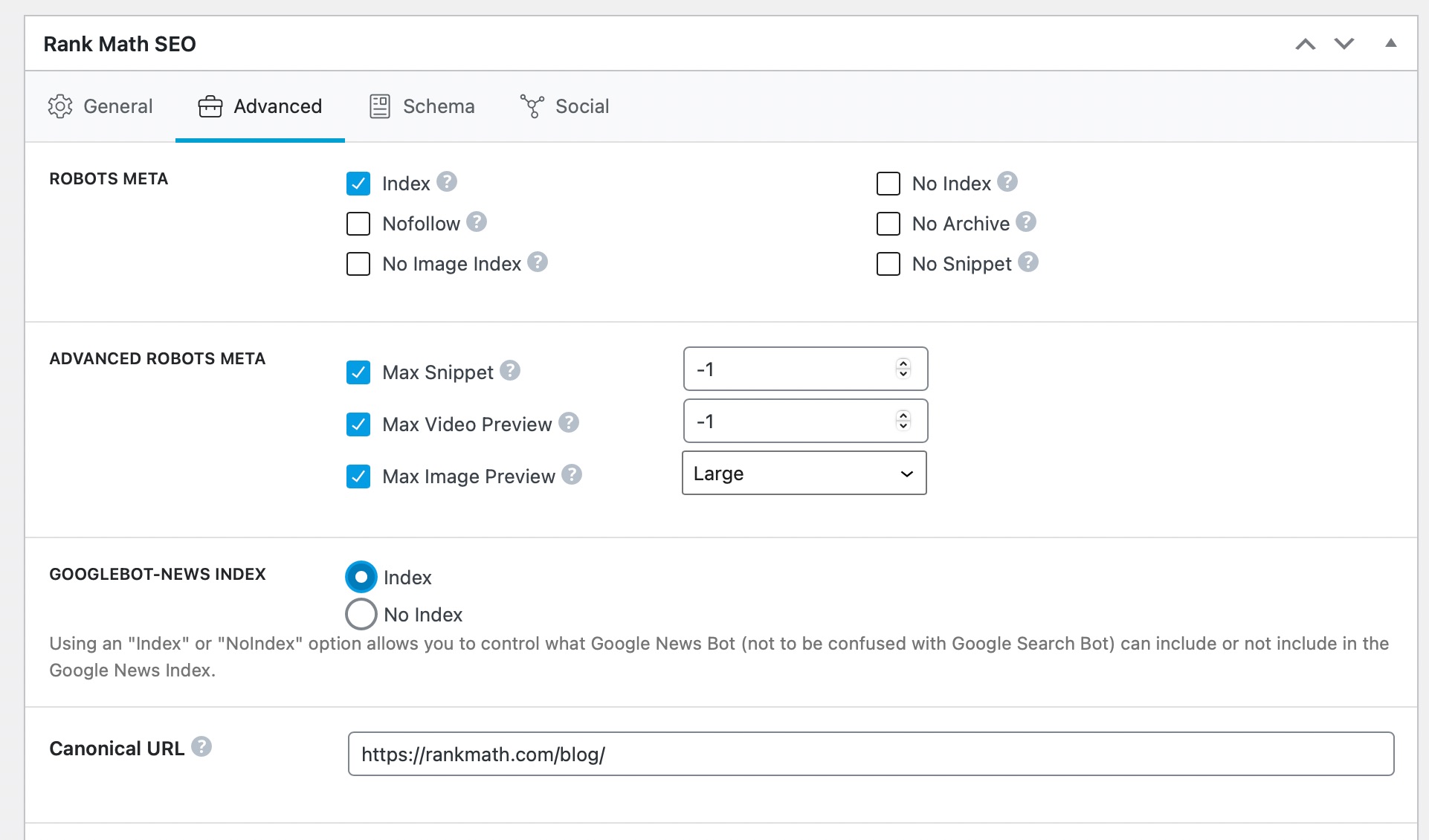
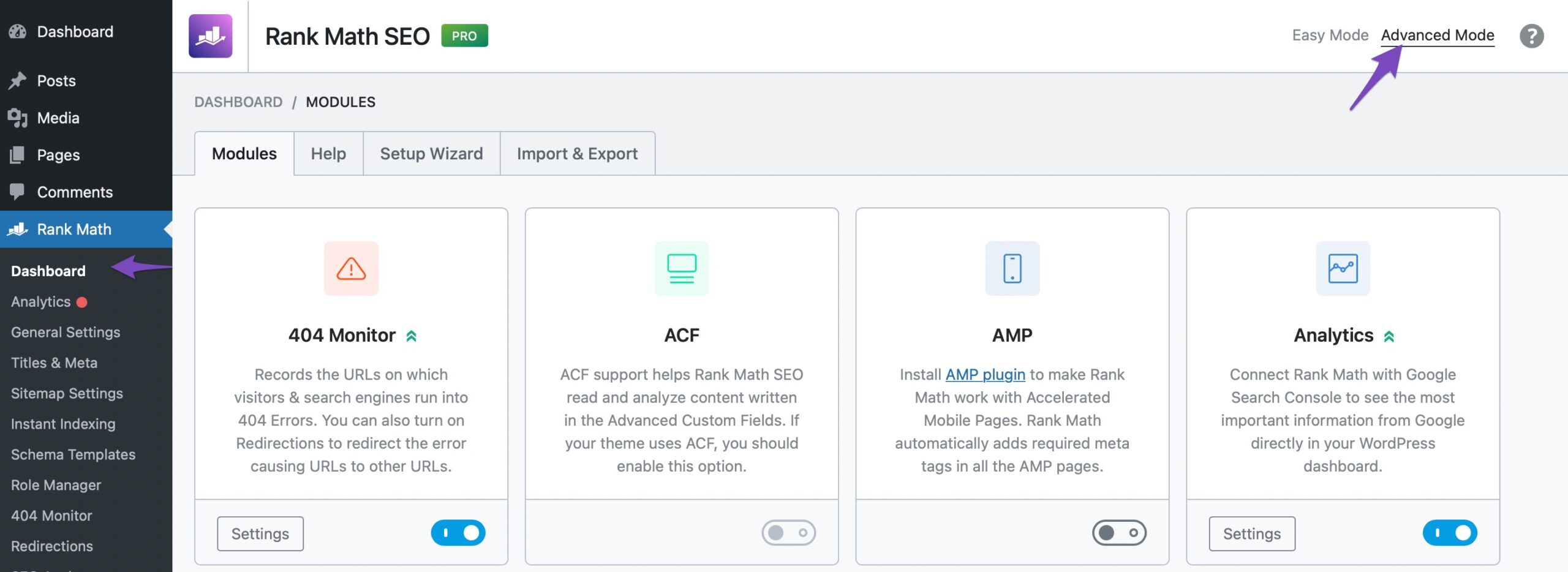
If you cannot find the Advanced tab, please ensure that you have enabled the Advanced Mode from WordPress Dashboard → Rank Math SEO.
-
Check for Correct Implementation: After updating the canonical URLs, ensure that they point to the correct pages. You can use the URL Inspection Tool in Google Search Console to verify that Google recognizes the correct canonical version.
-
Use 301 Redirects if Necessary: If there are pages you do not want to keep, consider using 301 redirects instead of just changing canonical tags. This will help guide users and search engines to the preferred page.
You can refer to this article on setting up single and multiple 301 redirects in Rank Math.
If you continue to experience issues or have further questions, please reply to this ticket, and a human agent from our support team will assist you further.
Thank you for raising this concern!
Sources:
Alternate Page with Proper Canonical Tag Status in Google Search Console » Rank Math
How to Fix Indexing Issues in Google Search Console » Rank Math
How to Fix “Duplicate, Google Chose Different Canonical than User” » Rank Math
Hi,
Thanks for the quick reply, but what is happening is that the pages exist, they are variations of the first blog page, which is correct, but the rest, for example the second one, the url is correct, but the canonical is for the first one, how can I correct it?
Thanks!
Hello,
Thank you for contacting Rank Math and bringing your concern to our attention. We are sorry for any inconvenience this issue may have caused you.
Rank Math adds a self-referencing canonical URL by default for your paginated pages. We can see Rank Math already adds a self-referencing canonical URL on both URLs you shared in the sensitive data section.
(see image in the sensitive data section)
If you want to however set the canonical of the paginated pages to the main/first page you can use this filter code on your site:
add_filter( 'rank_math/frontend/canonical', function( $canonical ) {
	if ( is_paged() ) {
			$link = $_SERVER['REQUEST_URI'];
			$arr = explode('/page/', $link,);
			$canonical = home_url($arr[0]. '/');
		}
		return $canonical;
});
And here’s a guide on how you can add a filter to your website:
https://rankmath.com/kb/filters-hooks-api-developer/
Let us know how this goes. Please let us know if you have further questions or concerns.
Thank you.
Hello,
Since we did not hear back from you for 15 days, we are assuming that you found the solution. We are closing this support ticket.
If you still need assistance or any other help, please feel free to open a new support ticket, and we will be more than happy to assist.
Thank you.



