Hello,
We’re sorry to hear about the issue you’re facing with your subscription cancellation. If you wish to cancel your subscription, you can follow the steps illustrated in this tutorial: How to Cancel Your Rank Math Subscription.
If you have accidentally canceled your subscription and would like to reactivate it, you can do so by following these steps:
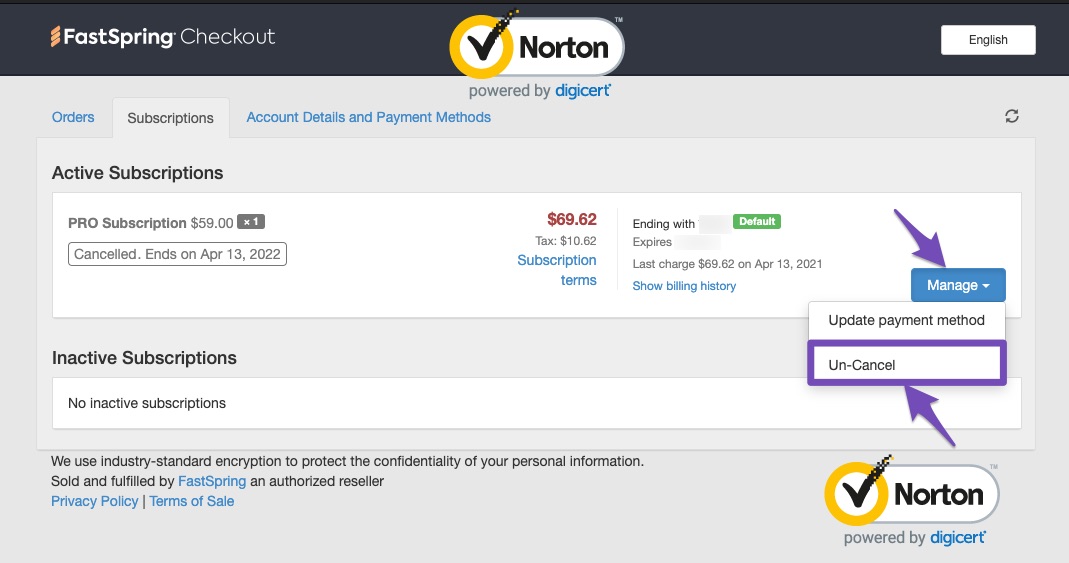
- Un-Cancel Rank Math PRO Membership: If you’re still on the FastSpring Checkout page, click the Manage button and choose the Un-Cancel option.
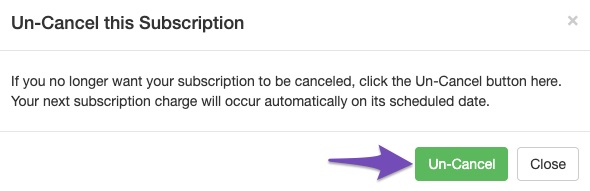
- Confirm the un-cancellation by clicking the Un-Cancel button.
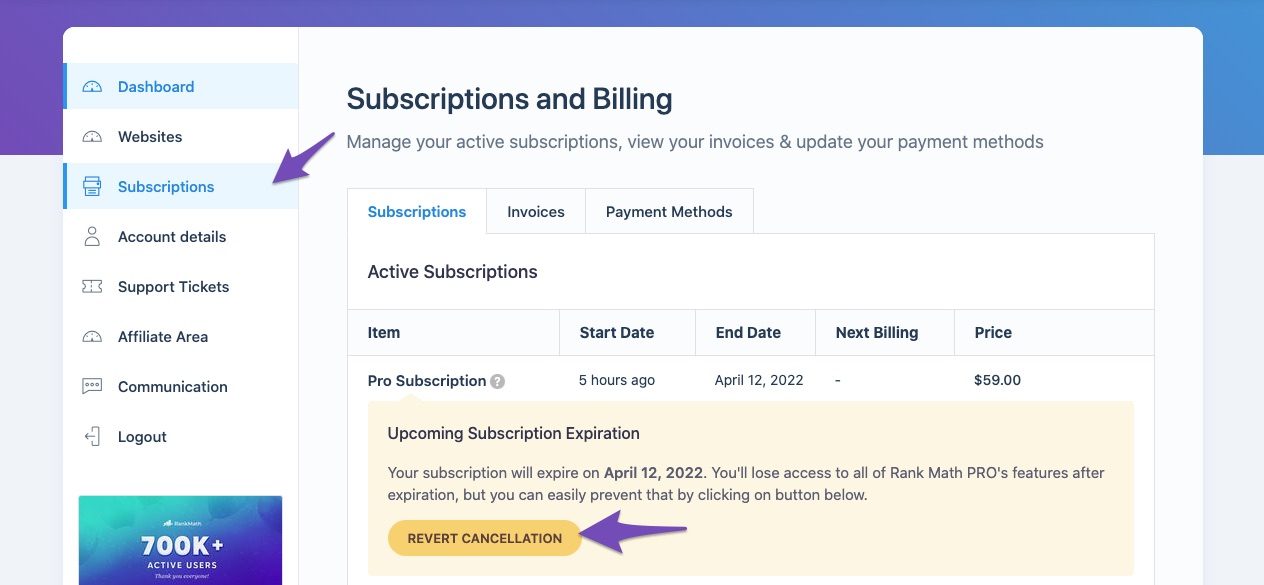
- Alternatively, you can reactivate your subscription inside your Rank Math Dashboard. Navigate to Rank Math Dashboard → Subscriptions and click the Revert Cancellation button.
If you still have any questions or if there’s anything specific we can assist you with regarding your subscription, please reply to this ticket, and a human agent from our support team will take over and assist you further.
Thank you for raising this concern!
Sources:
How to Cancel Your Rank Math Subscription » Rank Math
Hello,
Thank you for contacting the support and sorry for any inconvenience that might have been caused due to that.
It seems like you purchased the plugin with some other email address.
Can you please search and forward a receipt from FastSpring.com so we can locate your account?
We need to see the order number that starts with RANKMATH2#####-####-#####
We really look forward to hearing back from you. Thank you.
Hello,
Since we did not hear back from you for 15 days, we are assuming that you found the solution. We are closing this support ticket.
If you still need assistance or any other help, please feel free to open a new support ticket, and we will be more than happy to assist.
Thank you.



