Hello,
We apologize for the issue you are facing with your payment for the PRO version. The error message "We regret that your order could not be accepted…" typically indicates a problem with the transaction on your end. Here are some troubleshooting steps you can try:
-
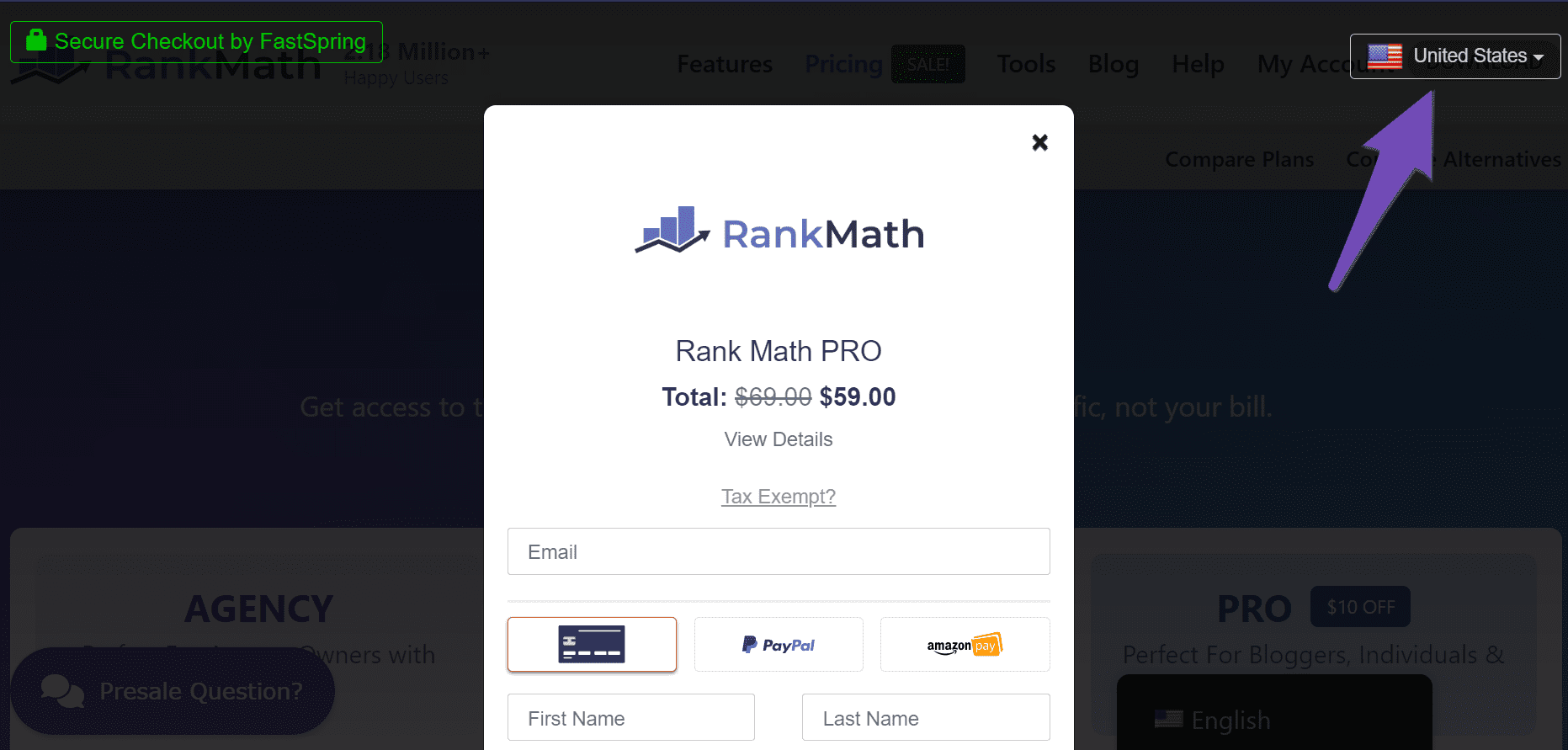
Select Your Current Location: Ensure that the country displayed in the dropdown menu at the top-right corner of the checkout page is correct. If it shows a different country, click on it and select the correct one.
-
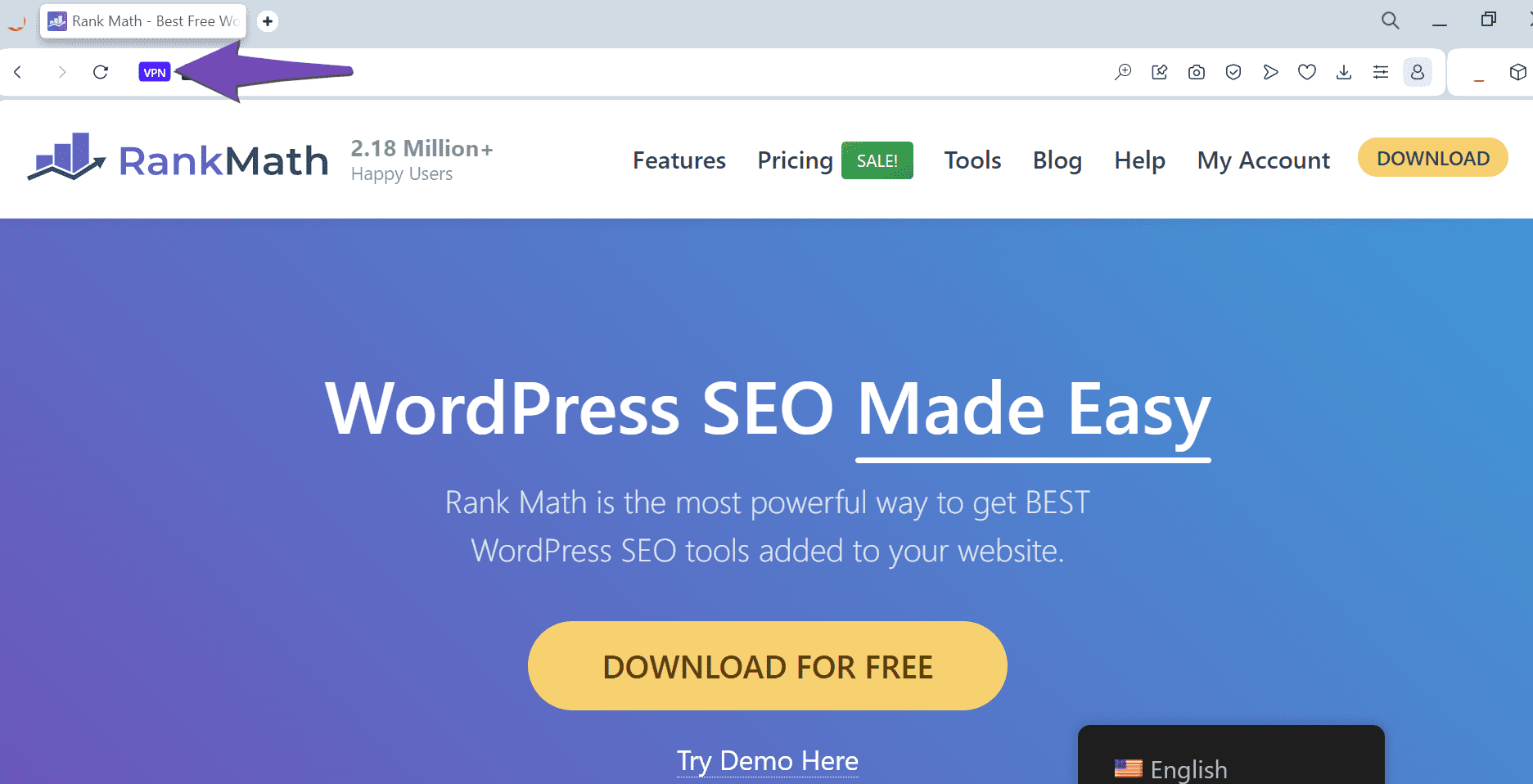
Turn Off Your VPN or Proxy: If you have a VPN or proxy server enabled, please turn it off. Some browsers also have built-in VPNs, so check your browser settings to ensure it’s disabled.
-
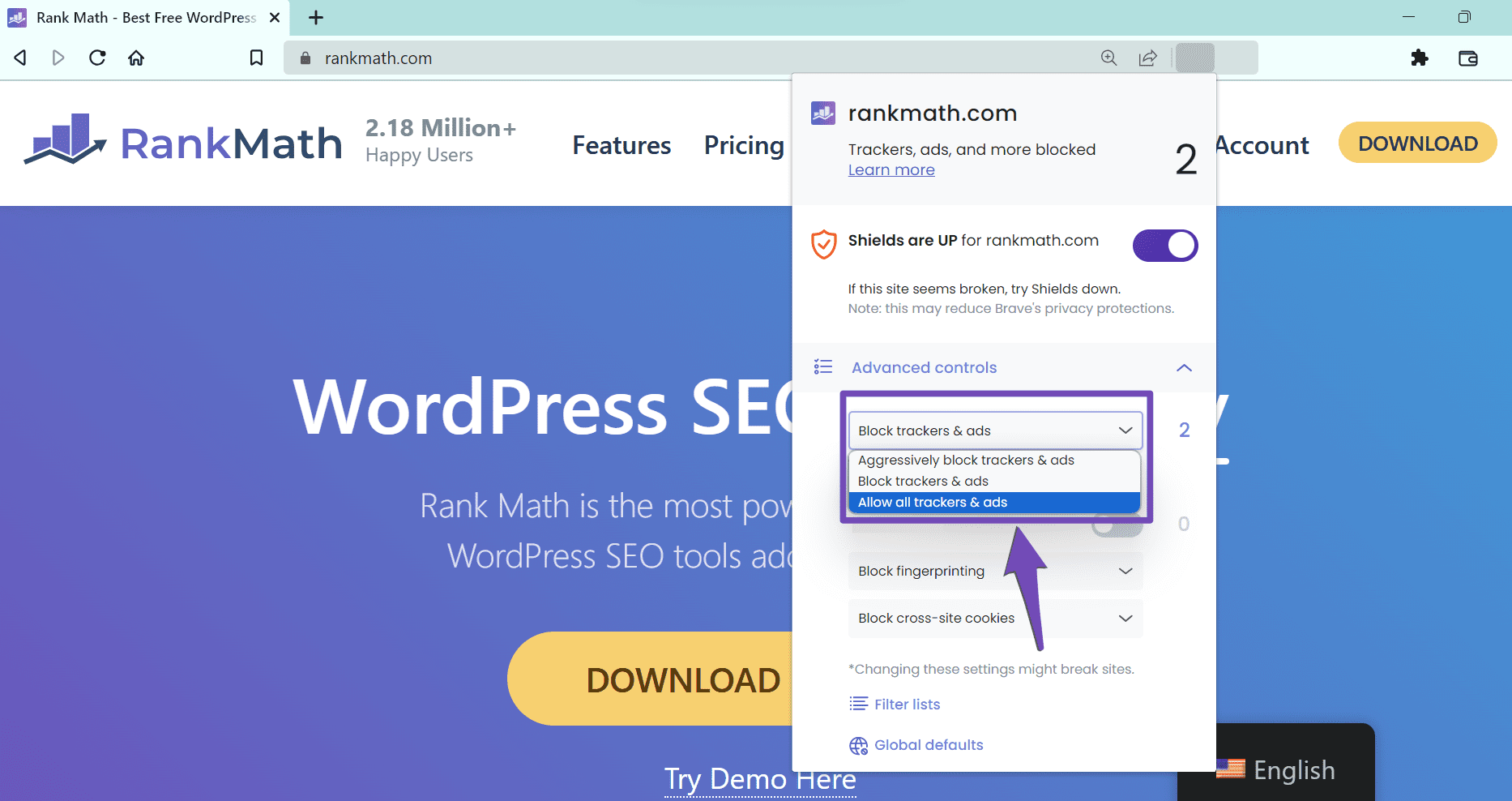
Disable Ad Blockers: Make sure to turn off any ad blockers while attempting the transaction. Even if you did not install one, check your browser settings as some browsers come with built-in ad blockers.
-
Payment Method: Ensure that your payment method supports payments in USD, subscription-based payments, and that you are not using a prepaid card. Also, check if international payments are enabled.
If you have tried all these steps and the issue persists, we recommend contacting your bank to see if there are any restrictions on your account that might be preventing the payment from going through.
If you continue to experience difficulties, please reply to this ticket with any additional details or a screencast of the issue, and a human agent from our support team will assist you further.
Sources:
Troubleshooting Payment Issues at Rank Math » Rank Math
not helping. I still get error in all the options I try to pay. looks like paypall was working in the beginning but my card didn’t have full balance and after looking like your side started blocking me. can you please check?
Hello,
Thank you for contacting Rank Math and sorry for any inconvenience that might have been caused due to that.
Your account has been already upgraded to the PRO version. You’ll also notice that the PRO badge is already showing on your account details.
If you haven’t already, you can go through this video tutorial that shows you how to get started with your PRO/Business license:
https://www.youtube.com/watch?v=nCDe67K_3rA
Please install the Rank Math PRO plugin files if you haven’t already from your registered account from here:
https://rankmath.com/my-account/
Once you have activated the PRO plugin, please head over to WordPress Dashboard > Rank Math > Dashboard > Help and click the connect/disconnect and then the connect button.
You will be taken to RankMath.com again where you can connect your account to activate your license.
You do not need to remove the free version of the plugin. Everything will be ported over to the PRO version. Here’s our guide about this topic: https://rankmath.com/kb/should-i-delete-free-plugin-after-upgrading/
Also, please ensure that there are no Ad-Blockers installed in your browser or your website is excluded in order to ensure a smooth experience with Rank Math PRO.
Then head over to WordPress Dashboard → Rank Math → General Settings → Content AI and refresh the credits. Here’s a screenshot for reference:

Please do not hesitate to let us know if you need our assistance with anything else.
We are here to help.
Thank you.



