Hello,
We apologize for the issue you are facing with implementing breadcrumbs schema on your website. Since you have already activated the Breadcrumbs option within Rank Math settings, you do not need to manually add the schema code to each page and post.
Once you enable the breadcrumbs function in Rank Math, it automatically adds the necessary Breadcrumb Schema to your website. You can display the breadcrumbs using the shortcode or by adding the appropriate code to your theme files. Here’s how you can do it:
-
Using Shortcode: You can use the following shortcode in your posts or pages where you want the breadcrumbs to appear:
[rank_math_breadcrumb]
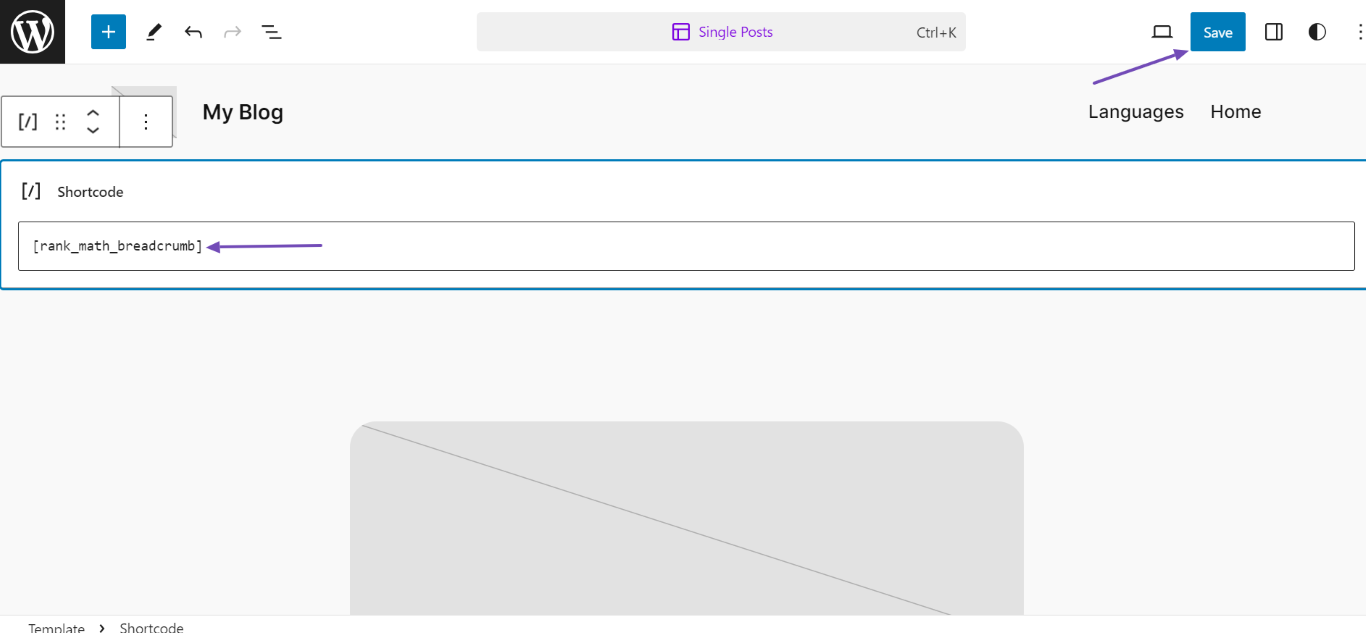
-
Using Theme Files: If your theme supports it, you can add this code to your theme template files:
By doing this, Rank Math will handle the schema automatically across your entire website without needing to add it manually to each page or post.
If you have any further questions or need assistance, feel free to reply to this ticket, and a human agent from the Rank Math Support team will assist you further. Thank you for raising this concern!
Sources:
How to Enable Breadcrumbs on Your Website With Rank Math SEO » Rank Math
Configuring “Schema Markup” in Rank Math » Rank Math
How to Make Your Theme Rank Math Compatible » Rank Math
Hello,
Thank you for contacting support.
After enabling the breadcrumbs and adding them to the website using the methods mentioned in our tutorial the Schema markup is added automatically.
Here’s the tutorial on how to add those breadcrumbs: https://rankmath.com/kb/breadcrumbs/
Don’t hesitate to get in touch if you have any other questions.
Hi Miguel,
Thanks for your reply.
I’ve enabled the Breadcrumb option but it’s not appear in the source file. Could you please check and let me know.
Here is the link: view-source:https://loginpress.pro/features/
Hello,
Your site doesn’t seem to be using the Schema of our plugin. Please confirm that you have enabled the Schema Module in WP Dashboard > Rank Math SEO > Dashboard.
If the issue persists, assuming you are using the latest version of all the plugins and the themes (please update if not yet), it would seem like a conflict with one of the plugins or the theme you are using.
To determine that, please follow this troubleshooting guide:
https://rankmath.com/kb/check-plugin-conflicts/
Here is a video you can follow as well:
https://www.youtube.com/watch?v=FcIWRhcUP2c
Only the site admin would know and your users won’t be affected by this troubleshooting.
If the issue persists, edit the first post on this ticket and include your WordPress & FTP logins in the designated Sensitive Data section.
Please do take a complete backup of your website before sharing the information with us.

It is completely secure and only our support staff has access to that section. If you want, you can use the below plugin to generate a temporary login URL to your website and share that with us instead:
https://wordpress.org/plugins/temporary-login-without-password/
You can use the above plugin in conjunction with the WP Security Audit Log to monitor what changes our staff might make on your website (if any):
https://wordpress.org/plugins/wp-security-audit-log/
Please do take a complete backup of your website before sharing the information with us.
We really look forward to helping you.
Alright! I’ll check. Thank you!
Hello,
Let us know how that goes. Looking forward to your update.
Thank you.
Hello,
Since we did not hear back from you for 15 days, we are assuming that you found the solution. We are closing this support ticket.
If you still need assistance or any other help, please feel free to open a new support ticket, and we will be more than happy to assist.
Thank you.




