Hello,
We apologize for the issue you are facing with your blog posts not being indexed in Google searches. It’s important to note that it can take some time for Google to index new content, and this is quite normal. Google may take days or even weeks to index new posts, especially if your site is new or if there are other factors affecting the crawl budget.
Here are a few steps you can take to help ensure your posts get indexed:
-
Check Your Robots.txt File: Make sure that you haven’t accidentally blocked Google from crawling your site. You can use the robots.txt testing tool to verify this.
-
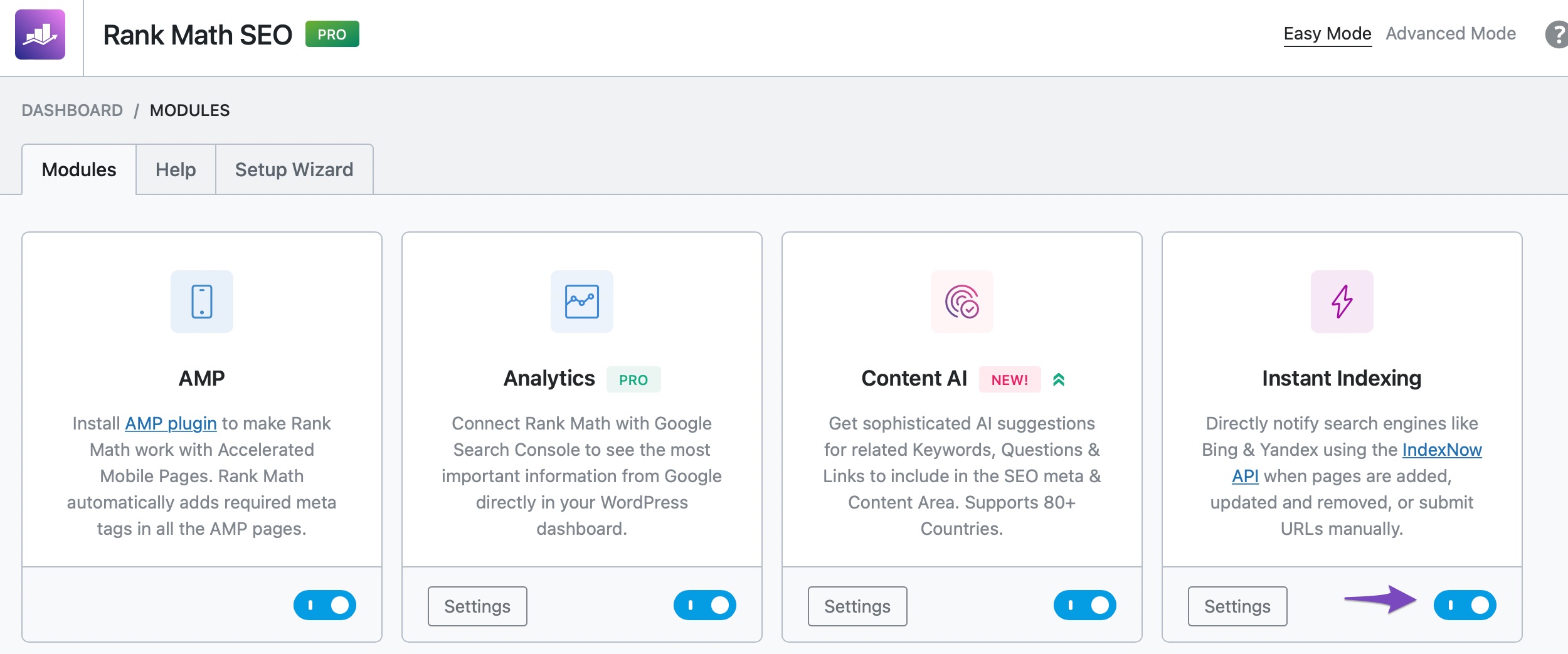
Use Rank Math’s Instant Indexing Feature: If you haven’t already, consider using Rank Math’s Instant Indexing feature. This allows you to submit your URLs directly to Google for indexing. To enable it, go to WordPress Dashboard → Rank Math SEO and enable the Instant Indexing module. Then, you can submit your posts for indexing.
-
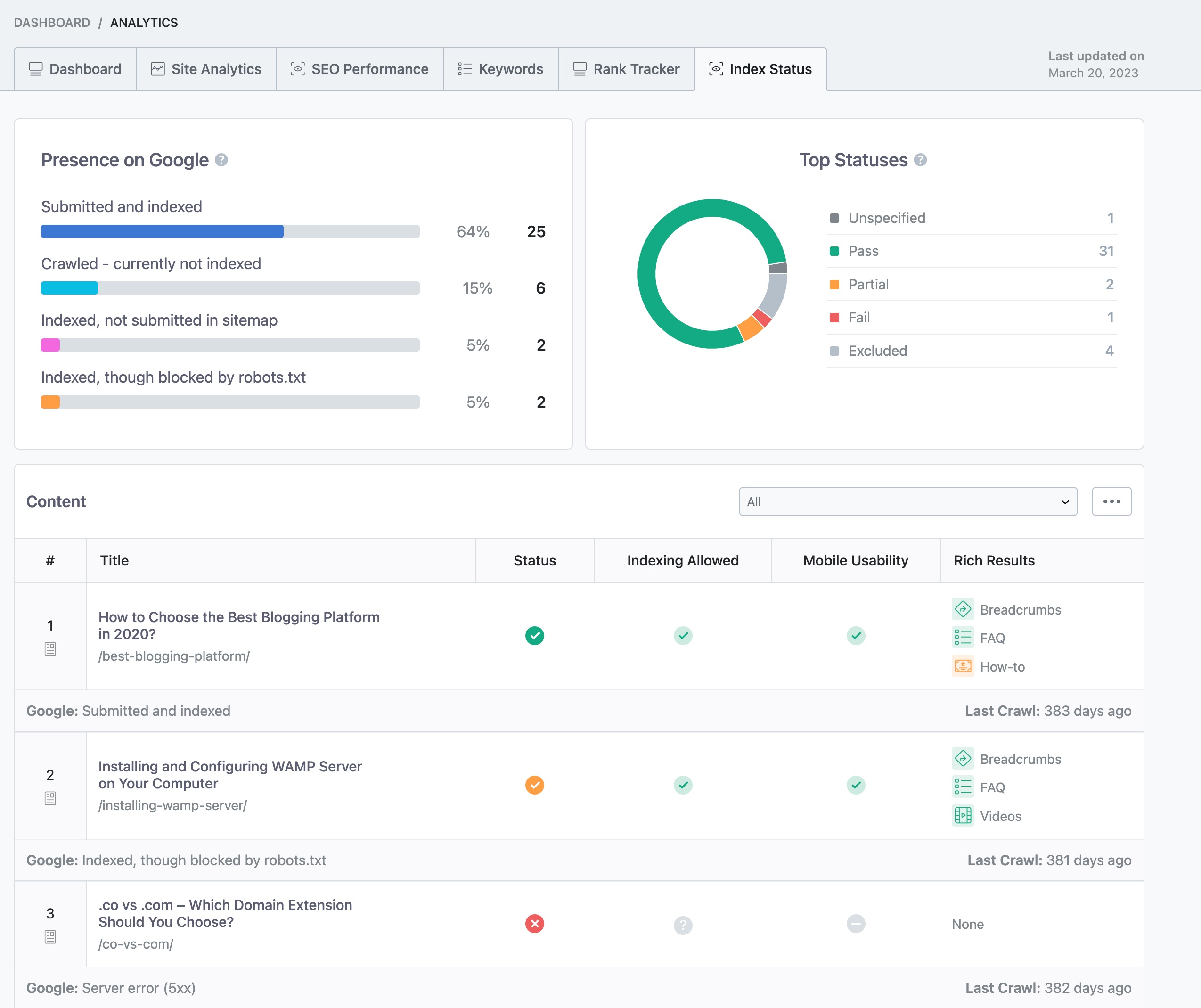
Monitor Your Index Status: You can check your page’s index status within your WordPress dashboard by navigating to Rank Math SEO → Analytics → Index Status.
-
Wait for Google: If everything seems fine and you’ve submitted your posts, it may just be a matter of waiting a bit longer for Google to crawl and index them.
If you continue to experience issues after trying these steps, please reply to this ticket, and a human agent from the Rank Math Support team will assist you further. Thank you for raising this concern!
Sources:
Why Google Hasn’t Indexed Your Post, Page, and/or Website? » Rank Math
Why Did My Website Disappear From Google Search? » Rank Math
How to Fix "Crawled – Currently Not Indexed" Error in Google Search Console » Rank Math
Hello,
Thank you for getting in touch and I am extremely sorry about the trouble this might have caused.
There are a few things you must check for in order to see why the posts aren’t getting indexed.
1. Make sure the post is not selected as ‘noindex’ in WP > Posts > Your Post > Advanced Tab in Rank Math.
Screenshot for reference:

2. Ensure that the noindex is not selected for Global or Posts meta:

3. Check the sitemap settings and check if the posts are setup to be included in the sitemaps:

Please note that it is completely upto Google if they want to index or not index your website. So, if you haven’t willingly or accidentally made your posts noindex and Google still isn’t indexing your page – it means that either Google doesn’t want to index or hasn’t crawled your page yet because it hasn’t allocated that much crawl budget to your website.
Please check this website for more details.
Hope that helps and please do not hesitate to let us know if you need our assistance with anything else.
Hello,
Since we did not hear back from you for 15 days, we are assuming that you found the solution. We are closing this support ticket.
If you still need assistance or any other help, please feel free to open a new support ticket, and we will be more than happy to assist.
Thank you.



